

If you've ever tried to back up a database running inside a Kubernetes pod, you know the drill. You're either writing custom CronJobs, wrestling with Velero configurations, or duct-taping scripts together and hoping they don't silently fail at 3 AM.
It shouldn't be this complicated. So we fixed it.
Introducing Kubernetes Database Backup
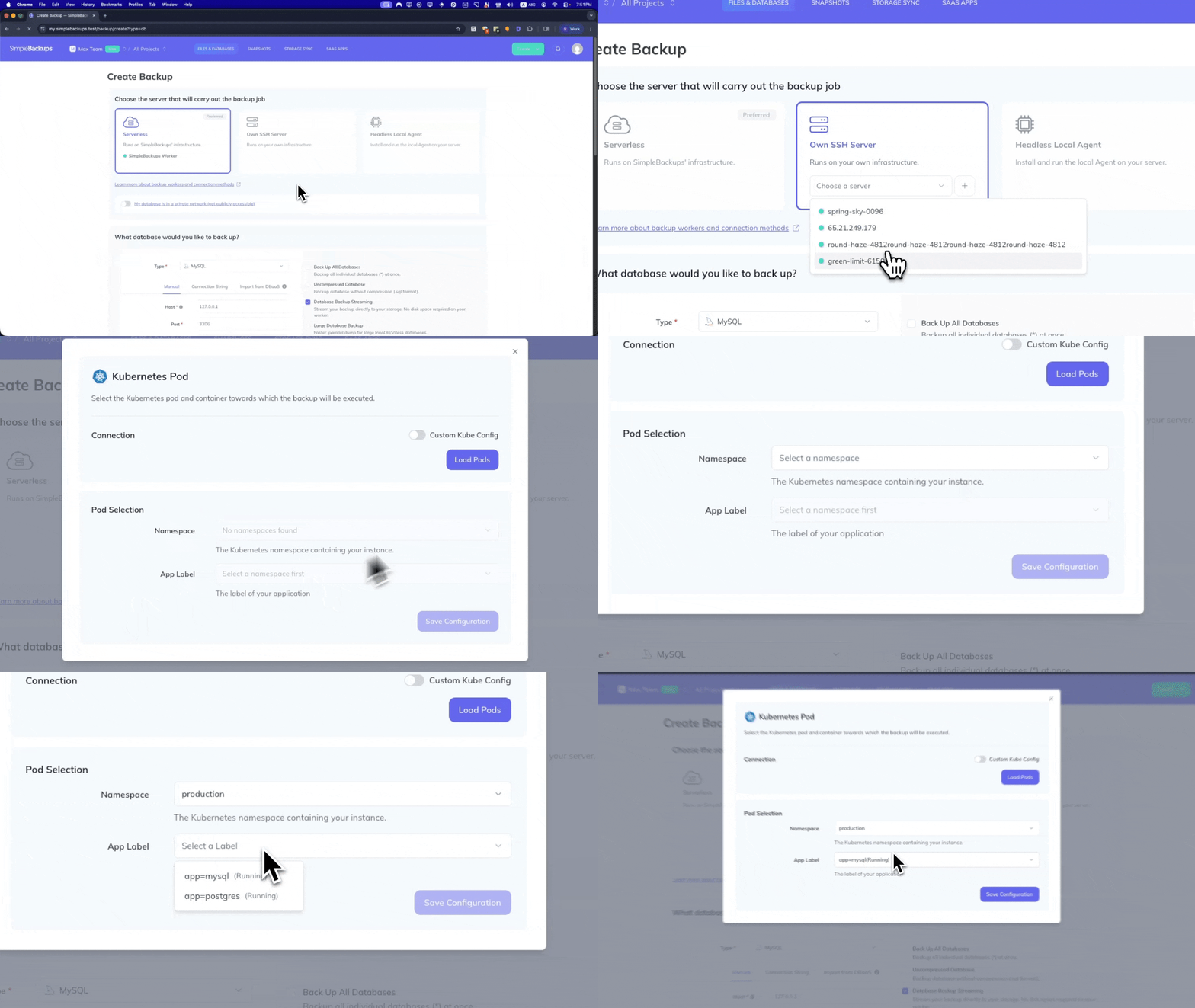
You can now back up databases running in your Kubernetes clusters directly from SimpleBackups. Connect your cluster, select the databases you want to protect, choose where to store your backups, and you're done.
No YAML to write. No Velero to manage. No PhD in Kubernetes storage required.
It works the same way you'd expect from SimpleBackups — because that's the whole point. If you've used us for MySQL, PostgreSQL, or MongoDB backups before, this will feel familiar. We just extended that same simplicity to databases living inside your K8s pods.
Why we started with databases
We're building toward a comprehensive Kubernetes backup solution (more on that in a moment), but we deliberately started with databases.
Here's why: losing a pod configuration is annoying. Losing your data is a disaster.
When we talked to teams running workloads on Kubernetes, the anxiety was always centered on the same thing — "What happens to my data if something goes wrong?" Configs can be recreated. Deployments can be reapplied. But your production database? That's the thing that keeps people up at night.
So we built that first.
How it works
We kept the setup minimal:
Connect your cluster — Works with any Kubernetes distribution. EKS, GKE, AKS, DigitalOcean, Linode, Civo, self-hosted with kubeadm or k3s — if it runs Kubernetes, we support it.
Auto-discovery finds your databases — Once connected, we automatically detect what's running in your cluster. No manual inventory needed.
Pick your storage destination — Store backups on any S3-compatible storage, Google Cloud Storage, Azure Blob, or your own infrastructure. Your data, your storage, your control.
Set your schedule and forget about it — Daily, hourly, whatever you need. We handle the scheduling, monitoring, and alerting. If something fails, you'll know immediately.
Same monitoring and anomaly detection you get with all SimpleBackups jobs. Same dashboard. Same restore process.
Where we're headed
Let's be transparent about what this release is and isn't.
This is Kubernetes database backup. It's not full cluster backup yet. We're not backing up your Namespaces, Deployments, Secrets, ConfigMaps, or Persistent Volumes with this release.
But that's coming.
We're building SimpleBackups into a complete Kubernetes backup solution — one that protects your entire cluster state, not just your databases. You can find the the full vision on simplebackups.com/kubernetes-backup : cluster resources, persistent volumes, connected databases, cross-cloud restore, ...
We're shipping incrementally because we'd rather give you something solid today than make you wait for everything at once. Database backup is ready now. The rest is actively in development.
We'll keep you posted as we ship more.
Available on all plans
No special tier. No enterprise-only lockout. If you're a SimpleBackups customer, you have access to Kubernetes database backup today.
If you're not a customer yet, there's no credit card required to get started.
Questions about the setup or want to see something specific in our K8s roadmap? Reply to this post or reach out at hello@simplebackups.com. We read everything.