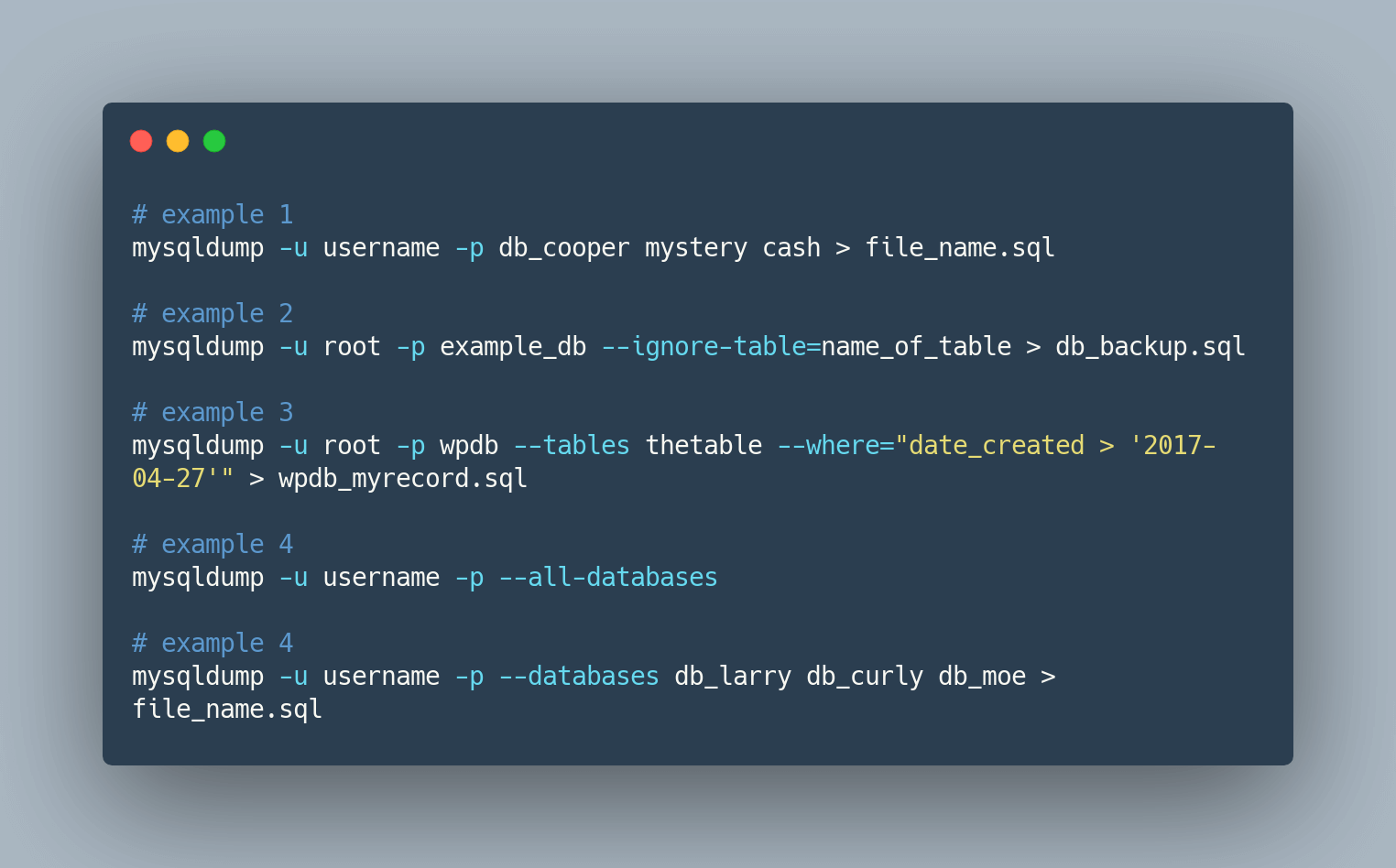
November 21, 2020
So you already have your backup and decided to restore this on your MySQL database? In this article, we will tackle how to import SQL files in MySQL using a couple of methods.
October 20, 2020
Learn how to restore a MySQL backup (dump) using a simple command, a different database, a different server, a different MySQL version, or a web-based tool.

October 8, 2020
How to read a MySQL error, from the error number and SQLSTATE through to the message, plus the ten errors we see most often and what actually causes each one.
June 10, 2020
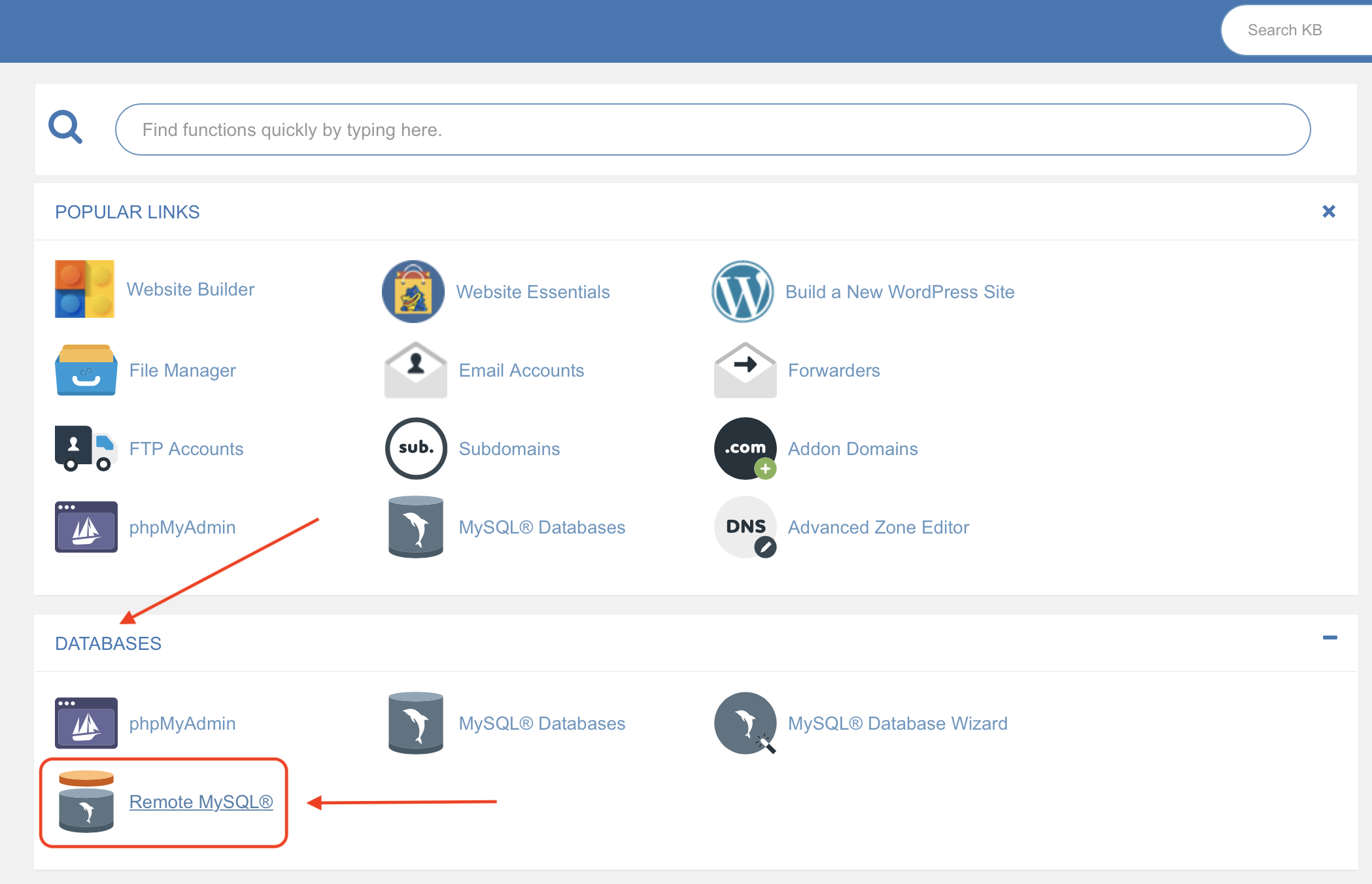
Allow a remote IP to reach your MySQL databases in cPanel: whitelist a single address under Remote MySQL, or use a wildcard to allow a whole IP range.
June 10, 2020
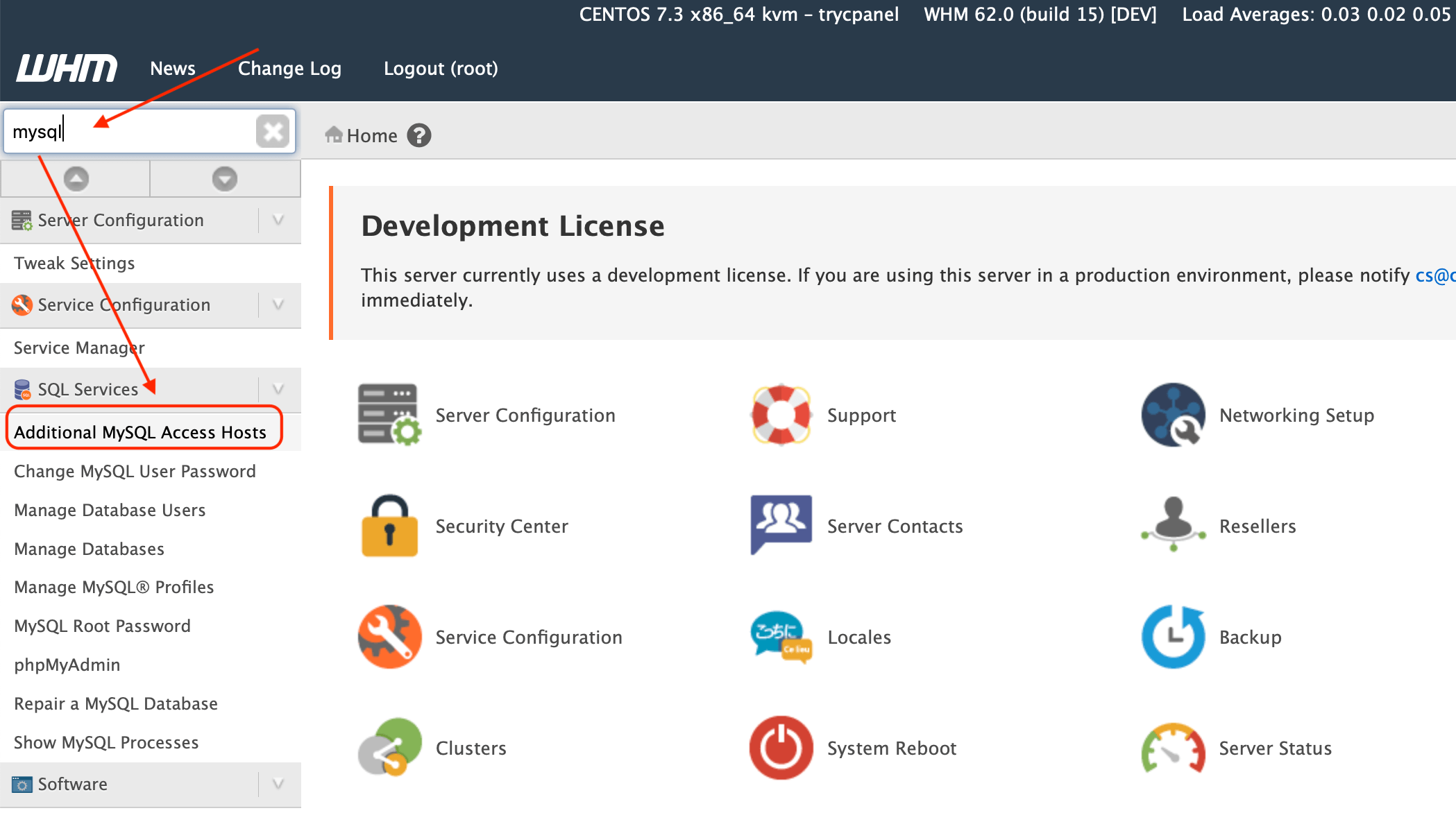
You could allow a remote IP to connect to your MySQL instance, let's say for backup or to access your database from your local machine. Remote connections to MySQL are disabled in WHM.
June 9, 2020
A mysqldump script that backs up a MySQL database and uploads the dump to Amazon S3, scheduled with cron, with a video walking through every line of it.

November 8, 2018
Open an Amazon RDS MySQL instance to a remote IP: find the security group behind the database, add an inbound rule on port 3306, then test the connection.