
Appearance
Restore a PostgreSQL backup
Download and restore a PostgreSQL dump file to any PostgreSQL database.
SimpleBackups stores PostgreSQL backups as compressed dump files. The restore command depends on the output format you selected when creating the backup: custom format (.pgsql) uses pg_restore, and plain text format (.sql) uses psql.
Download the backup file
- Go to your backup page and open the Logs tab. Click the (i) icon next to the backup run you want to restore.
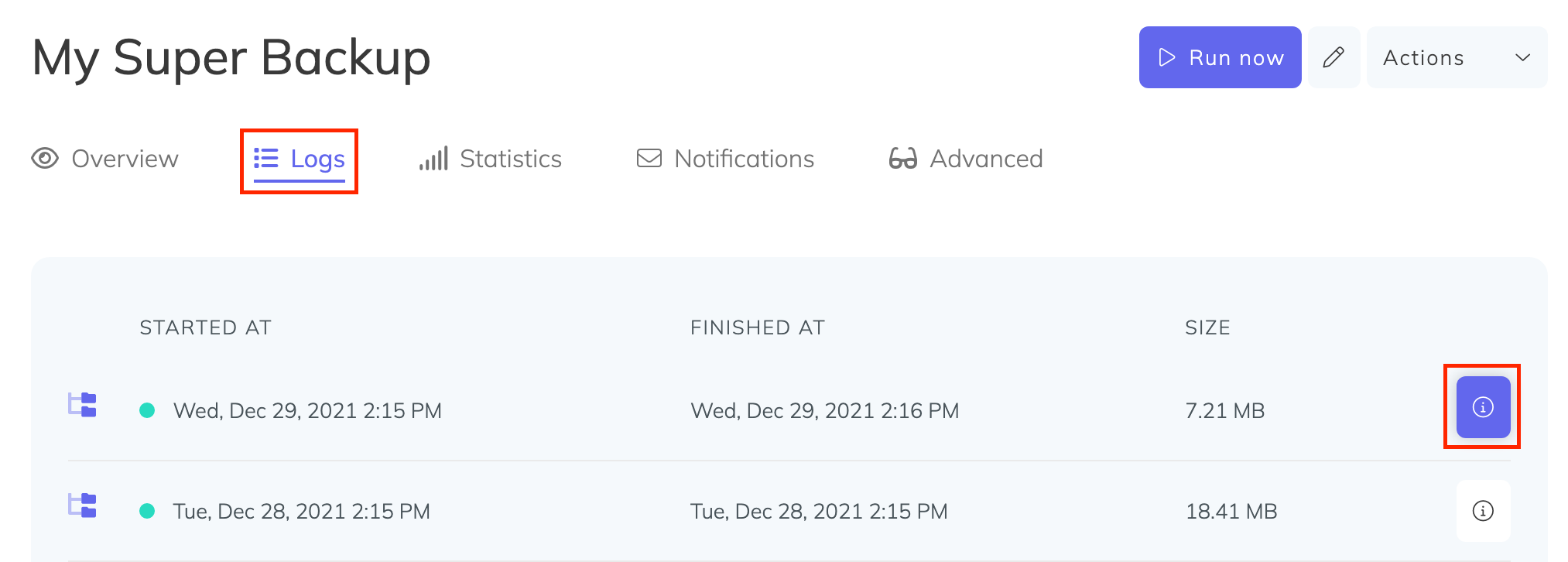
In the modal that appears, click Click to generate a signed download link and copy the resulting URL.
On your server, download and decompress the backup using the signed URL:
bash
wget -O - "PASTE_SIGNED_DOWNLOAD_LINK_HERE" | gunzip -c > postgresql-backup.pgsqlRestore the database
Custom format (.pgsql)
If you used the quick export option in SimpleBackups, the backup is in custom format. Restore it with pg_restore:
bash
sudo -u postgres createdb NEW_DATABASE_NAME
sudo -u postgres psql -U postgres -d NEW_DATABASE_NAME -c "drop schema public cascade;"
sudo -u postgres pg_restore --single-transaction --no-owner -U postgres -d NEW_DATABASE_NAME postgresql-backup.pgsql
Replace postgres with your database user and NEW_DATABASE_NAME with your target database name.
Plain text format (.sql)
If you did not use the quick export option, the backup is in plain text format. Restore it with psql:
bash
sudo -u postgres createdb NEW_DATABASE_NAME
sudo -u postgres PGPASSWORD=DATABASE_PASSWORD psql --single-transaction \
  -U postgres -h 127.0.0.1 -p 5432 -d NEW_DATABASE_NAME < postgresql-backup.pgsql
Replace DATABASE_PASSWORD, postgres, 127.0.0.1, 5432, and NEW_DATABASE_NAME with your actual values.