Appearance
Restore a MongoDB Atlas collection using Compass
Import a MongoDB collection into Atlas using the Compass GUI.
MongoDB Compass is the official GUI for MongoDB. You can use it to import a JSON collection file into any database on your Atlas cluster without using the command line. This is useful when you want to restore a single collection rather than an entire database dump.
Get your Atlas connection string
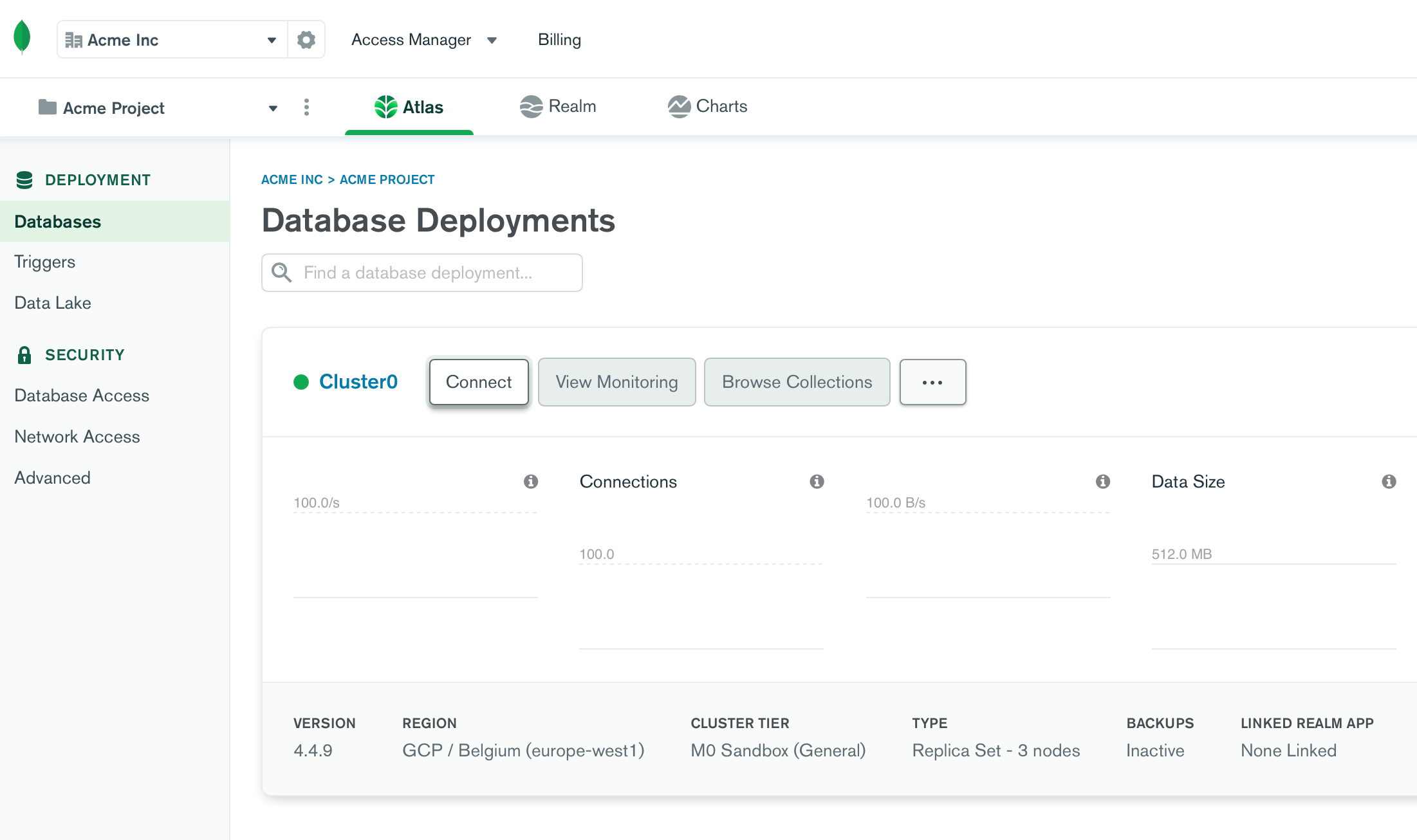
- Go to cloud.mongodb.com, select your cluster, and click Connect.
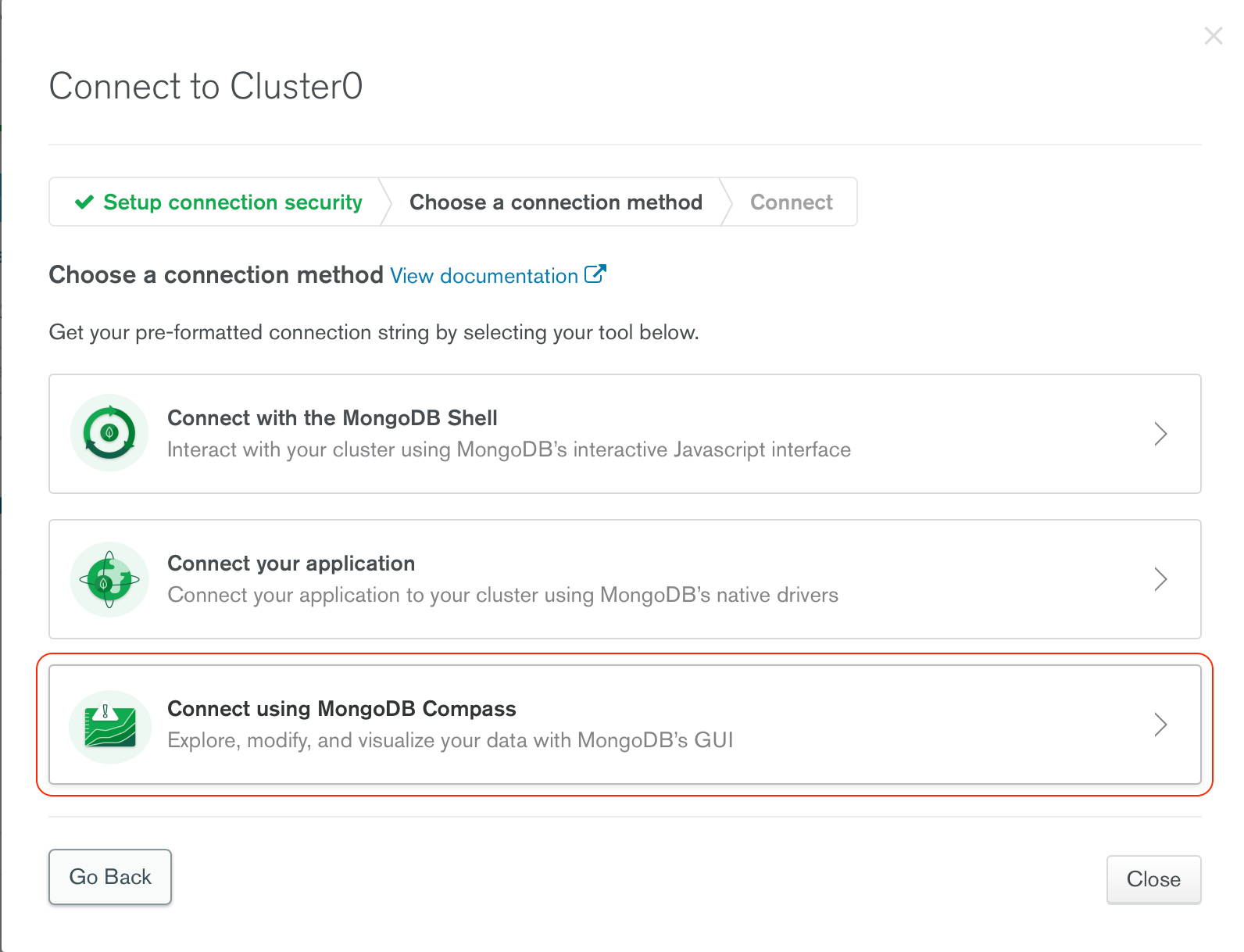
- Choose Connect using MongoDB Compass from the list of connection options.
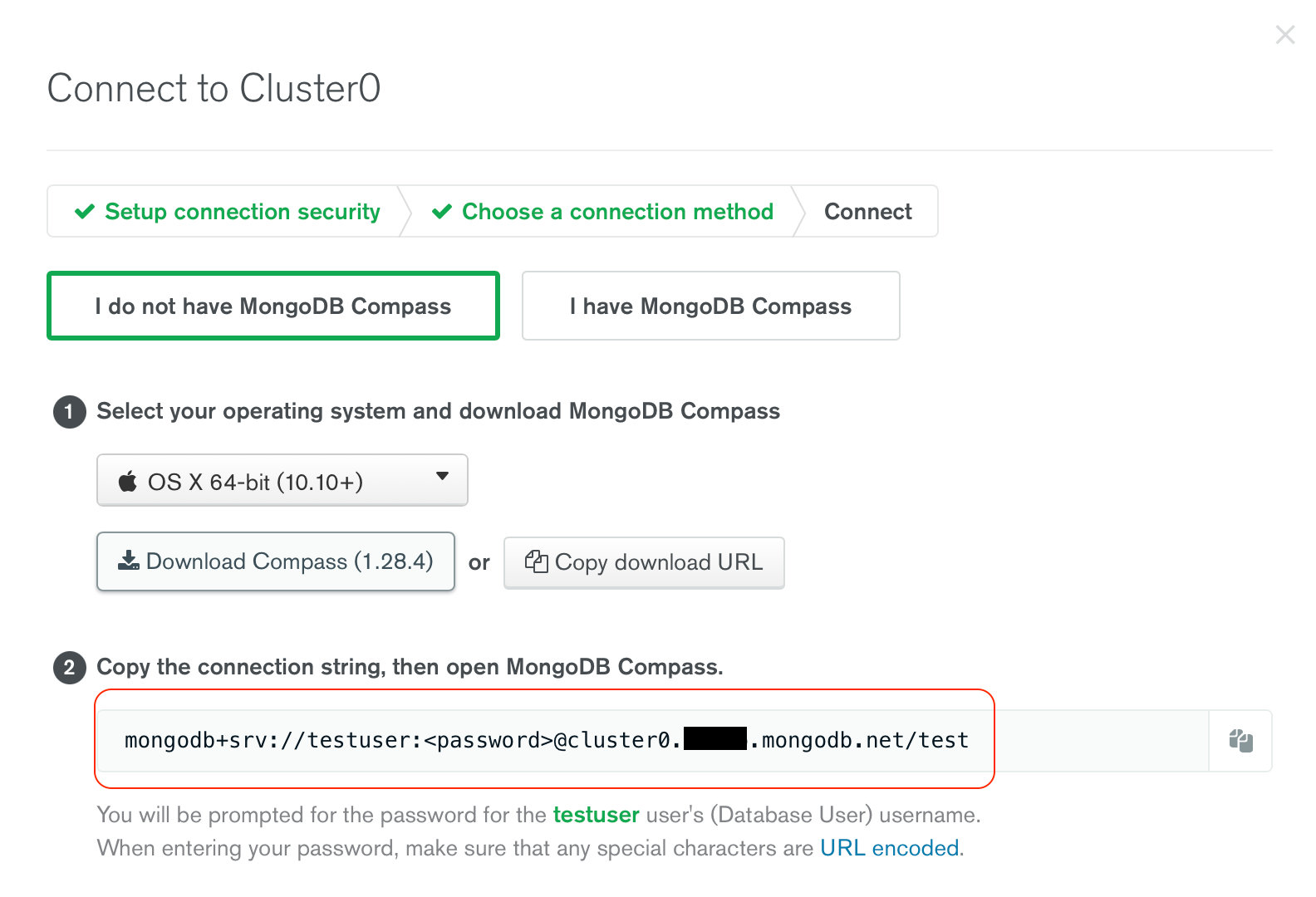
- Copy the connection string shown at the bottom of the screen.
Connect Compass to Atlas
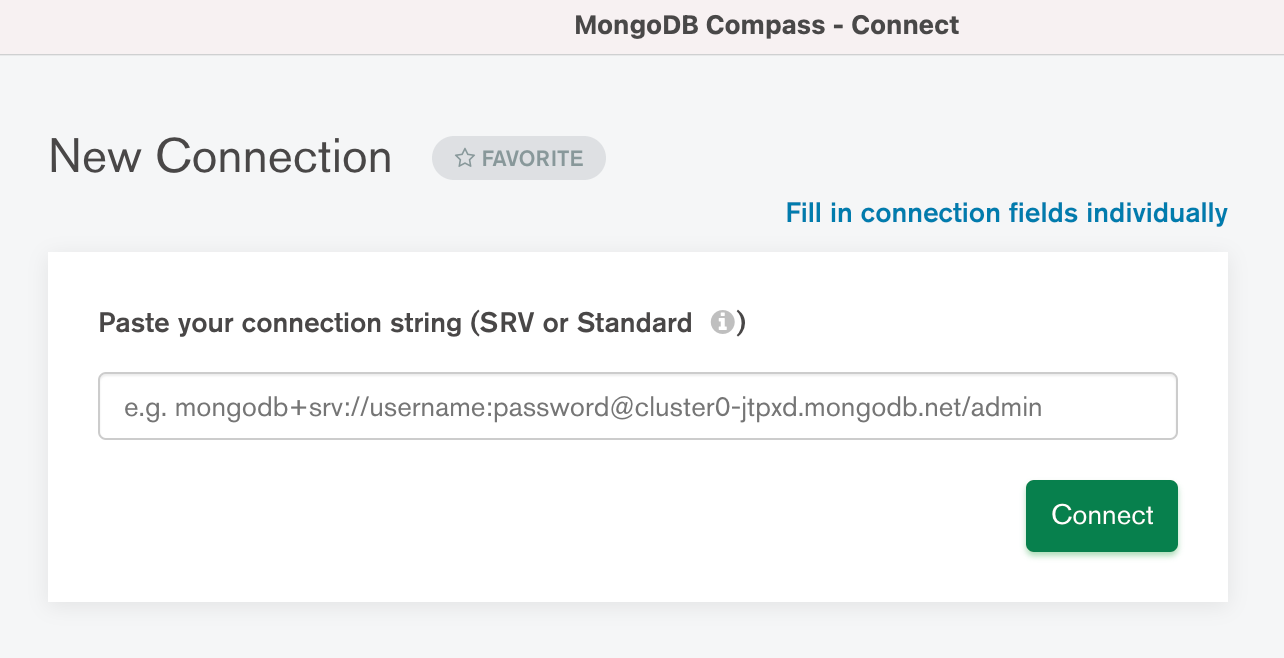
Paste the connection string into MongoDB Compass. Replace <password> in the string with the actual password for your Atlas user before connecting.
Import the collection
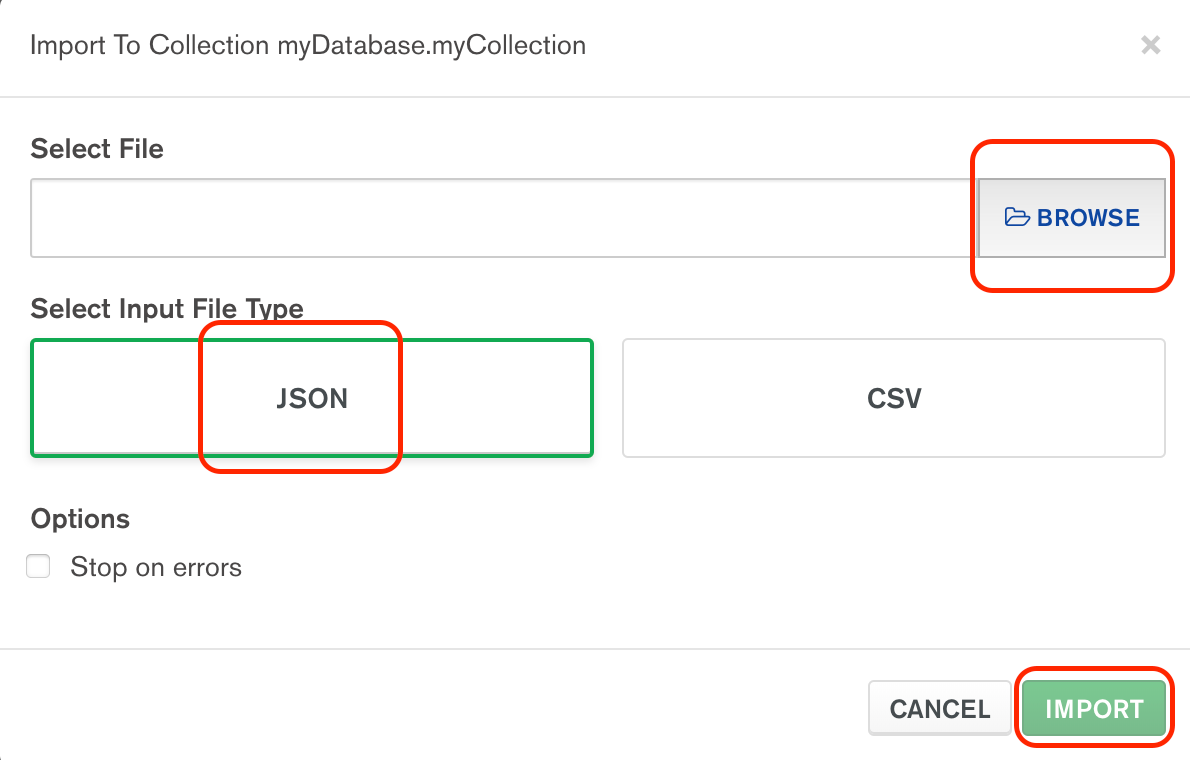
Once connected, your databases appear in the left sidebar. Select the target database and collection, then click ADD DATA and choose Import File.
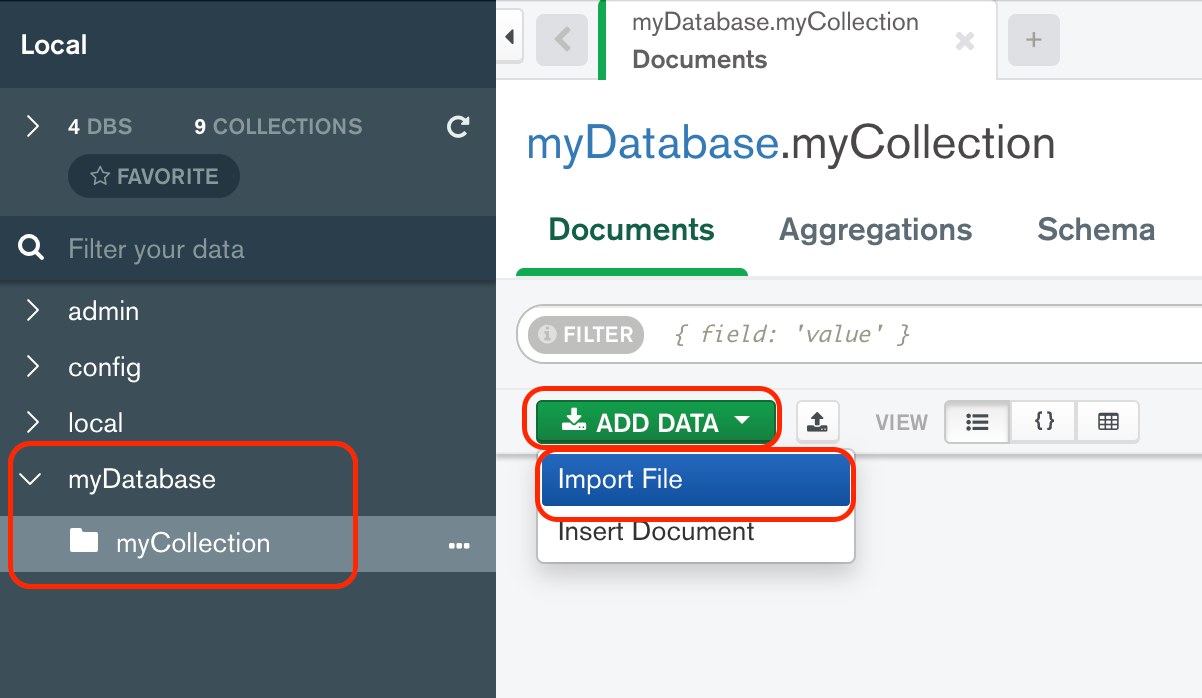
Select the JSON file you want to import and confirm. Compass imports the documents into the selected collection.