
Appearance
Knack
Back up your Knack application data to your own cloud storage.
Knack is a no-code database platform for building online applications. SimpleBackups connects to Knack using your API credentials to export your application data as CSV files on a schedule. This guide covers how to retrieve your credentials, configure a backup, and restore your data.
Create your Knack credentials
SimpleBackups connects to your Knack database using your API credentials.
- Log in to your Knack account at builder.knack.com.
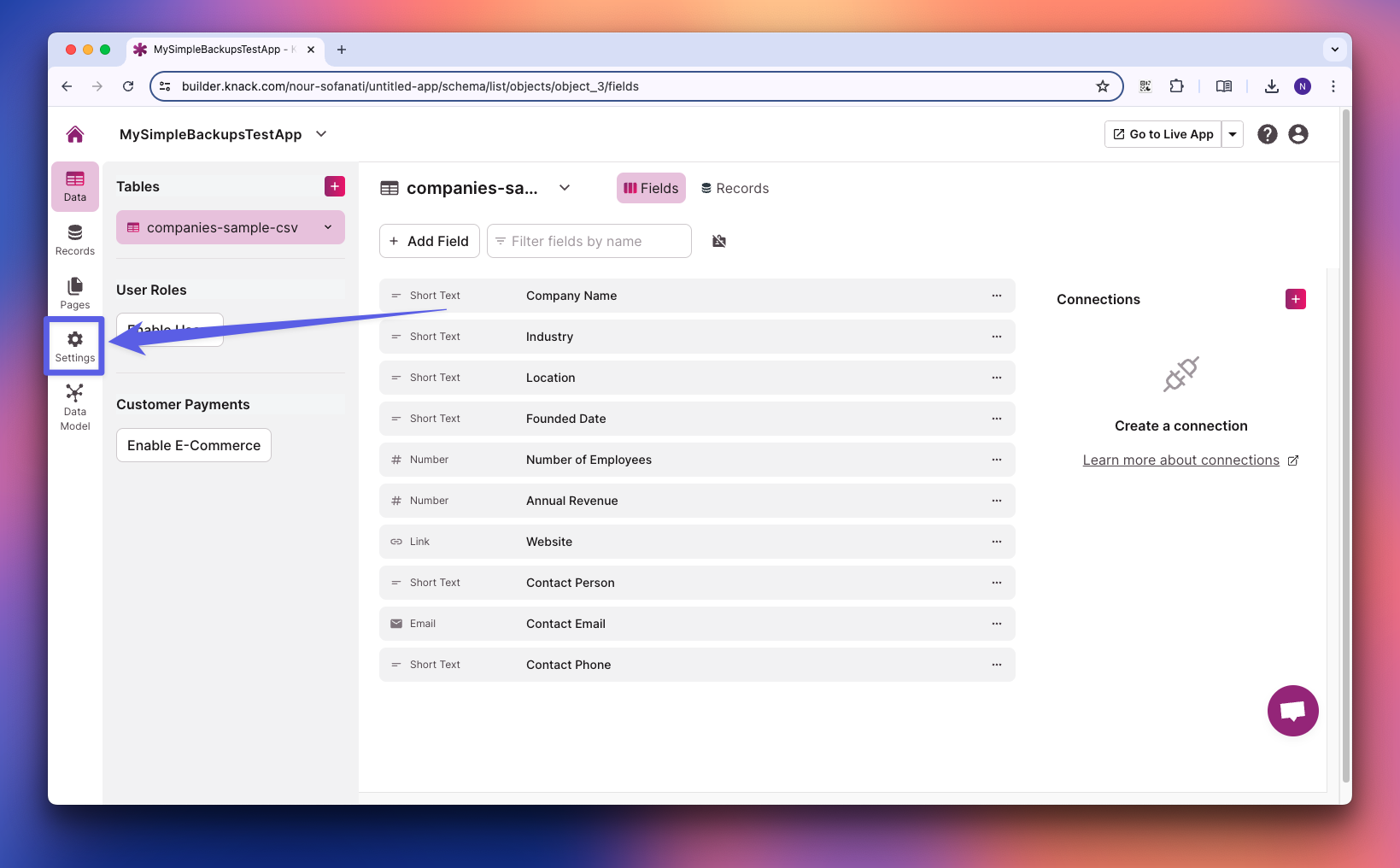
- Click on Settings.
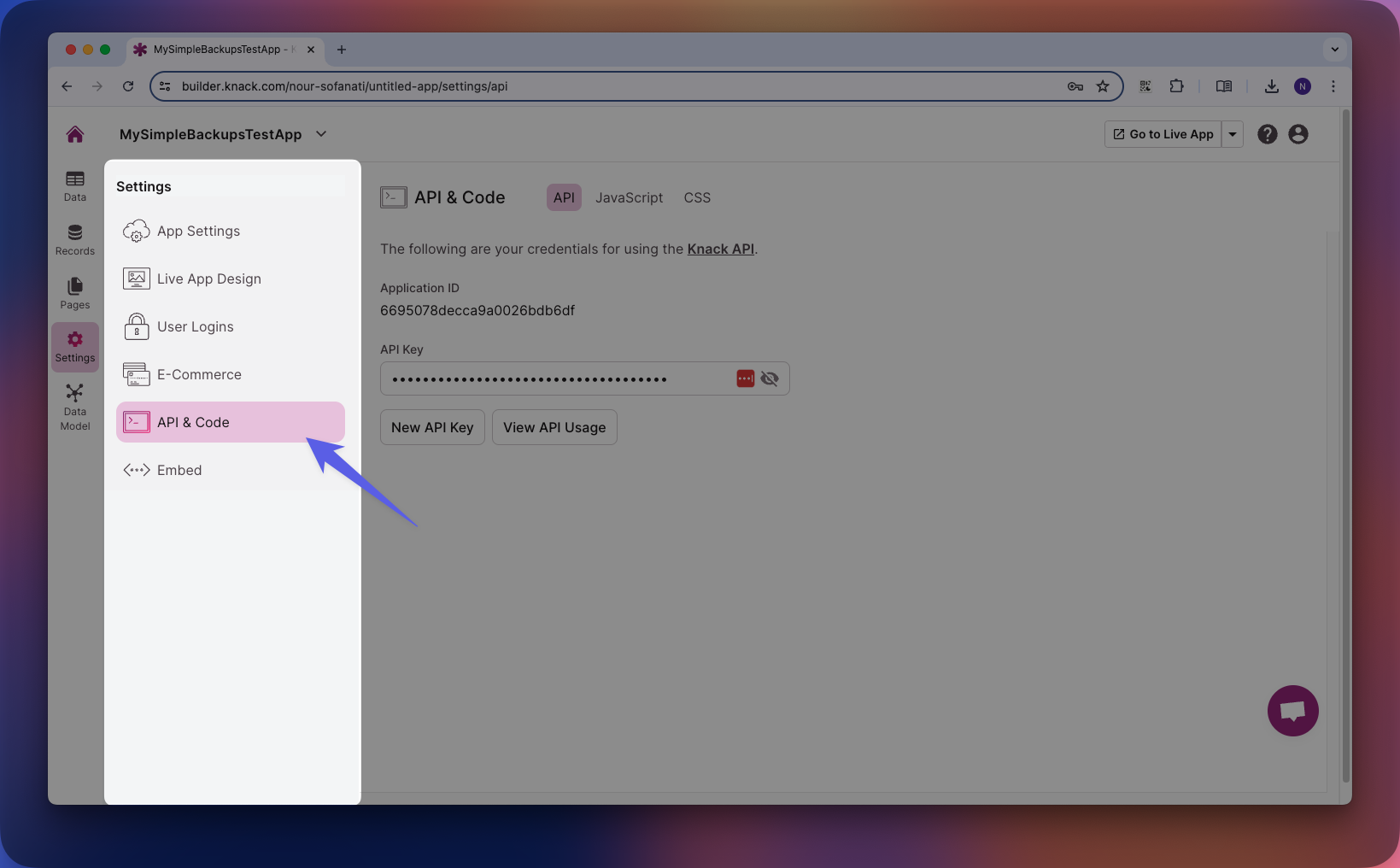
- From the Settings side menu, click on API & Code.
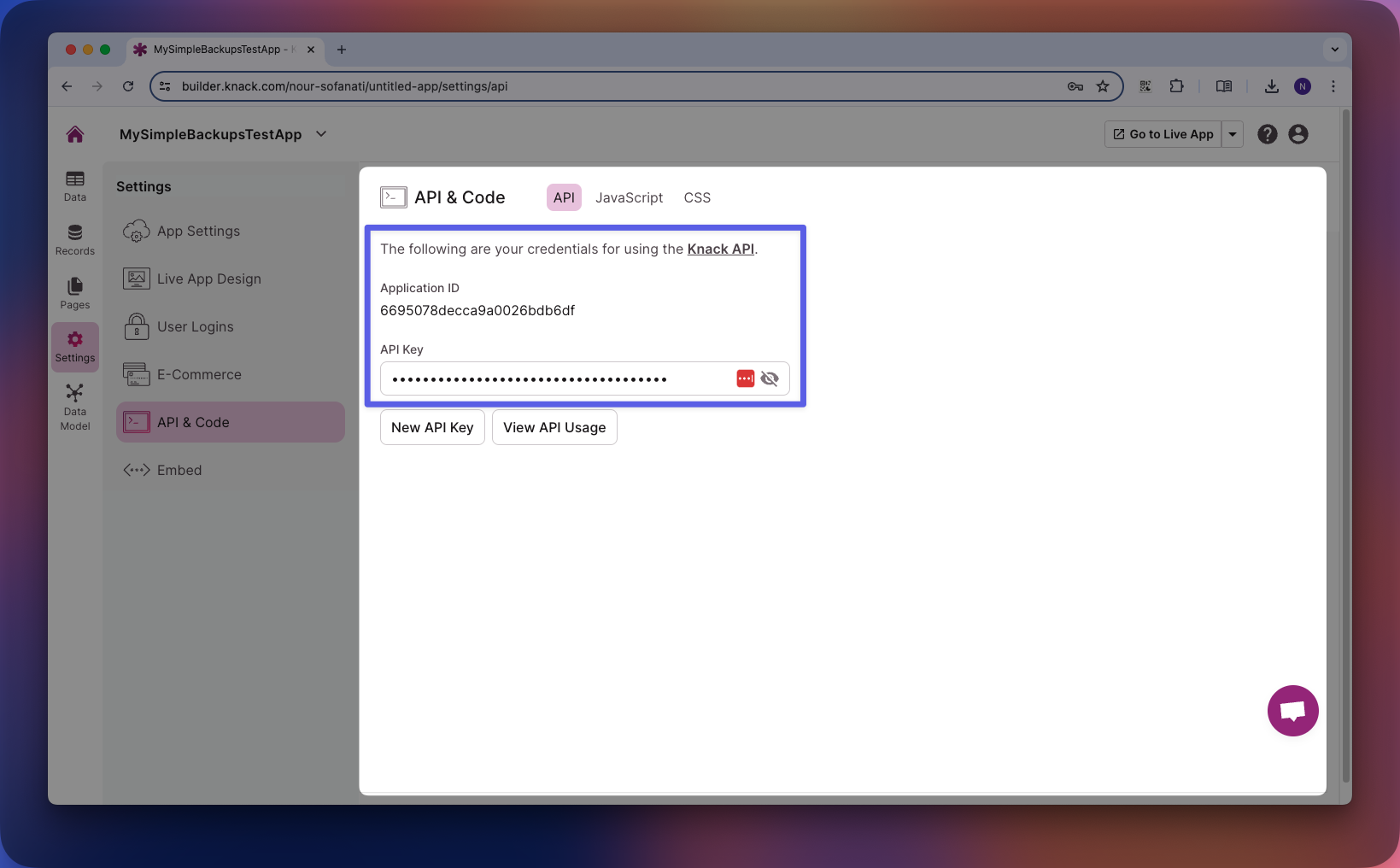
- Copy your Application Key and API Key.
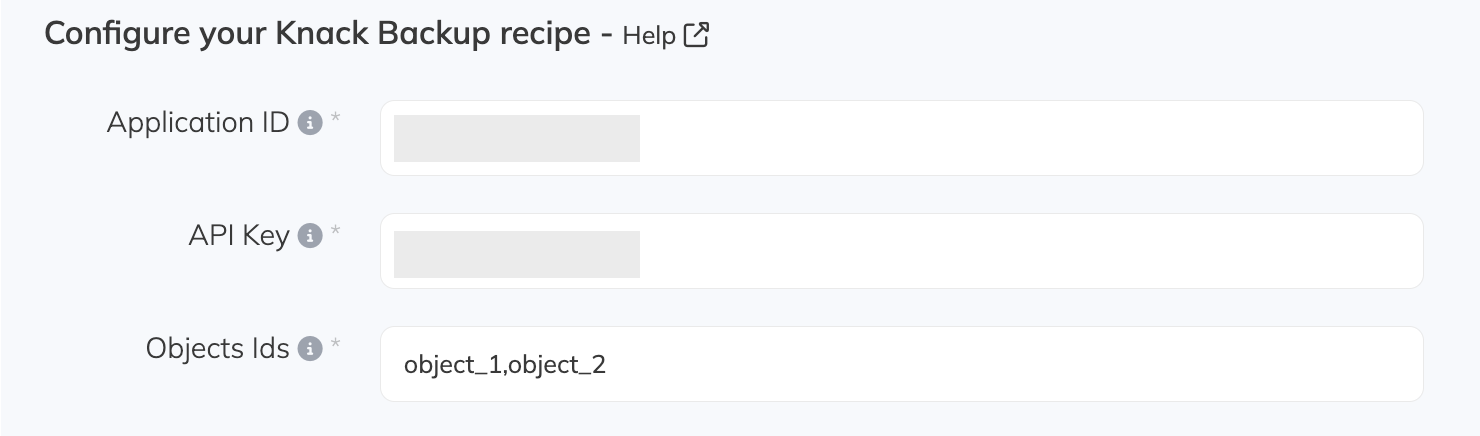
- Paste your credentials into the Knack backup configuration in SimpleBackups.
Restore your Knack backup
You can restore a Knack backup by importing the CSV files back into your Knack tables.
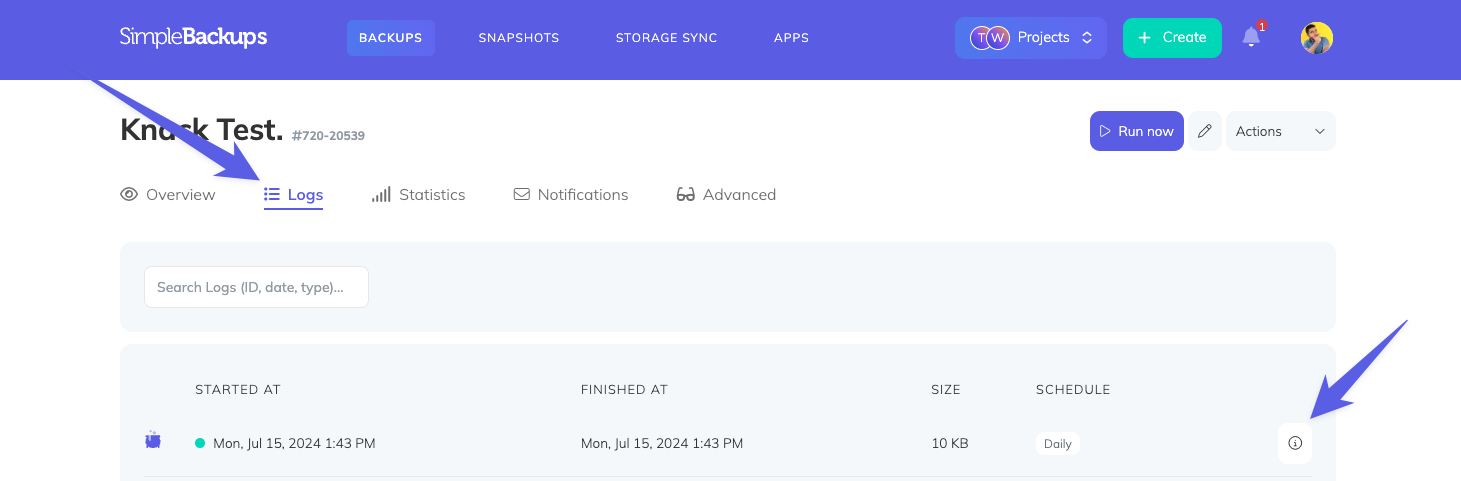
- Navigate to the backup summary page and find the point-in-time log you want to restore. Click on the info button to open the log summary.
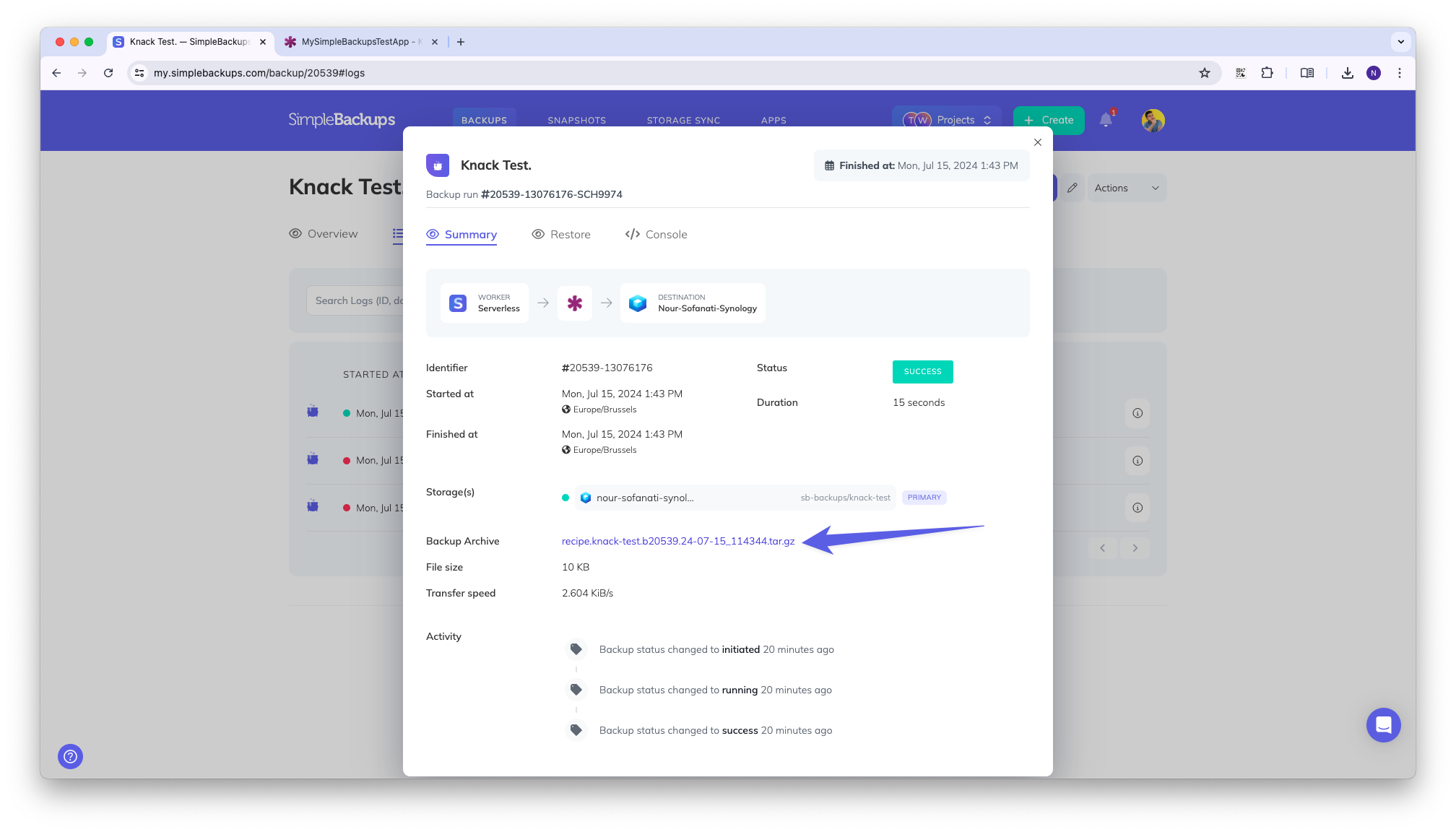
- In the popup, locate the Backup Archive link and click it to download your backup.
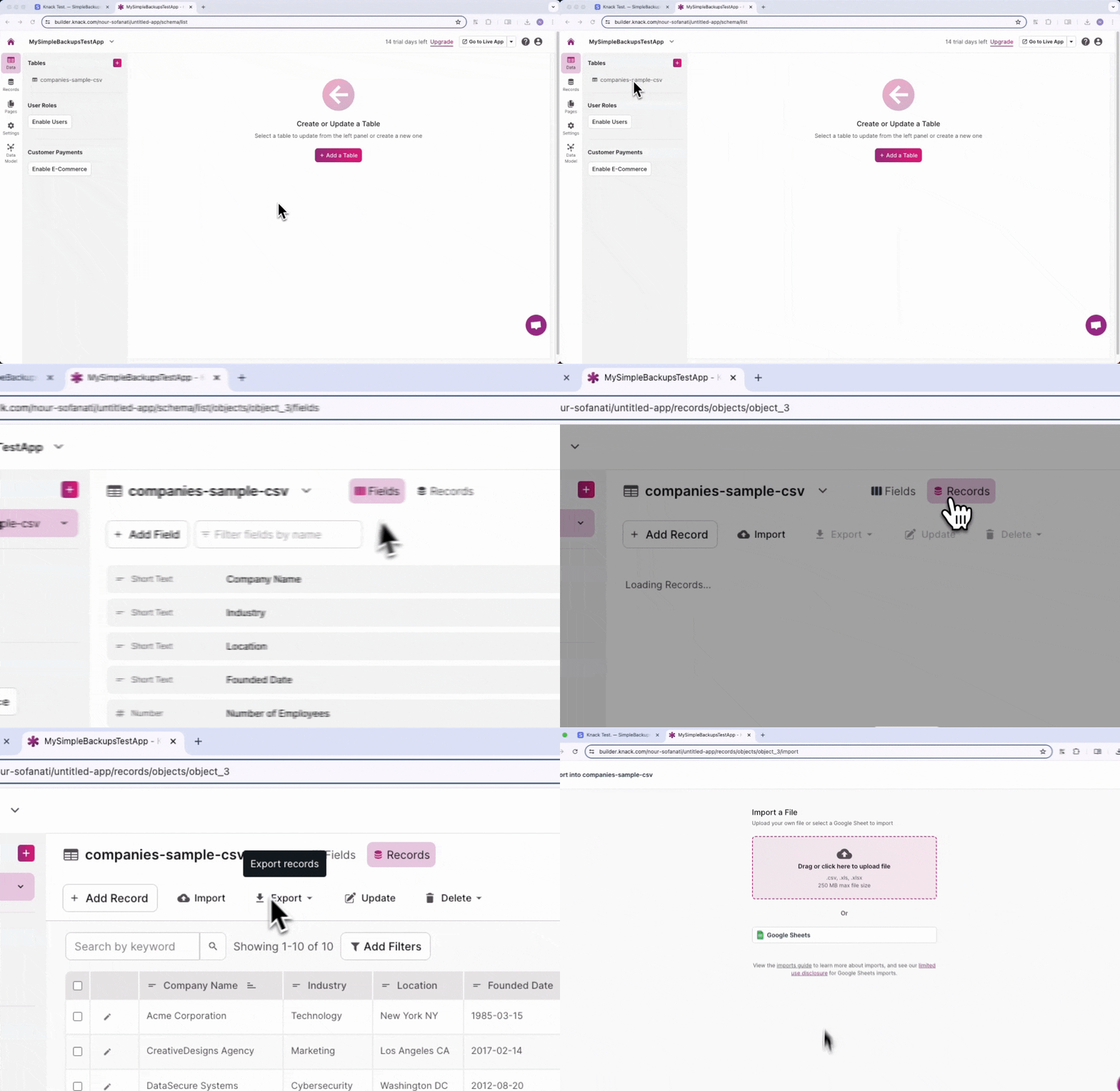
- Extract the archive. You will find one or more CSV files depending on how many tables you have. Navigate to your Knack account, select the table you want to restore, and click the upload button.
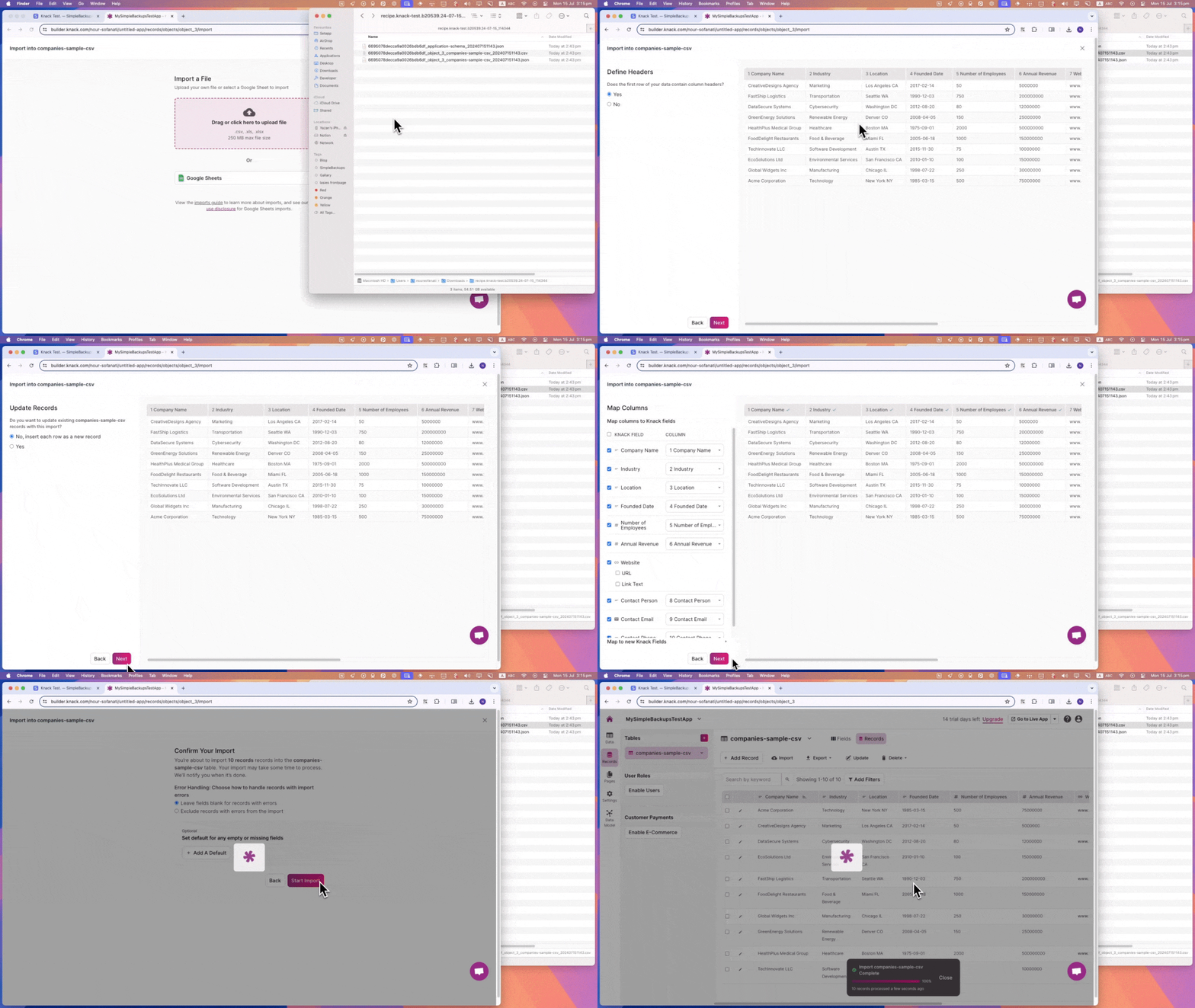
- Drag and drop the corresponding CSV file from your backup archive into the drop zone. Follow the import wizard and select the options that suit your data recovery strategy.
Limitations
Knack backups have the following limitations:
- Partial backup scope — backups include tables (CSV files) only, not the full database structure or app configuration
- No relational data restoration — connections between tables (linked records and relationships) are not preserved
- No file or image restoration — attachments, images, and file fields are not backed up or restored