Appearance
Supabase
How to connect Supabase managed PostgreSQL to SimpleBackups using the connection string method.
Supabase is an open-source Firebase alternative built on PostgreSQL. To connect it to SimpleBackups, all you need is the database connection string from your Supabase project settings — no firewall configuration is required. This guide walks you through copying the string and creating your first backup.
Connecting your database
Step 1: Copy the connection string
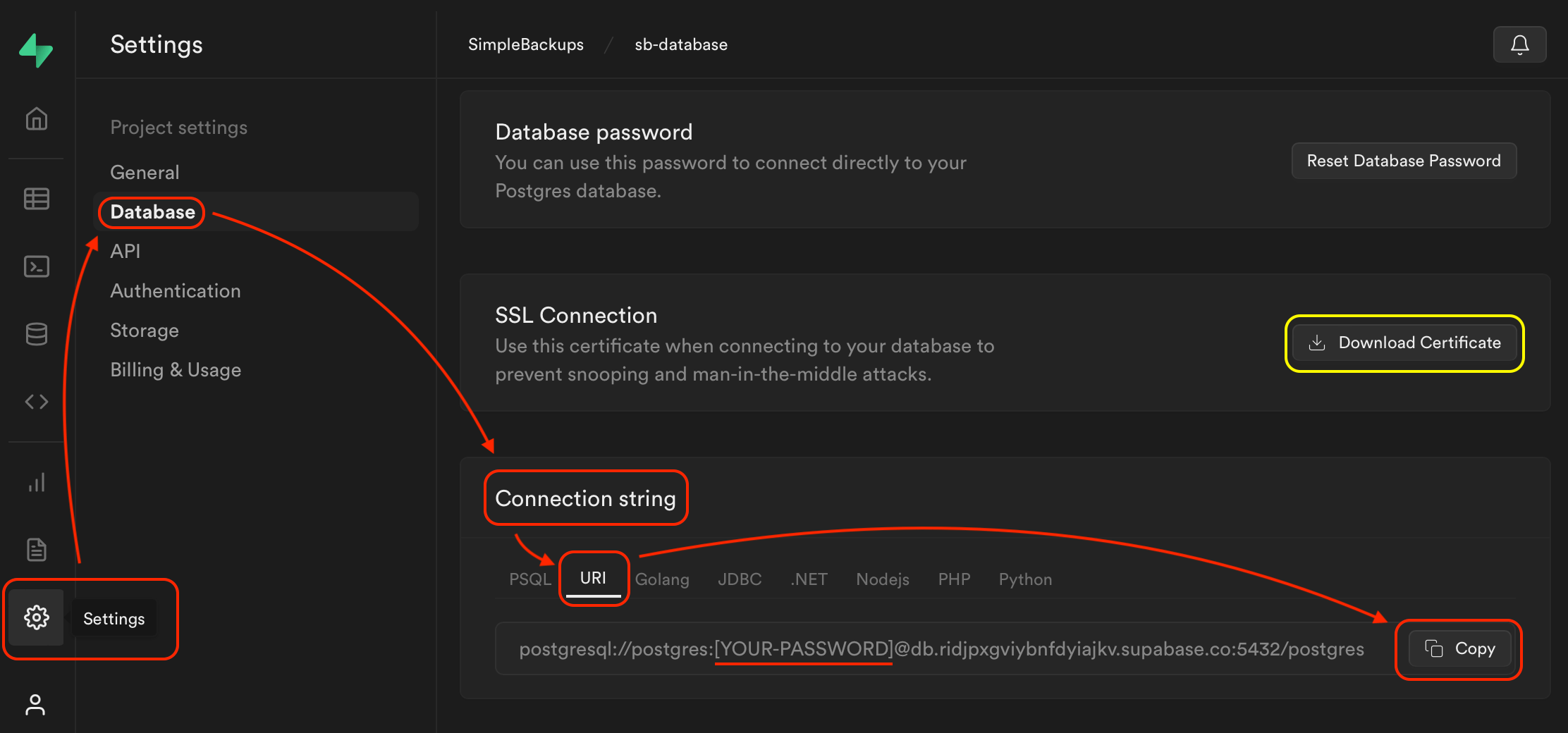
- Go to your Supabase project and click Settings, then Database.
- Scroll down to the Connection string section and click URI.
- Make sure you select the Direct connection string, not the Connection pooler (Transaction or Session) string. Backups must use the direct connection. Connection strings that route through the pooler may pass validation but will fail at backup time with a database connection error.
- Click Copy.
- Replace
[YOUR-PASSWORD]in the copied string with your actual database password.
Step 2: Create a database backup in SimpleBackups
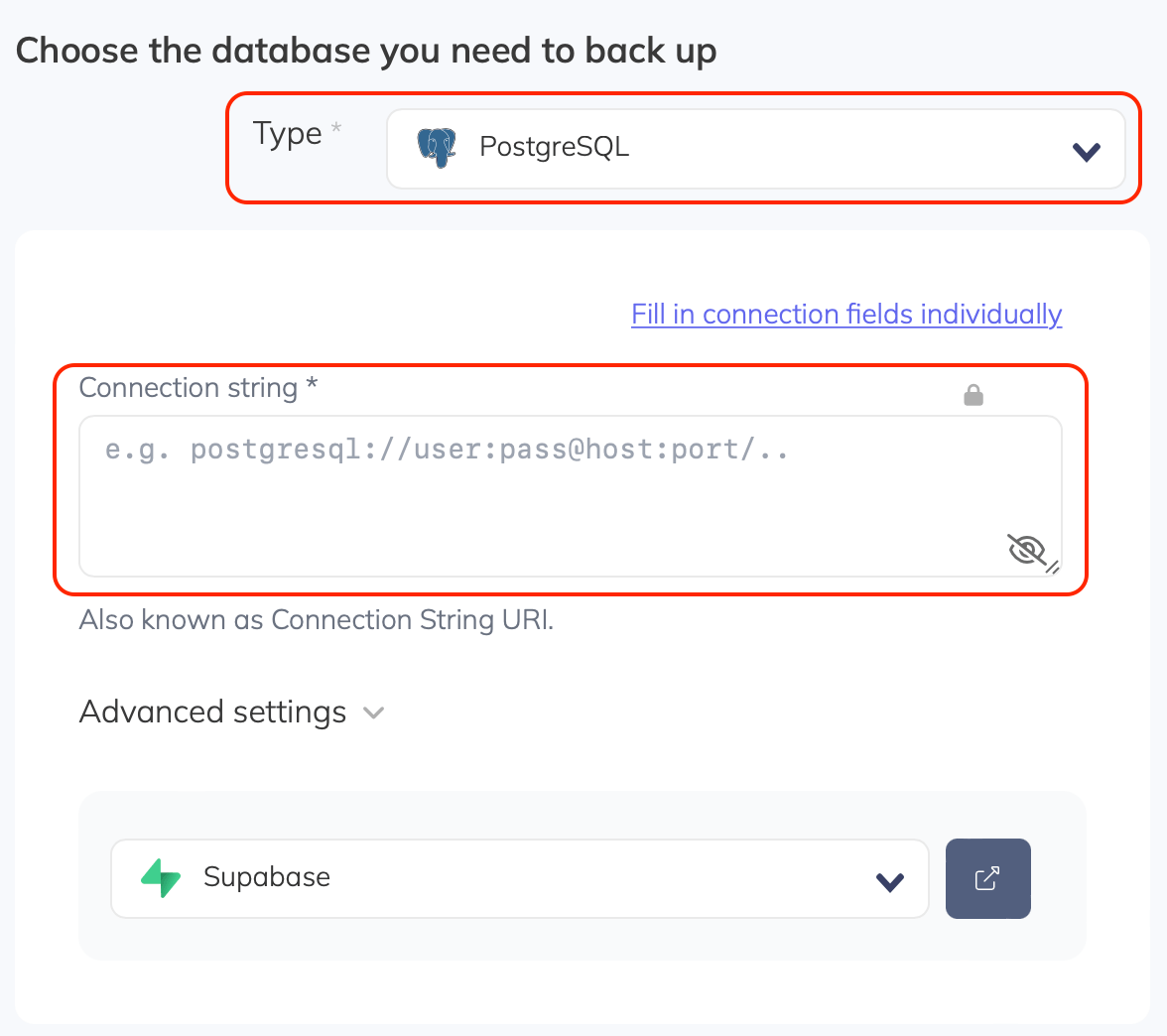
- Select PostgreSQL as the database Type in SimpleBackups. If you do not see the connection string field, click Paste connection string instead.
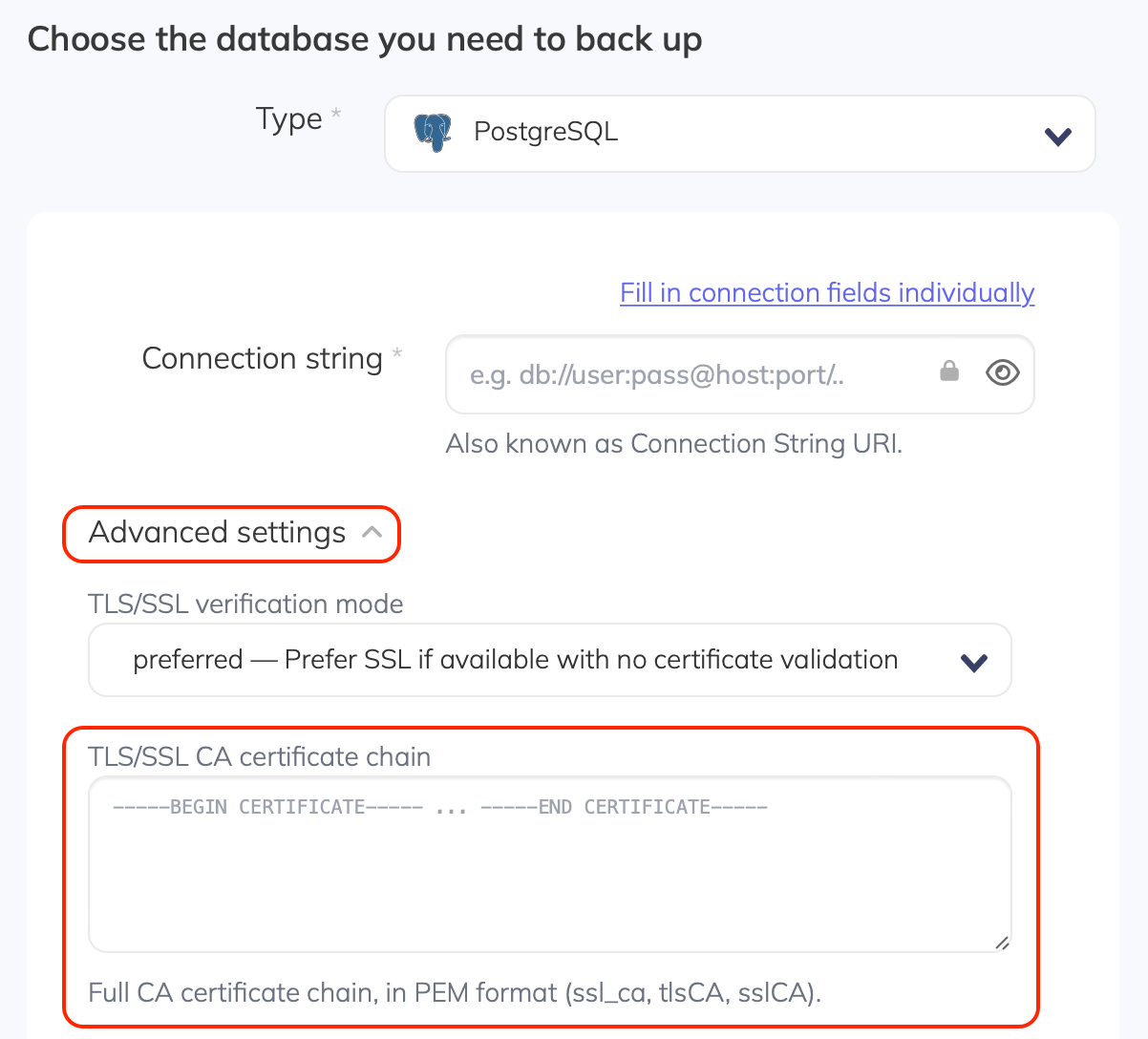
- Paste the full connection string you copied from Supabase.
- Click Validate Connection, then configure your schedule and storage destination.
Supabase network bans
If several database connections from the same IP address fail authentication in a short time, Supabase temporarily bans that IP. This is a built-in protection on every Supabase project, not a SimpleBackups setting.
While an IP is banned, Supabase refuses new connections from it before authentication. A backup that was failing with a password authentication failed error then starts failing with a Connection refused or connection timeout error instead, even once the credentials are correct. The ban is temporary and usually clears on its own within about 30 minutes.
A ban is most often caused by an incorrect database password: every backup run and every Validate Connection click retries the connection, and a handful of failed attempts is enough to trigger it. Correct the password first (see Step 1 above), then clear the ban if you do not want to wait for it to expire.
Check for and remove a banned IP
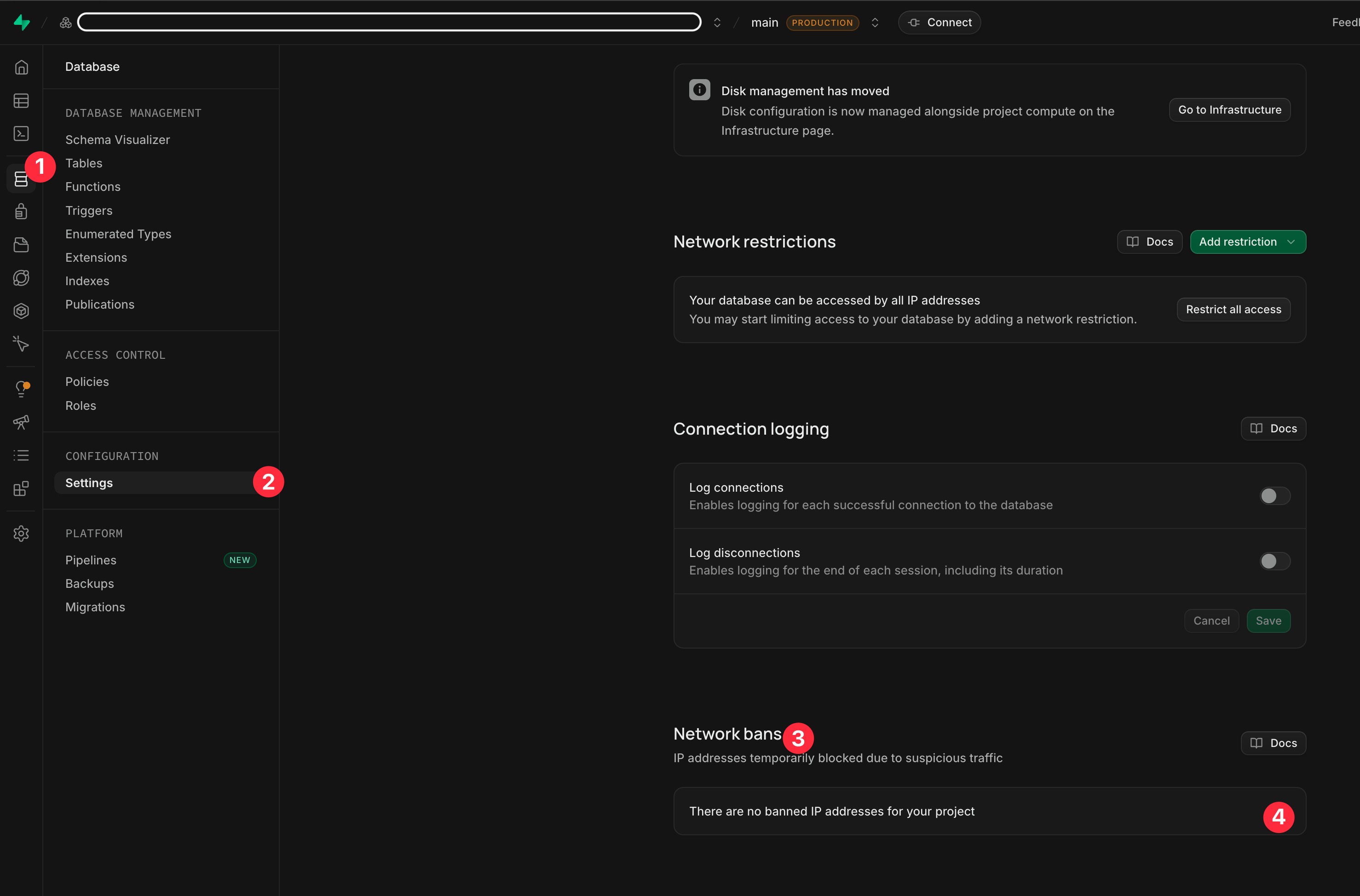
- Open your Supabase project and click the Database icon in the left sidebar.
- Under Configuration, click Settings.
- Scroll down to the Network bans section. Any IP addresses currently blocked for your project are listed there.
- If your SimpleBackups IP is listed, use the control next to it to remove the ban. If you see "There are no banned IP addresses for your project", nothing is currently blocked.