
Appearance
Exoscale
Steps to connect your Exoscale storage to SimpleBackups
How to Connect your Exoscale Bucket to SimpleBackups
1. Create your Exoscale Bucket
- Sign in to your Exoscale account at https://portal.exoscale.com/login
- Navigate to "Object Storage" and click on "Add"
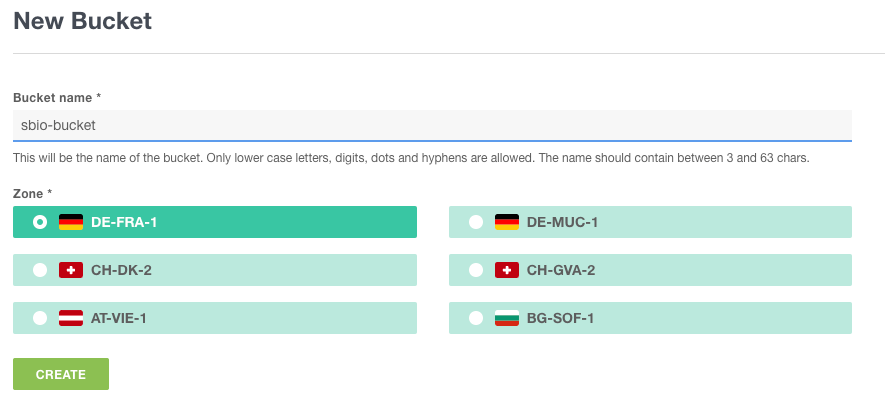
- Name your bucket
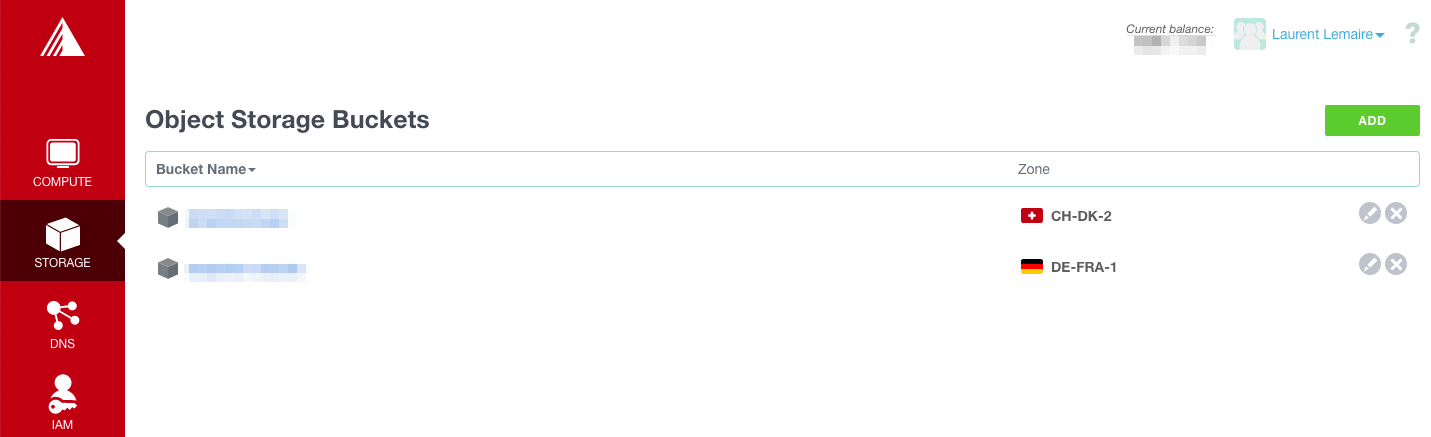
- Select the zone for your bucket.
2. Create your Exoscale credentials
You'll now need to create Exoscale credentials that will be used to connect to you newly created storage from SimpleBackups.
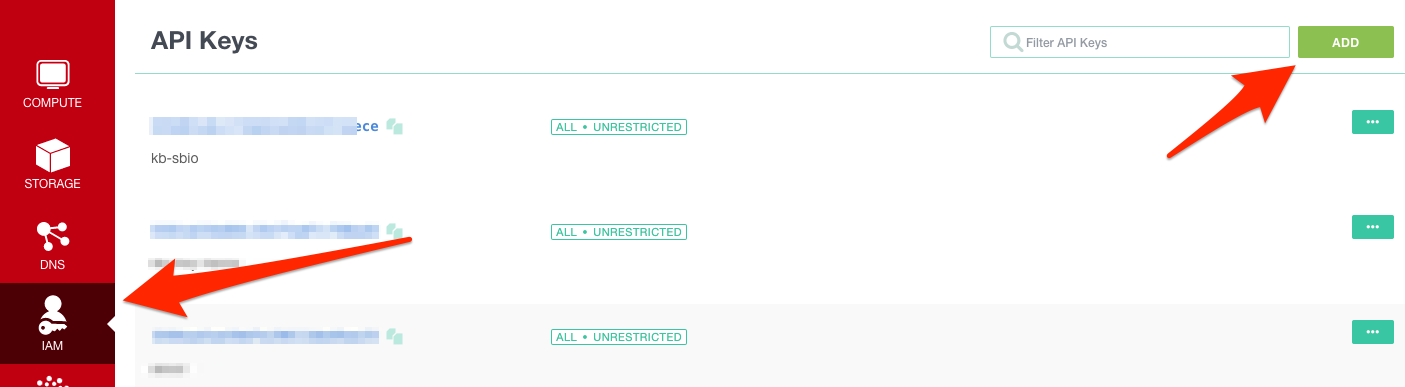
- Click on "IAM" on the left menu and then "Add" on the top right
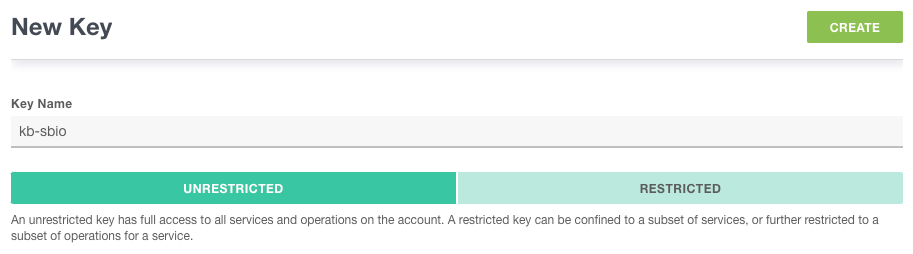
- Create a new Key
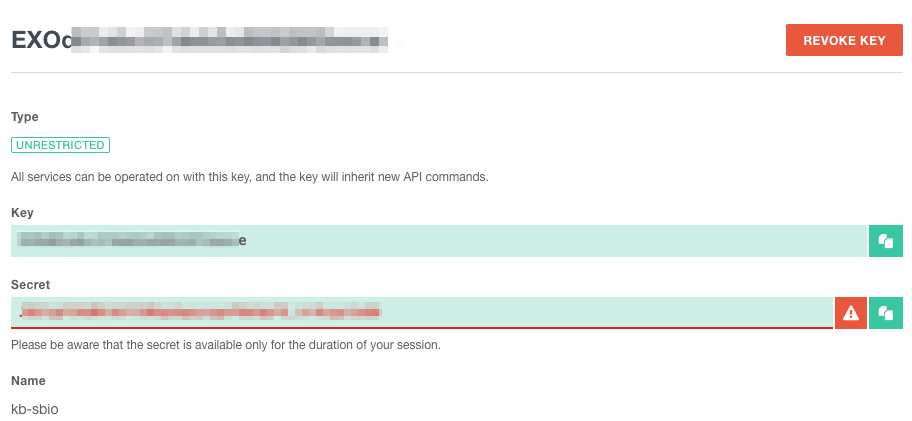
Information You'll Need In Step 3
- Your Bucket name
- Your Bucket region
- Your Bucket key
- Your Bucket secret
3. Connect your Exoscale bucket to SimpleBackups
- Go to the connect your storage page
- Select "Exoscale" as storage provider and fill in the "Connect your storage" form with the information from step 1.
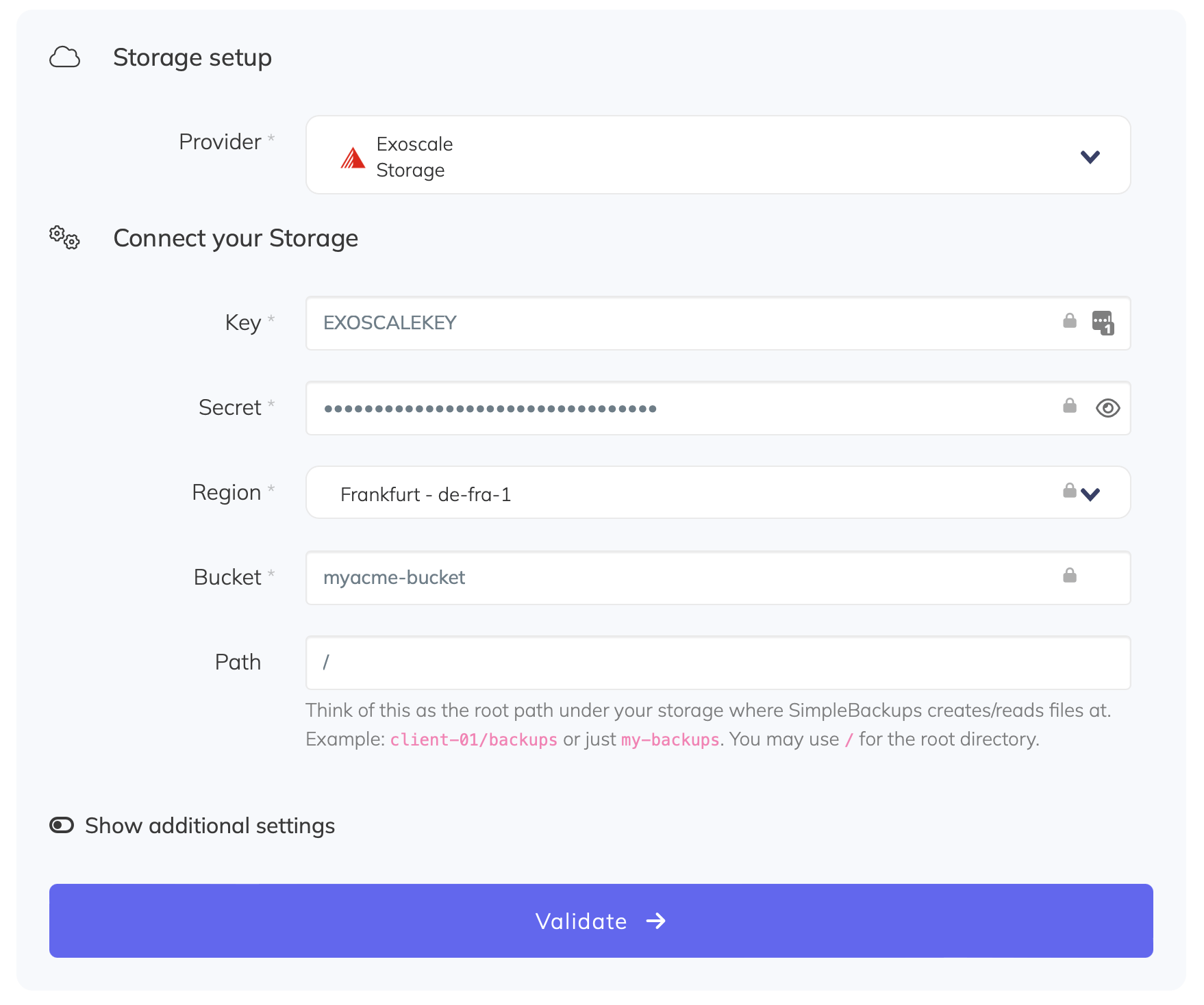
You'll have to input :
- Key: Access Key described in step 2
- Secret: Secret Key described in step 2
- Region: Bucket location described in step 1
- Bucket: Bucket name described in step 1
- Endpoint: Storage endpoint described in step 1.
- Give your storage a name (usually we like to use the Bucket name) and click on "Save new storage".