
Appearance
Linode
Automate Linode server snapshots on a custom schedule.
SimpleBackups connects to your Linode account through a personal access token to create and manage server snapshots. This guide walks you through generating a Linode API token with the correct permissions.
Generate a Linode API token
- Log in to the Linode Cloud Manager
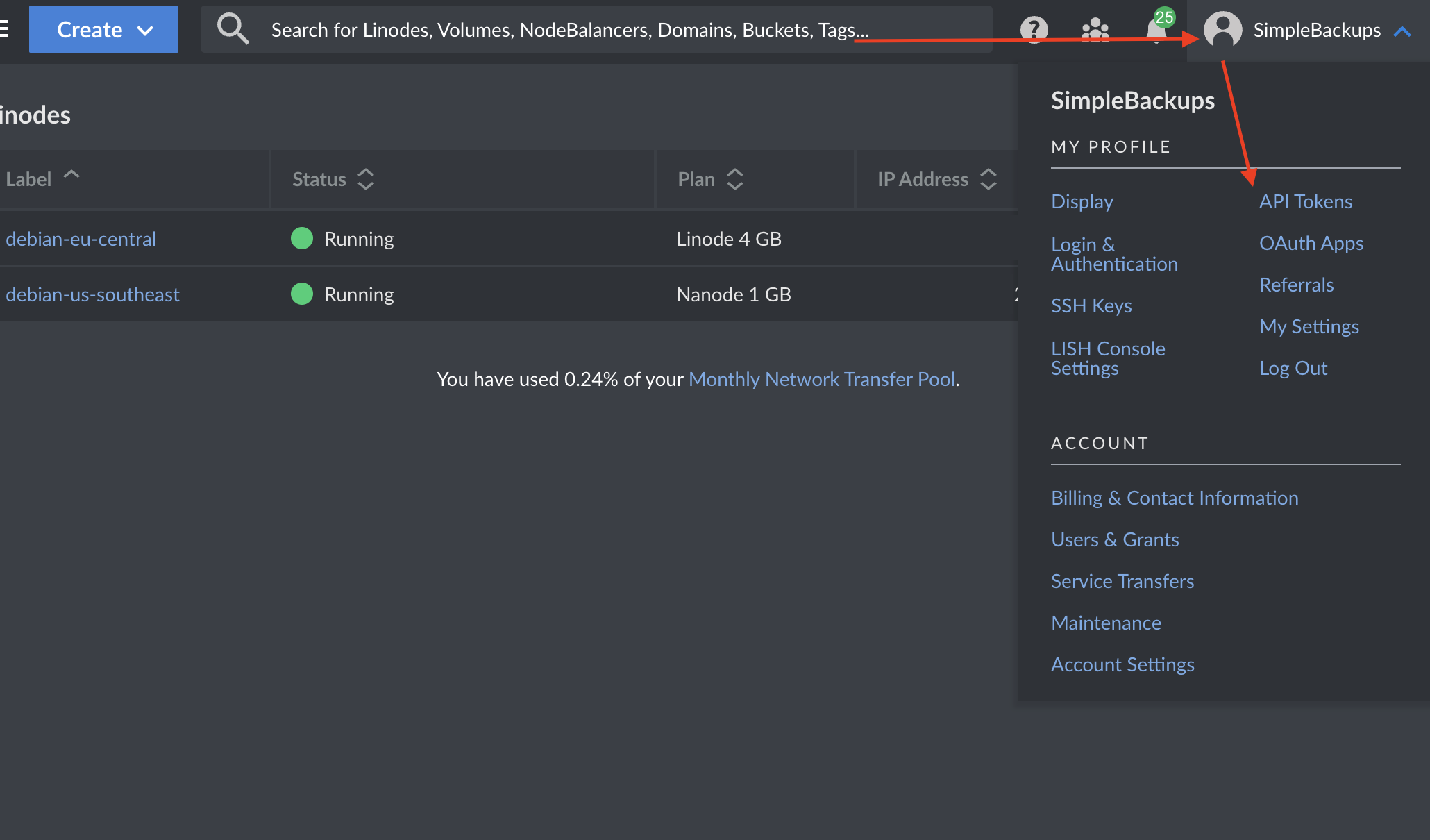
- Click your user profile icon in the top right corner and select My Profile
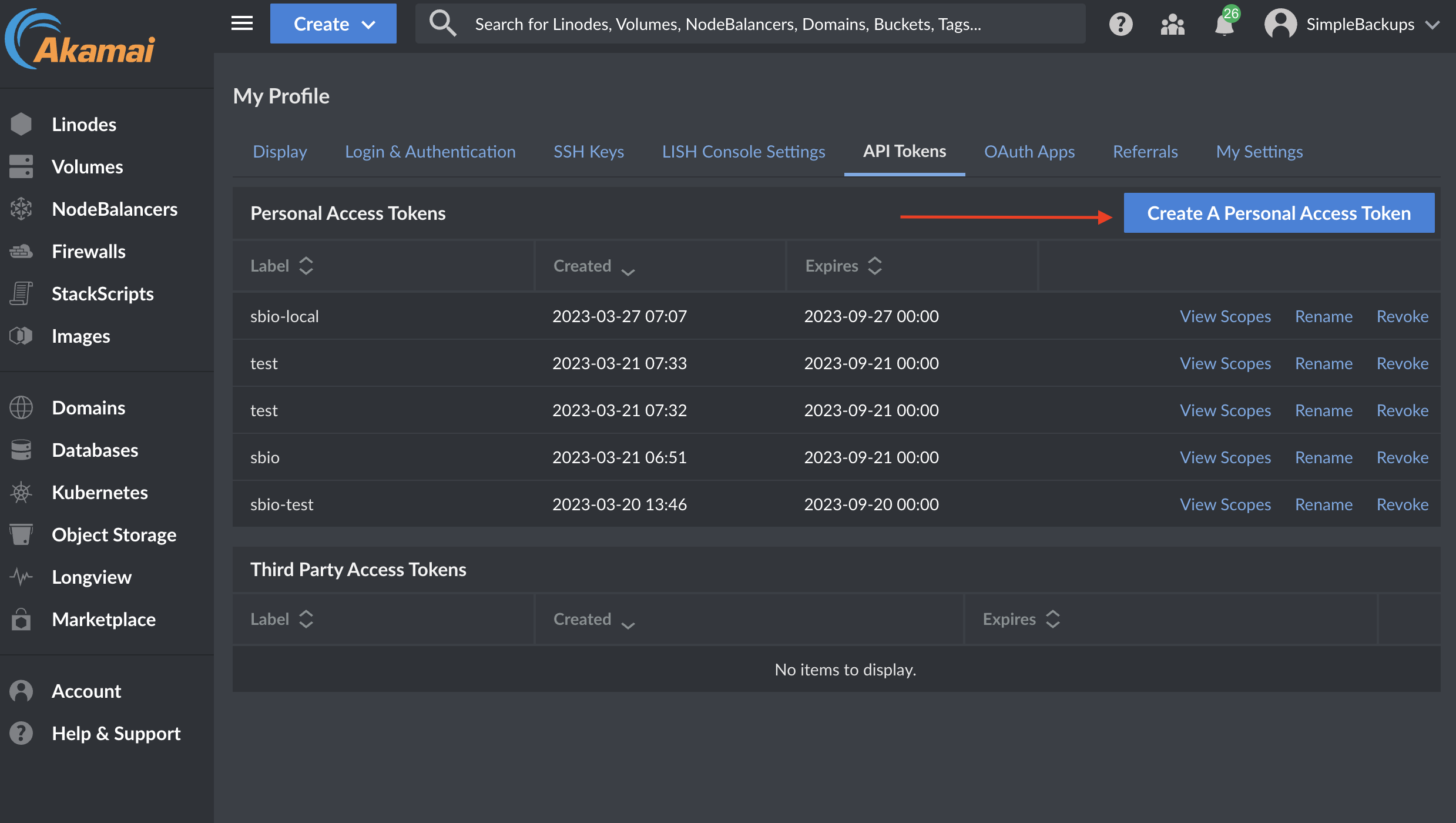
- On the Profile page, click the API Tokens tab
- Click Create A Personal Access Token
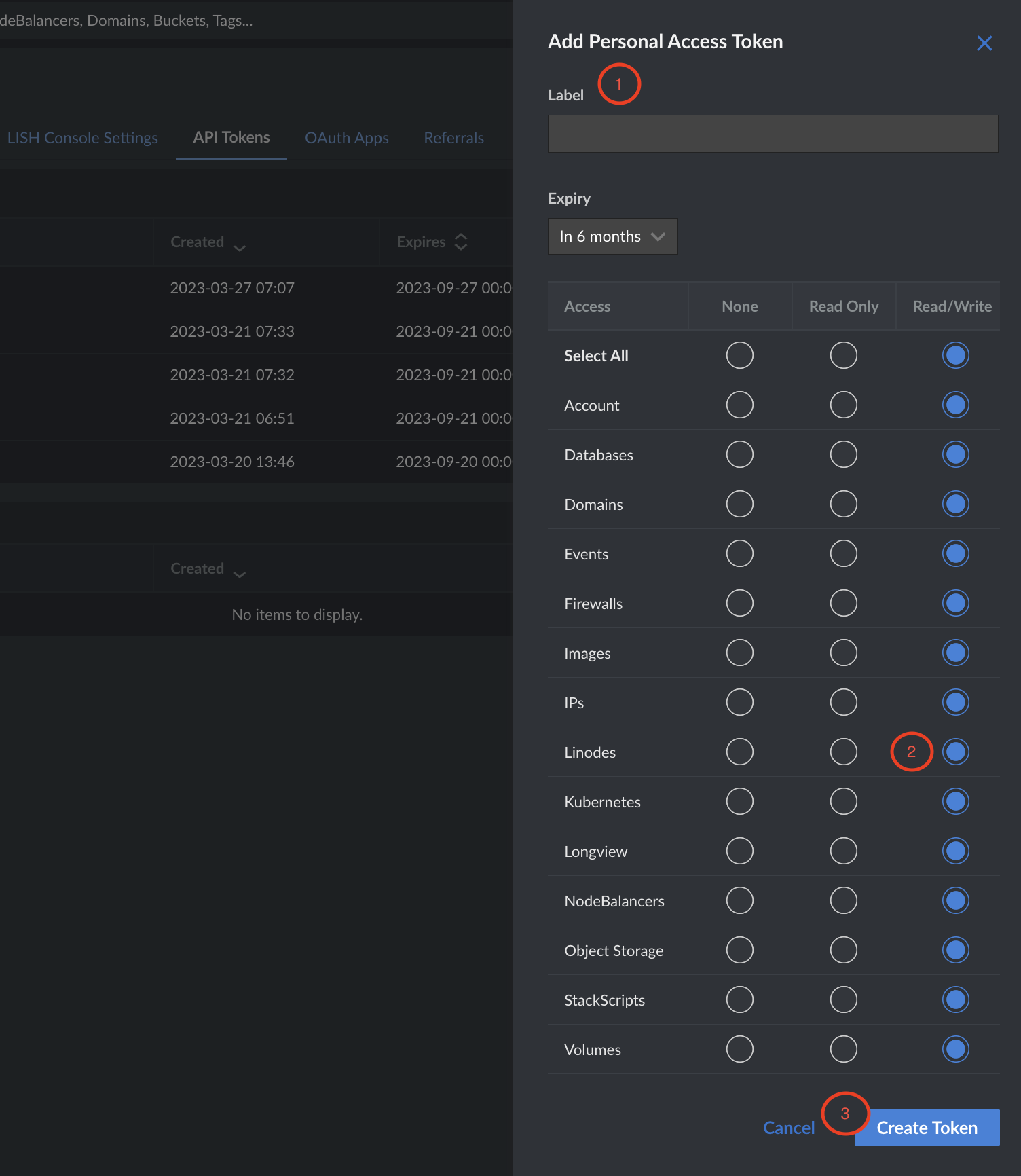
- Enter a label for your token
- Set Read/Write permissions for Linodes
- Click Create Token
You can now use this token to connect your Linode account in SimpleBackups and create snapshot jobs for your Linodes.