
Appearance
Storj
Steps to connect your Storj storage to SimpleBackups
Prerequisites
- Create a Storj Account: If you don’t already have an account on Storj, create one.
- Set Up a Storj Bucket: Create a new bucket in your Storj account where your backups will be stored.
- Get Access Credentials: You will need your Storj S3 Credentials - which can be generated as seen below.
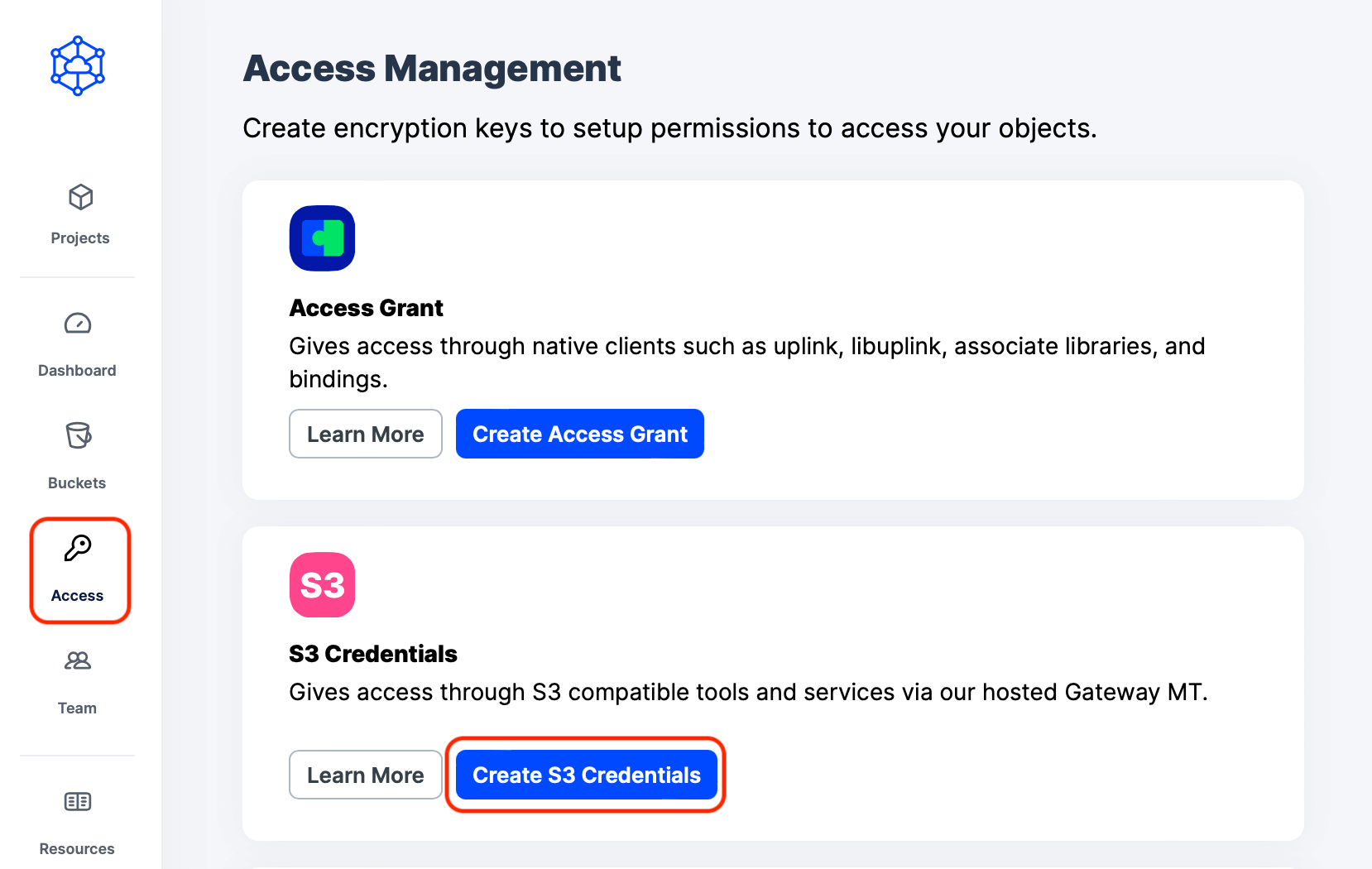
Create S3 credentials for Storj to use for Backups
When you choose the buckets you want to have SimpleBackups access with the key you are generating, make sure you save the following access key and secret key.
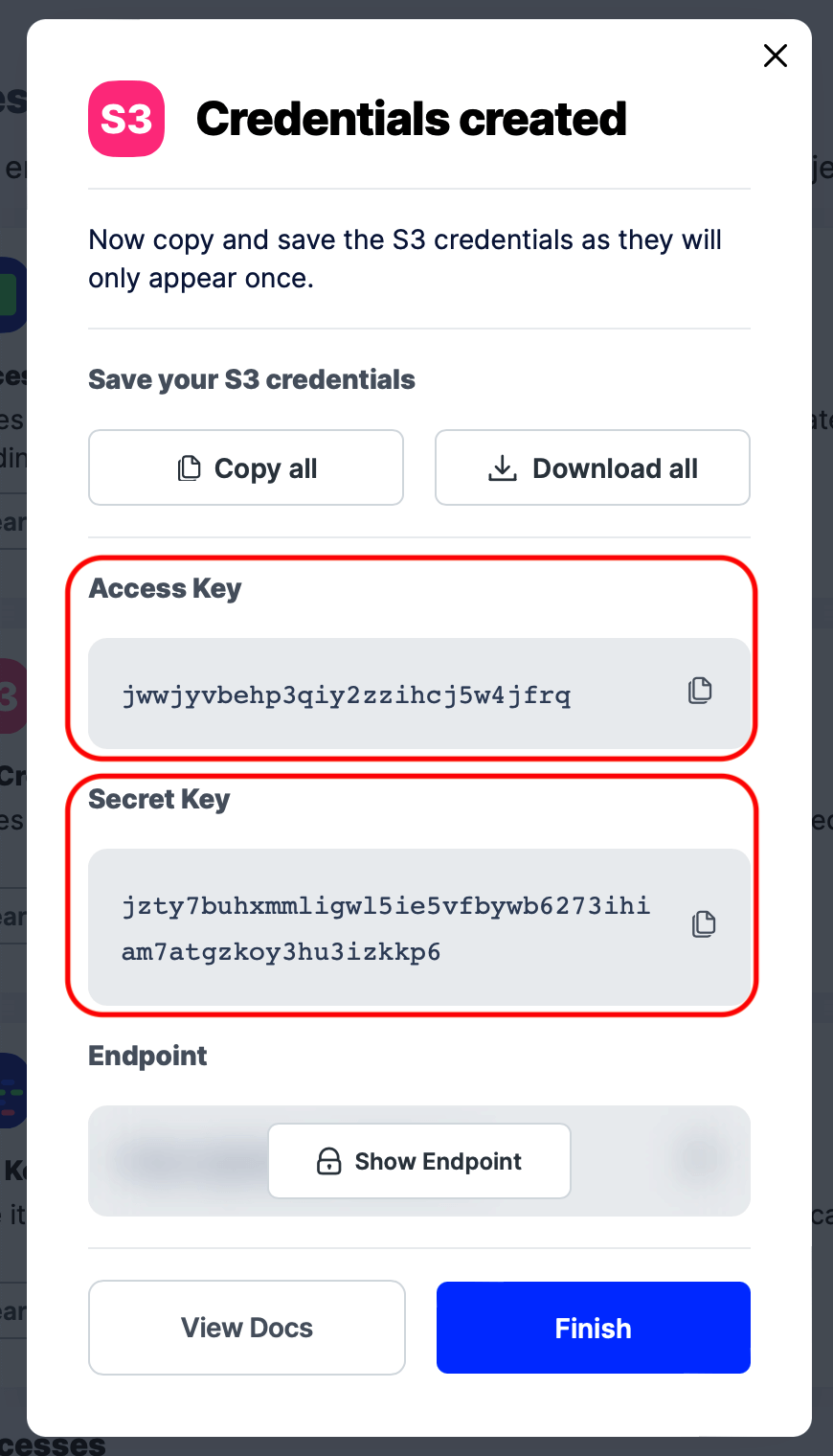
View S3 credentials for Storj
Connecting Storj to SimpleBackups
- Select Storj: Choose Storj as your storage provider from the list of options.
- Enter Storage Details:
- Key and Secret: Paste the Storj key and secret that you generated earlier.
- Region: Select the region where your Storj account is located.
- Bucket: Enter the name of the bucket you created in Storj.
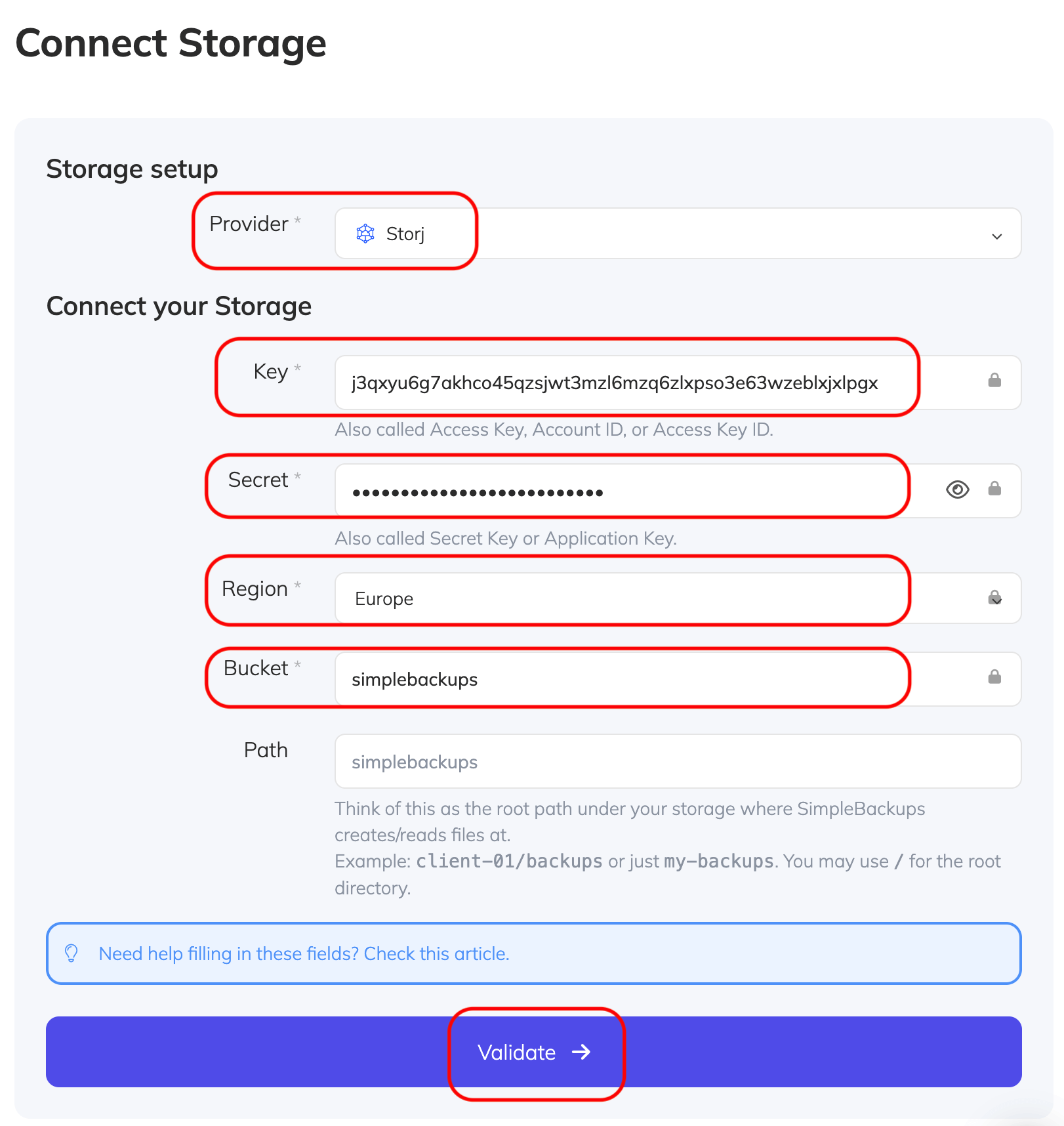
Connect Storj bucket to SimpleBackups
- After validating, give your storage a name then save it!
You are now ready to use this storage with SimpleBackups.