
Appearance
Automatically provision servers
Automatically connect SimpleBackups to newly provisioned servers on AWS EC2, Amazon Lightsail, DigitalOcean, Laravel Forge, …
This is the fastest solution to get your server configured to run backups.
It saves you two steps in the backup process for new/existing servers:
- Adding your server manually to SimpleBackups
- Running the connection script on your server
Some of its features:
- It does not require sudo or root access
- Figures out the username, IP address and home directory of your server automatically
Some of the ideas of how it can be useful:
- Connect existing servers in bulk to SimpleBackups without having to add every server manually and running the connection script
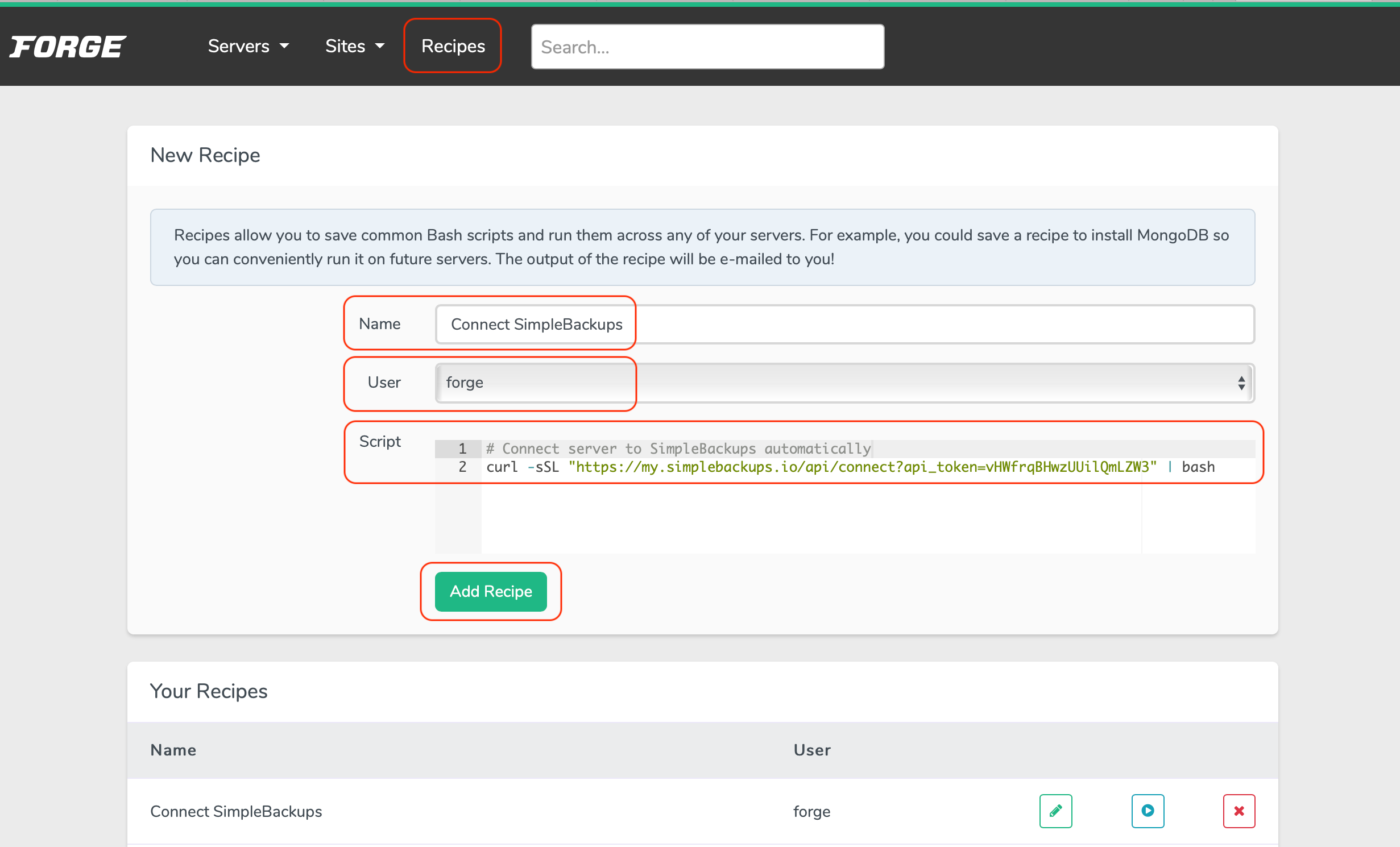
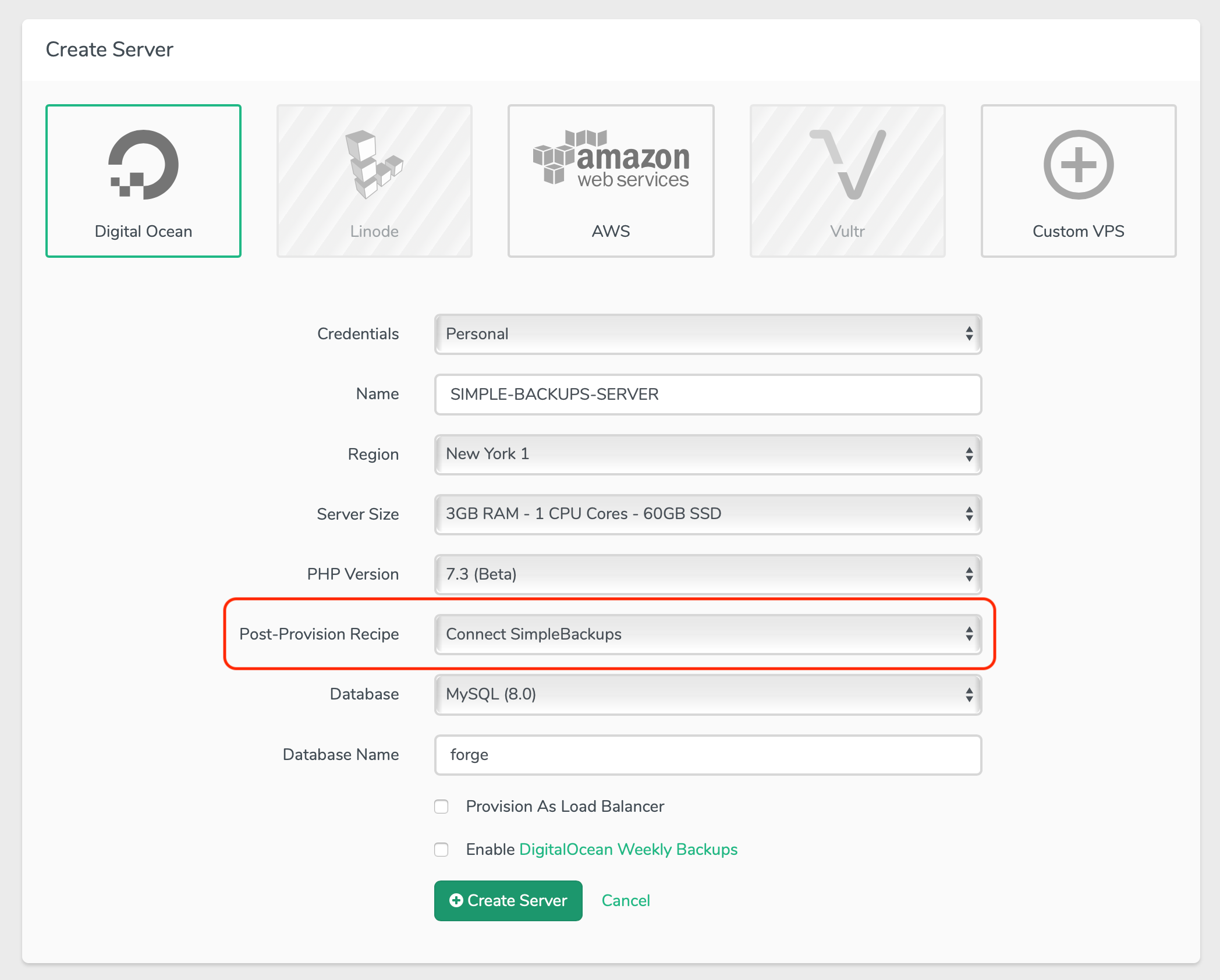
- Use as a Laravel Forge recipe to add newly created servers to SimpleBackups
You can find below some screenshots on some of the platforms for demonstration.
Laravel Forge
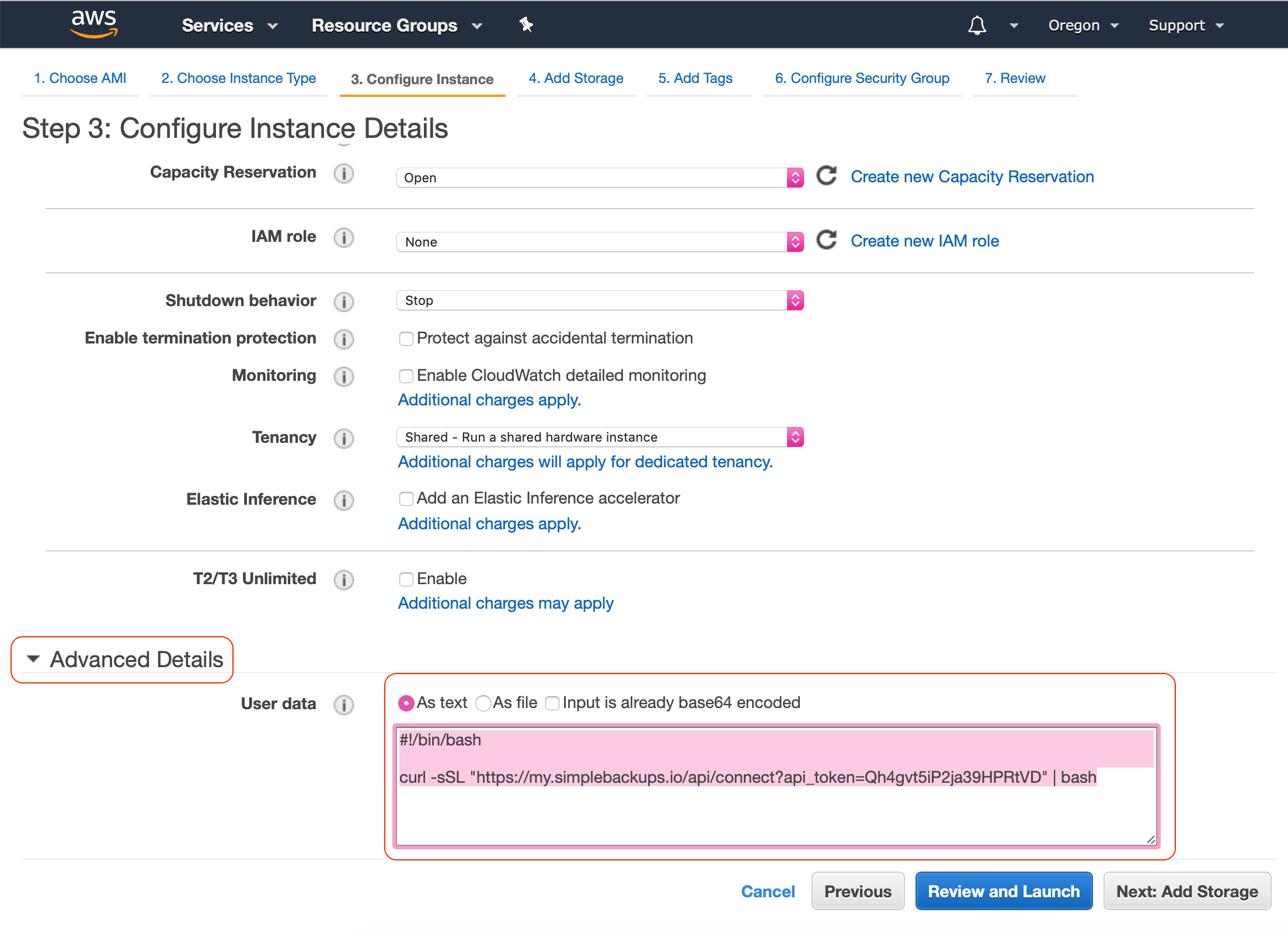
Amazon EC2
When you are launching a new AWS EC2 instance:
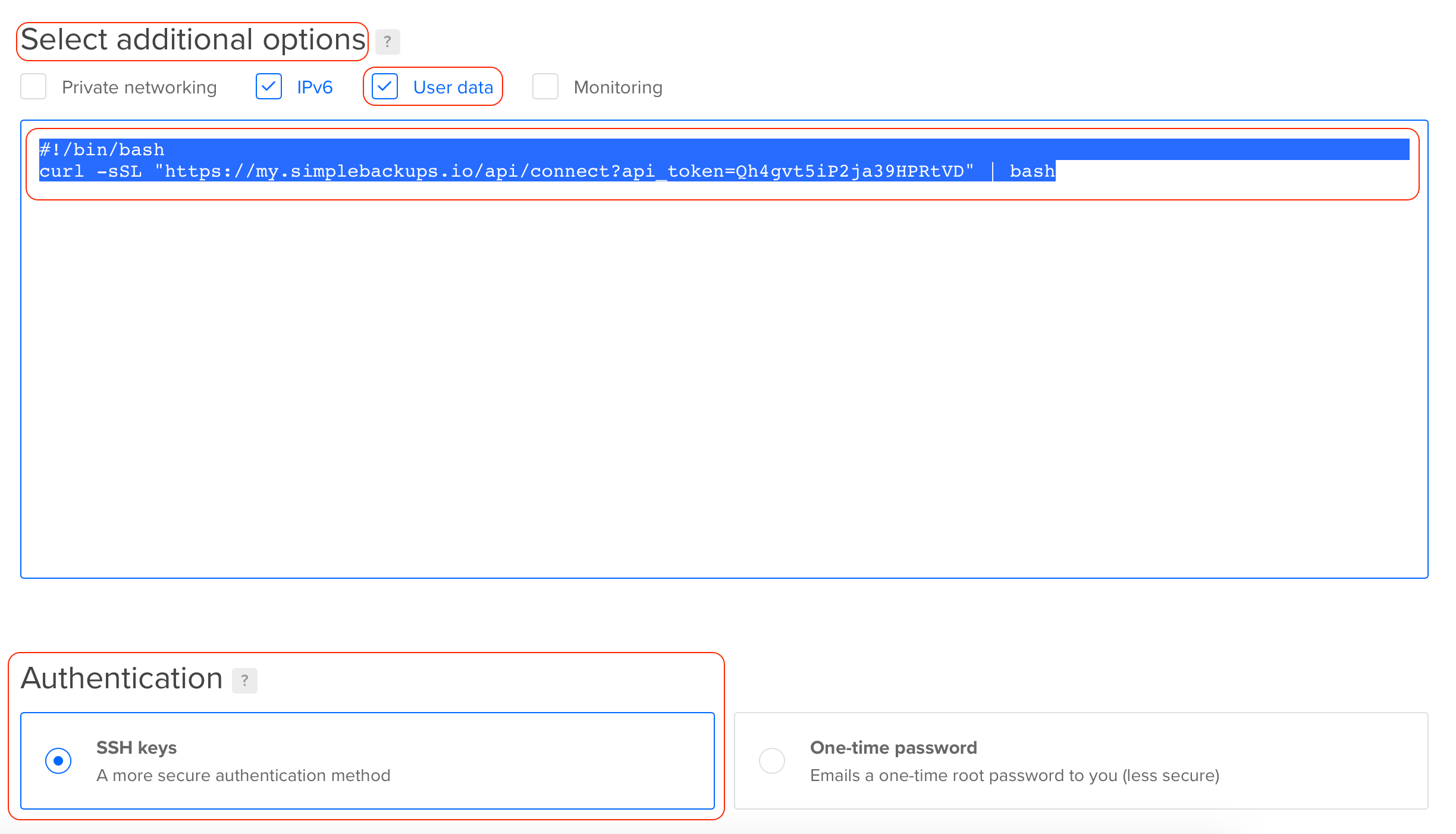
DigitalOcean
When you are creating a new DigitalOcean droplet:
Need instruction for other cloud platforms? Let us know.
Don't hesitate to reach out if you need any help!