Appearance
Scaleway
Automate Scaleway server snapshots on a custom schedule.
SimpleBackups connects to your Scaleway account through API credentials to create and manage server snapshots automatically. This guide walks you through generating Scaleway API keys and creating your first snapshot job.
Connect your Scaleway account to SimpleBackups
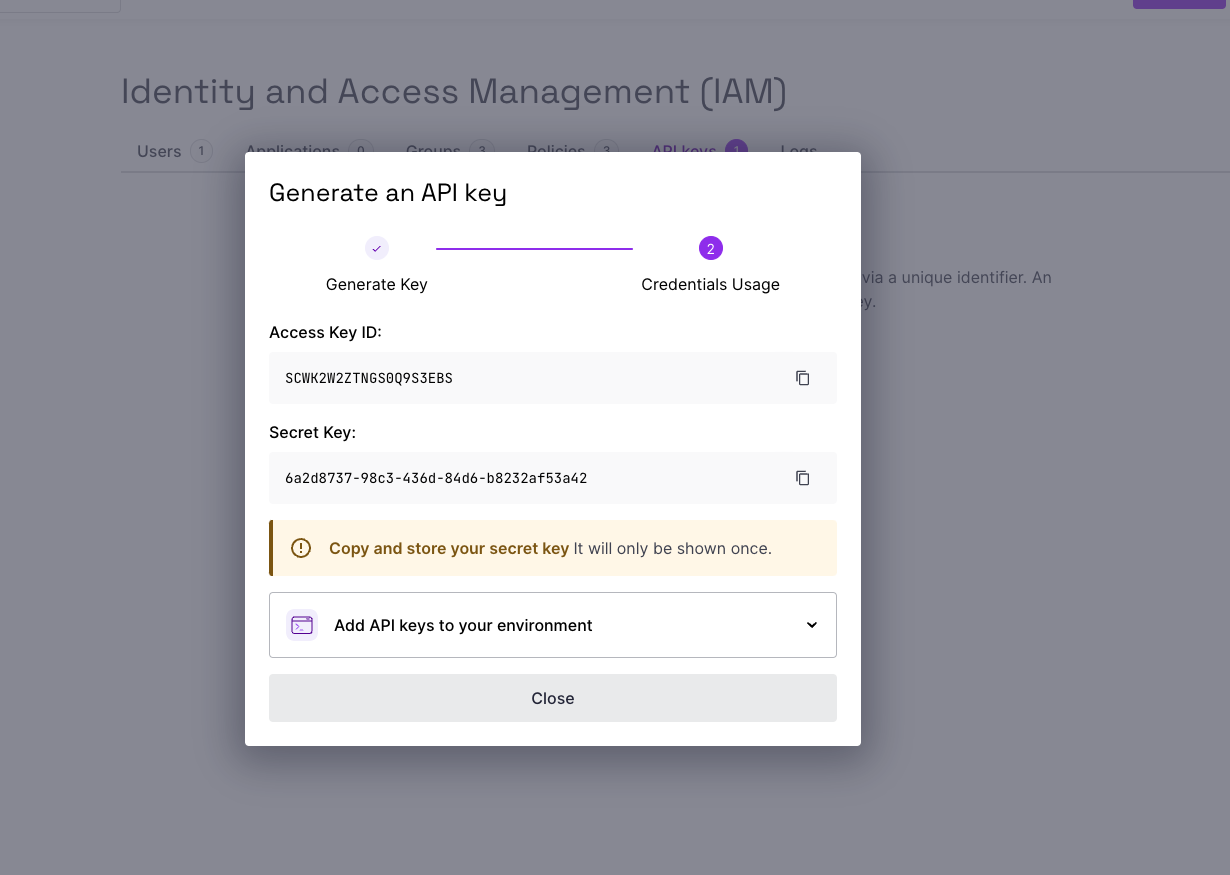
Generate Scaleway API credentials
- Log in to your Scaleway console
- Navigate to the API Credentials section in your Profile menu
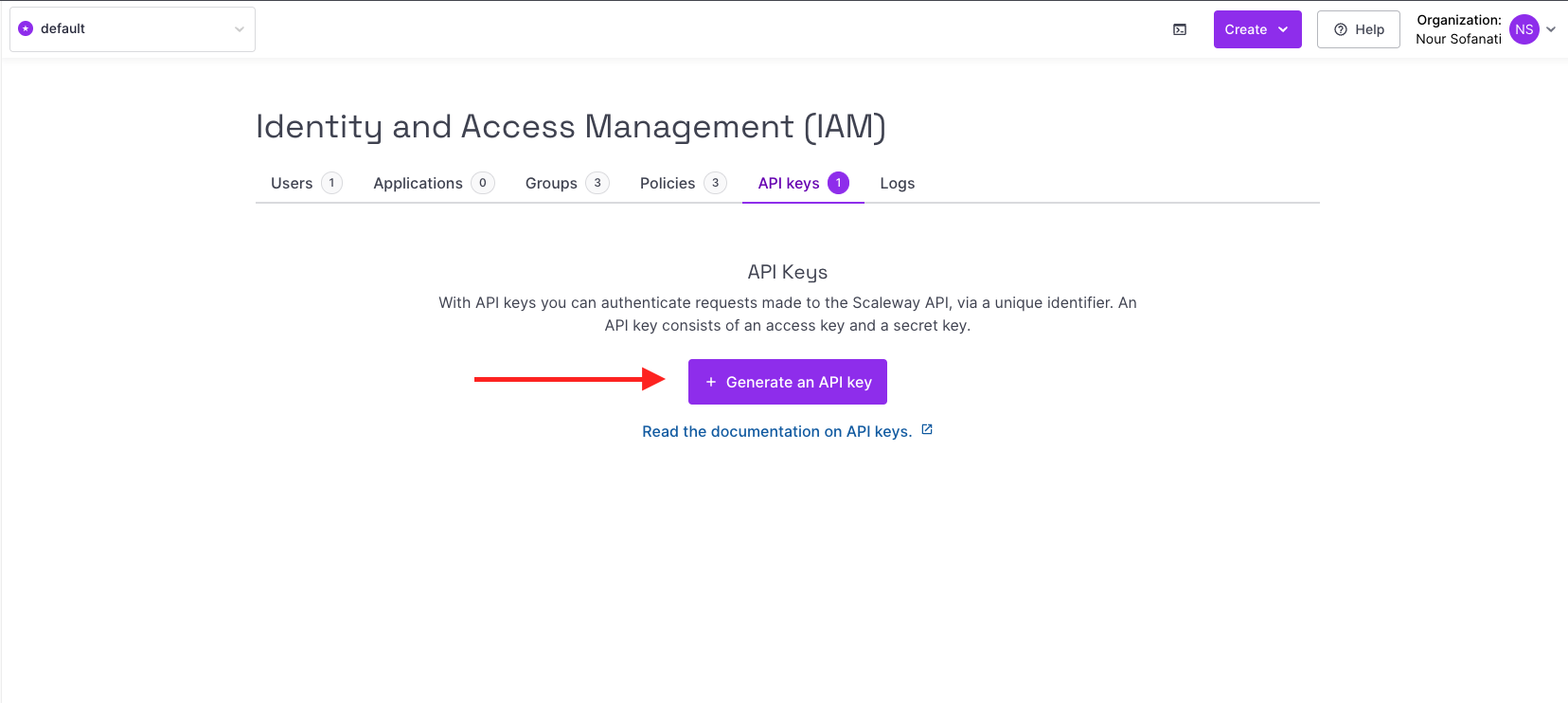
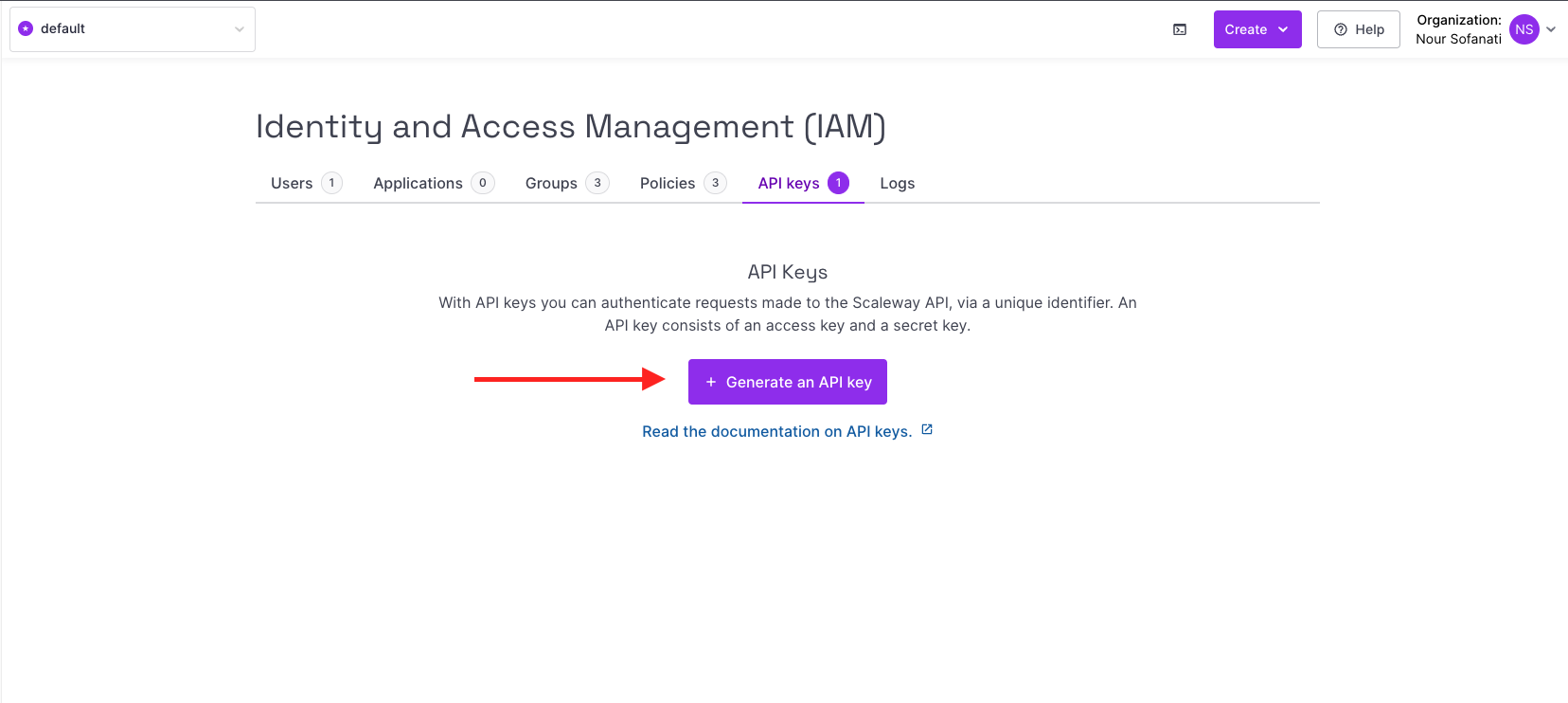
- Click Generate new API key
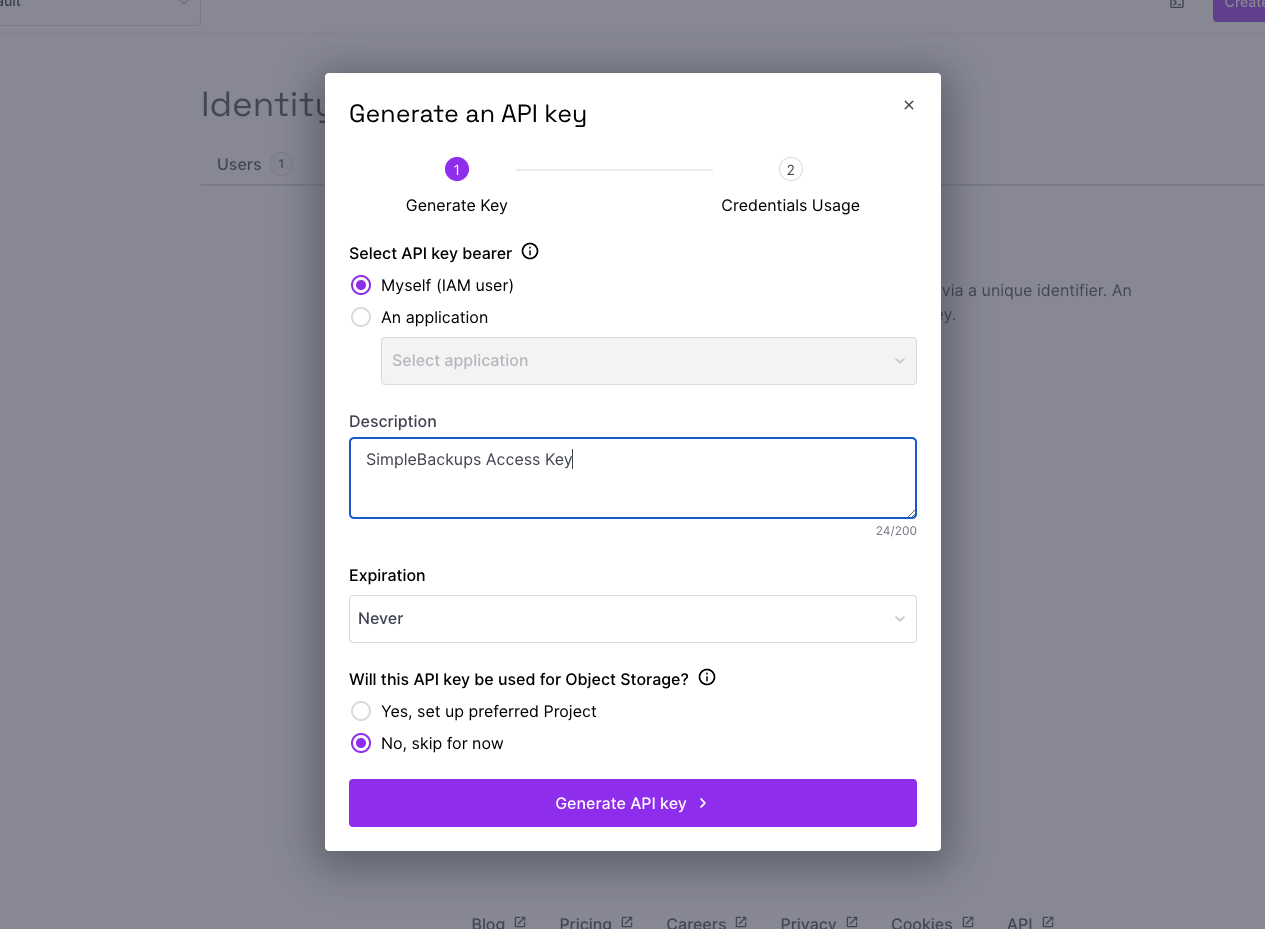
- Give your key a description
- Copy both the Access Key and Secret Key
Add Scaleway as a provider in SimpleBackups
- Log in to your SimpleBackups account
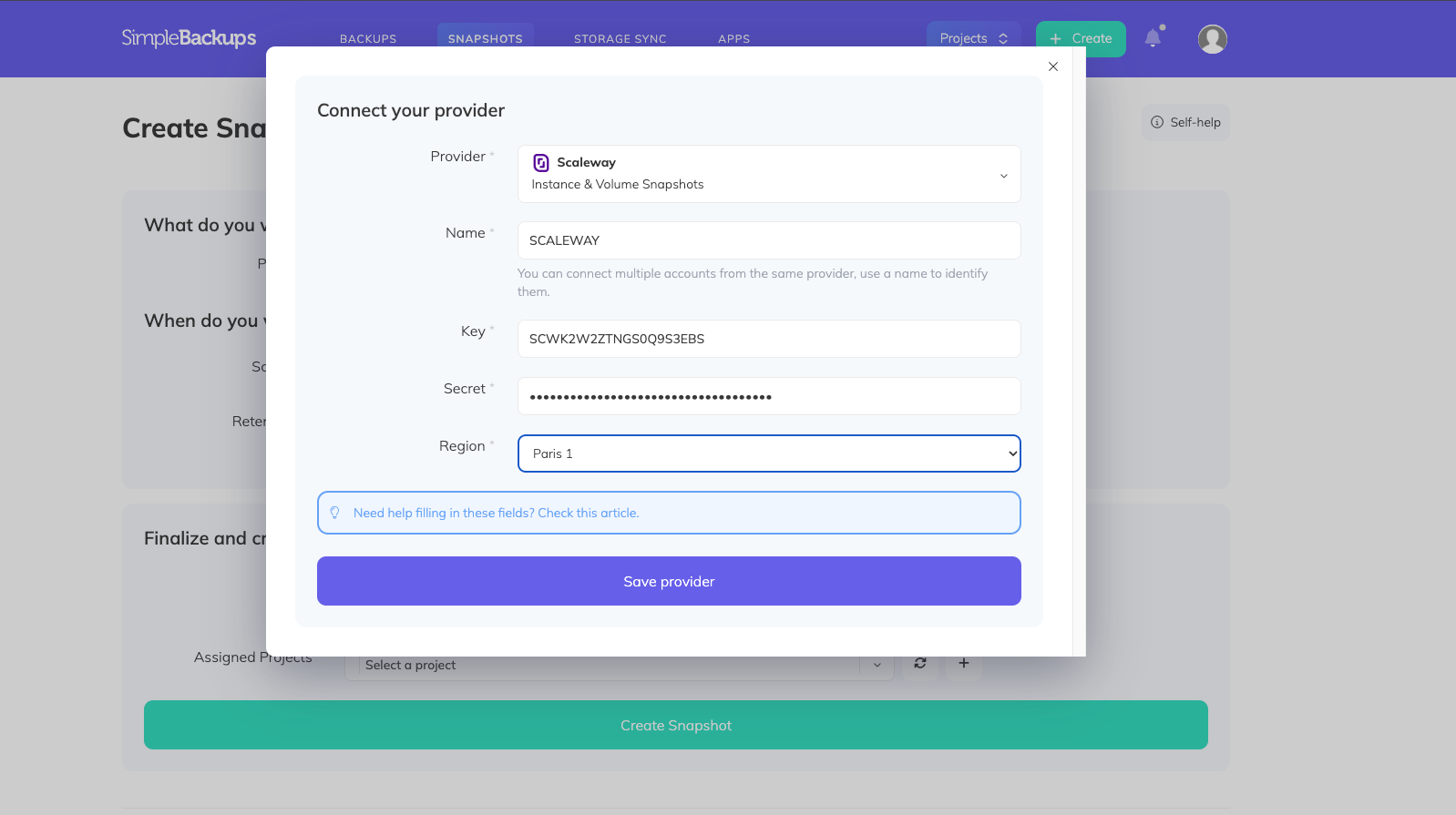
- Go to the Snapshots/Create page and click Connect a new provider
- Select Scaleway from the provider list
- Enter a name, paste your Access Key and Secret Key, and select your region
- Click Save
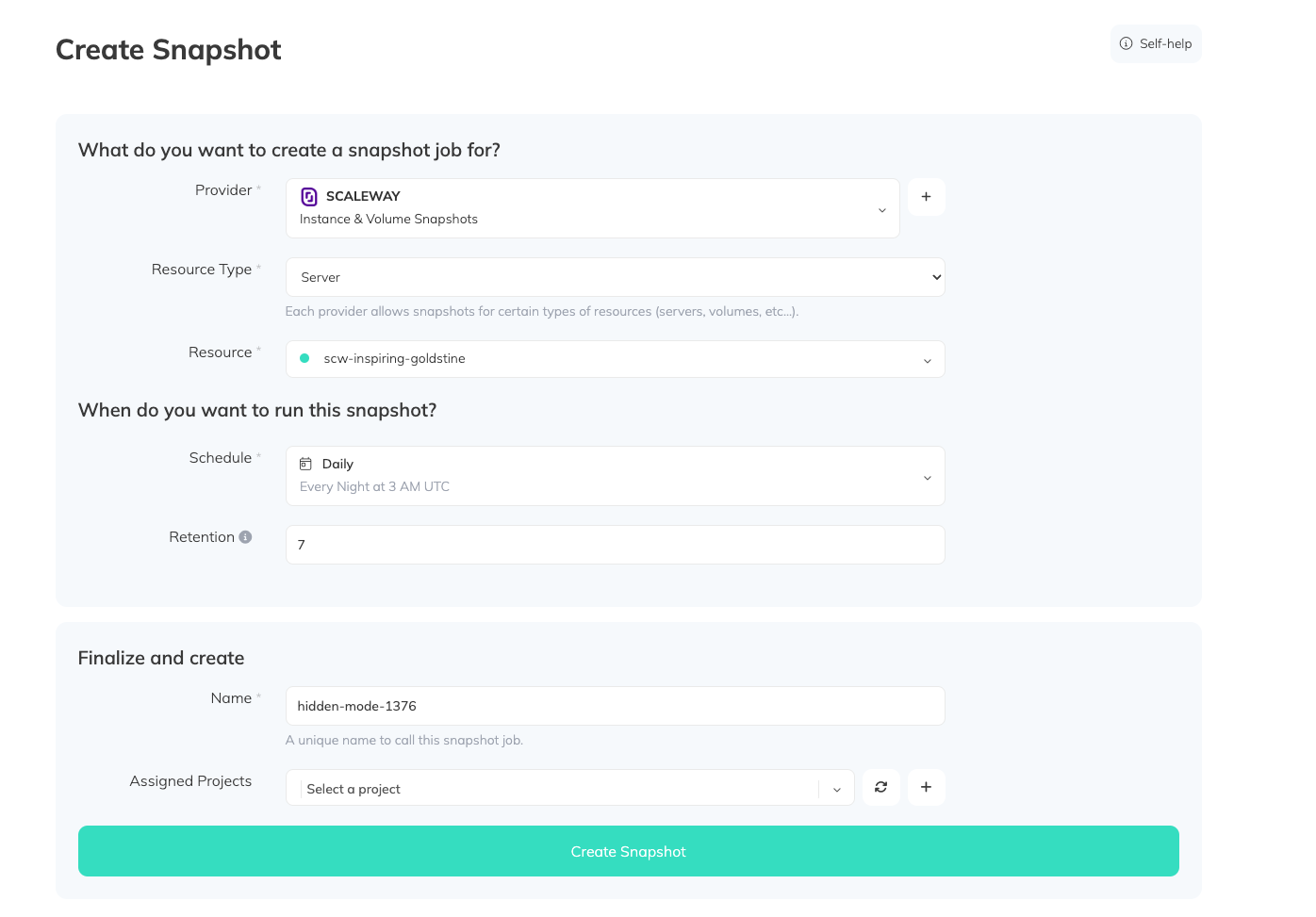
Create a snapshot backup job
- Select your Scaleway provider
- Resource type: Choose Server (this includes all attached volumes)
- Resource: Select the specific server you want to snapshot
- Schedule: Configure how often snapshots run
- Retention: Set how many snapshots to keep before older ones are rotated
- Click Create Snapshot