
Appearance
DigitalOcean
Automate DigitalOcean server and volume snapshots on a custom schedule.
SimpleBackups integrates with DigitalOcean through an OAuth authorization flow, allowing you to automate droplet and volume snapshots. You can schedule snapshots daily, weekly, hourly, or on-demand through the API, and configure retention to automatically rotate older snapshots.
Connect DigitalOcean to SimpleBackups
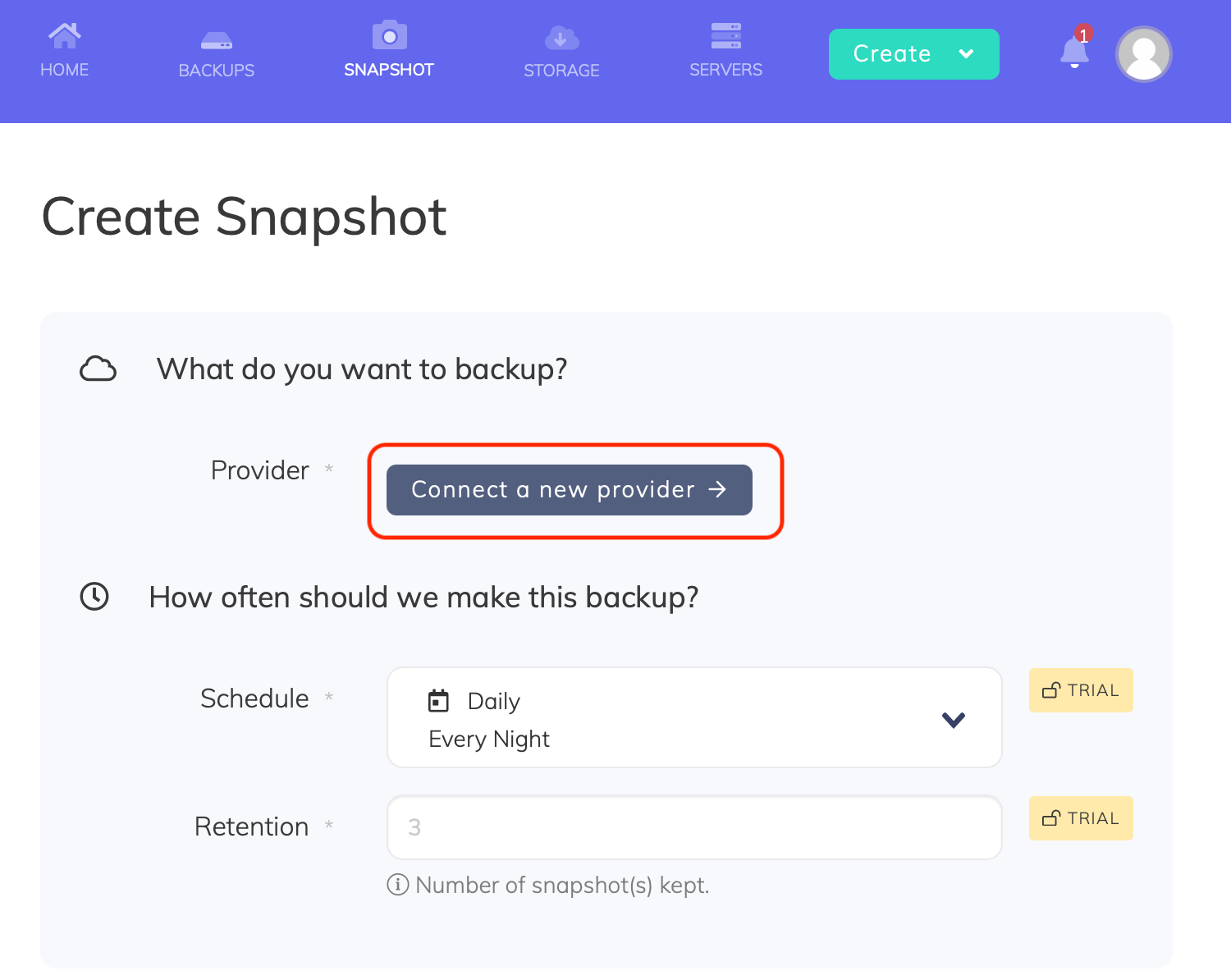
- Go to the Snapshots/Create page in SimpleBackups
- Click Connect a new provider
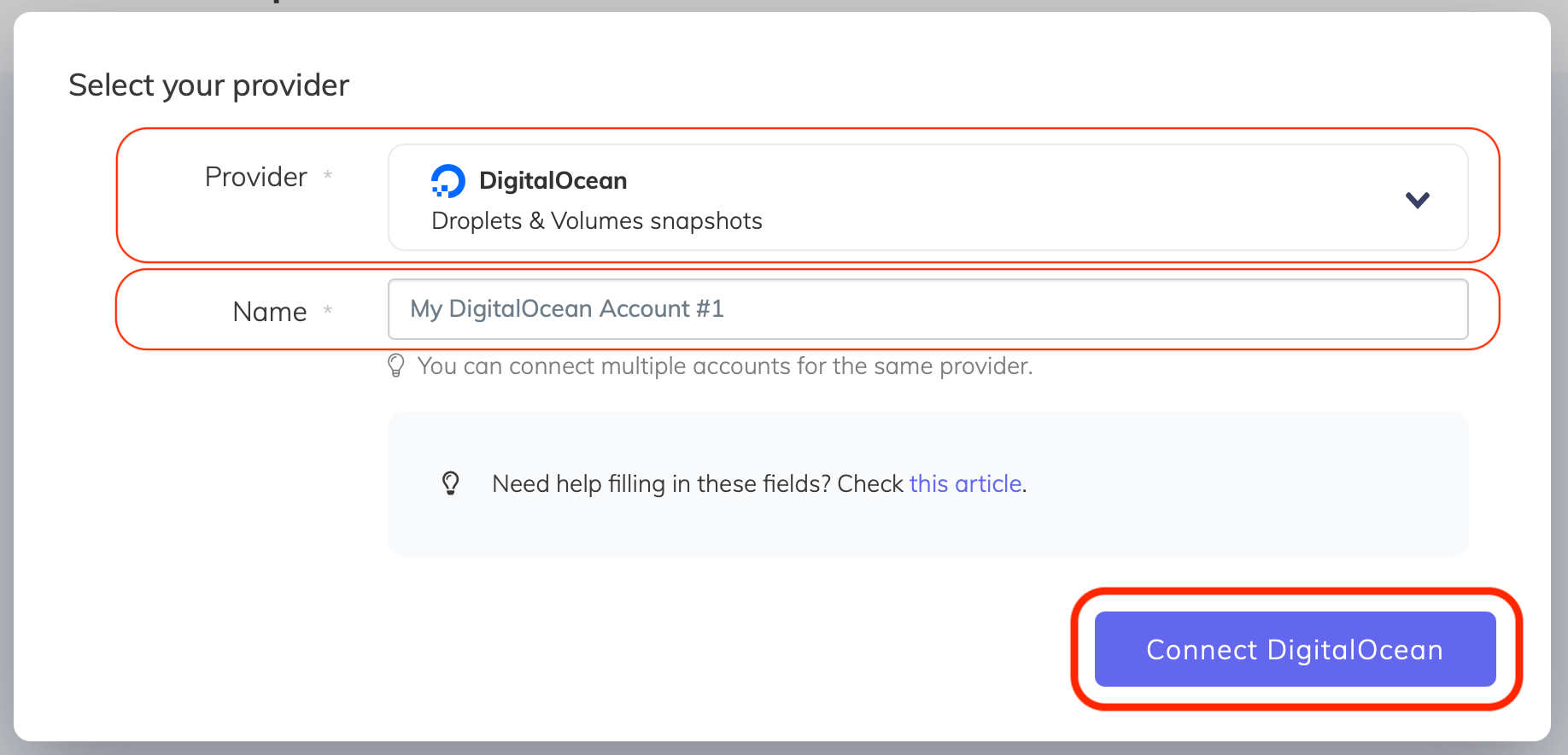
- Select DigitalOcean from the Provider dropdown, enter a name for your account, and click Connect DigitalOcean
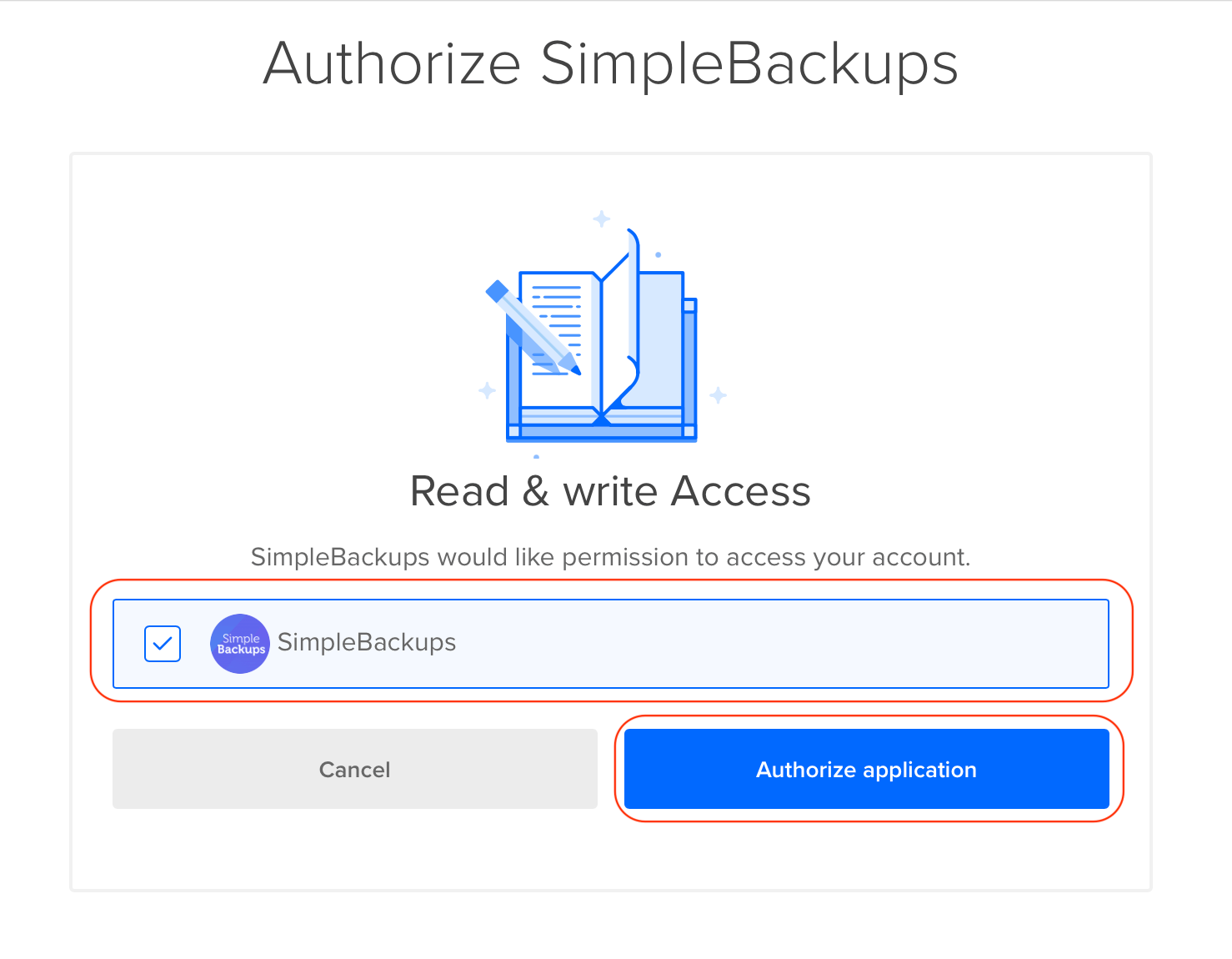
- You will be redirected to DigitalOcean's login screen. Make sure you are logged in to the correct DigitalOcean account, leave the checkbox next to your account email checked, and click Authorize application
Create a snapshot backup job
After connecting your DigitalOcean account, you can create a snapshot job.
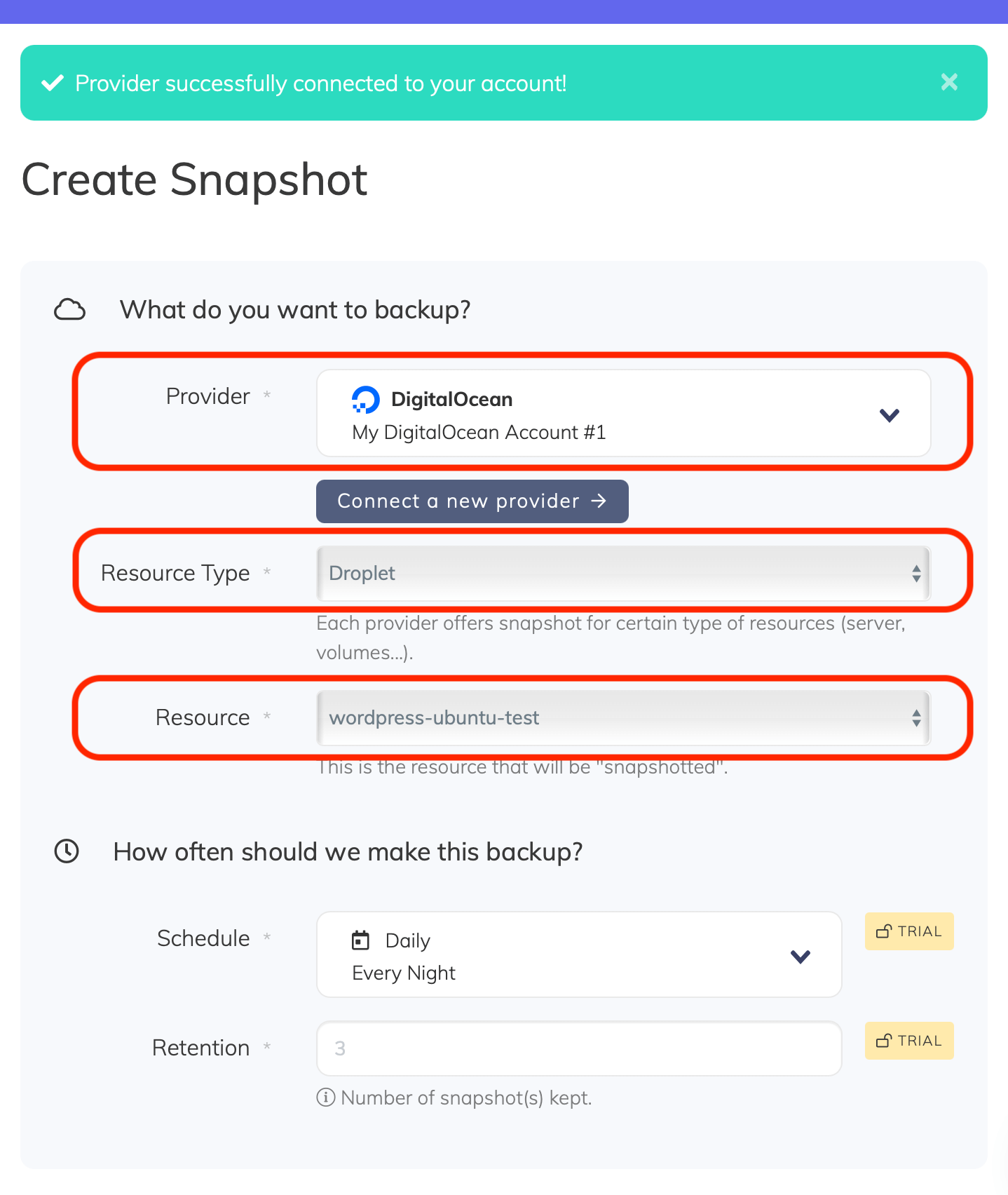
- Account: Choose the DigitalOcean account you want to use. You can connect multiple DigitalOcean accounts to SimpleBackups.
- Resource type and resource: Select either a server (droplet) or a volume. The Resource dropdown lists all resources available under your DigitalOcean account.
- Retention: Set the number of snapshots to keep. Older snapshots beyond this number are automatically rotated.
- Name and save: Give your snapshot job a descriptive name and click Create Snapshot.
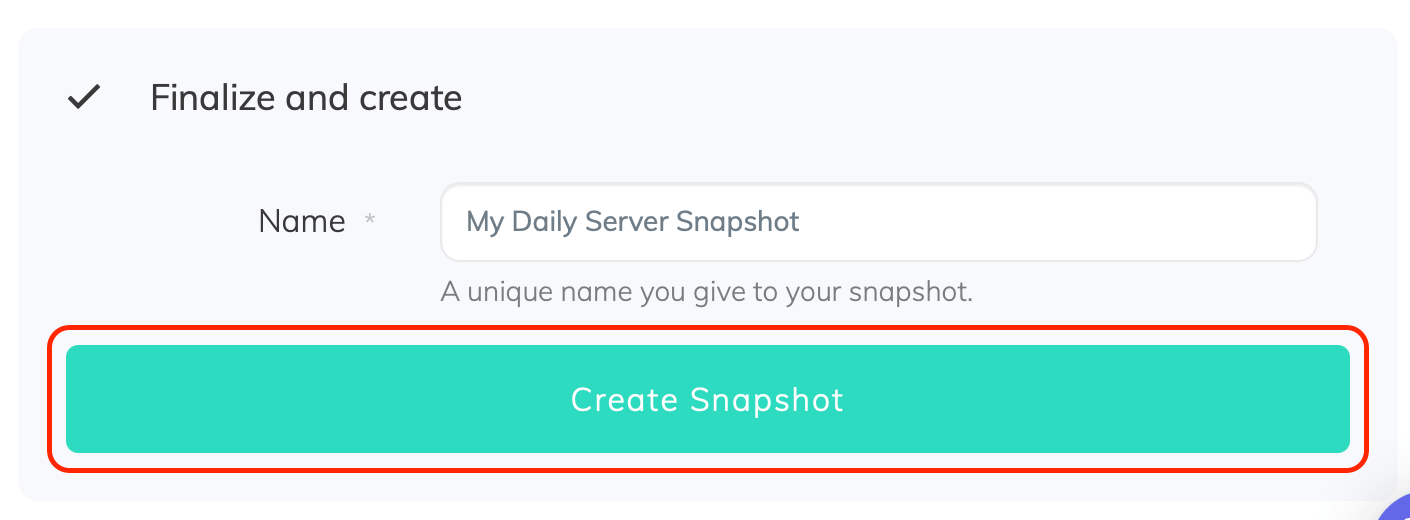
You can trigger your first snapshot manually using the Run button from the snapshots list.
Restore a droplet snapshot
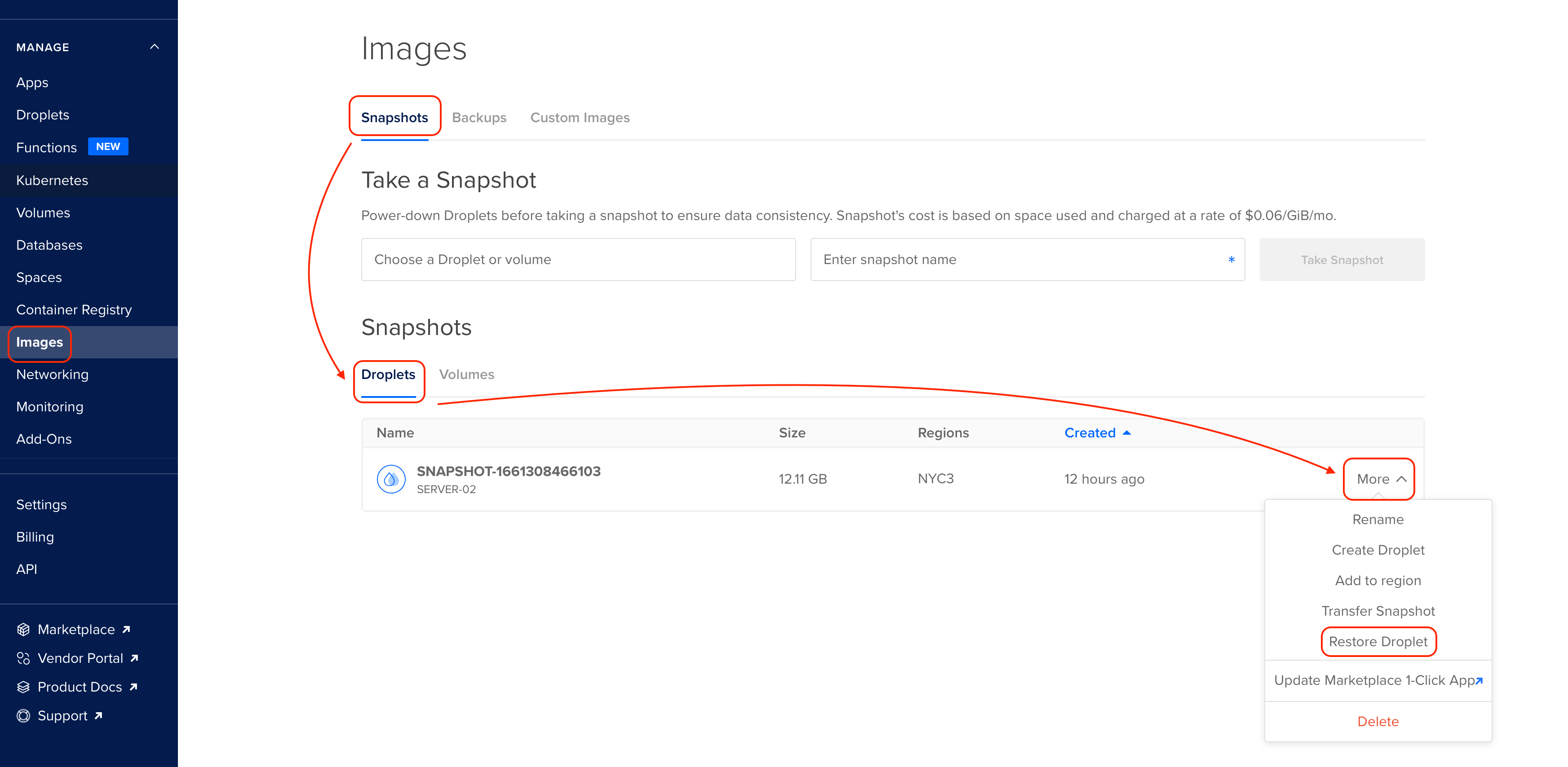
To restore a droplet from a snapshot on DigitalOcean:
- In the DigitalOcean dashboard, click Images
- Click Snapshots, then Droplets
- Find the snapshot you want to restore and click More
- Select Restore Droplet
Multi-region snapshots
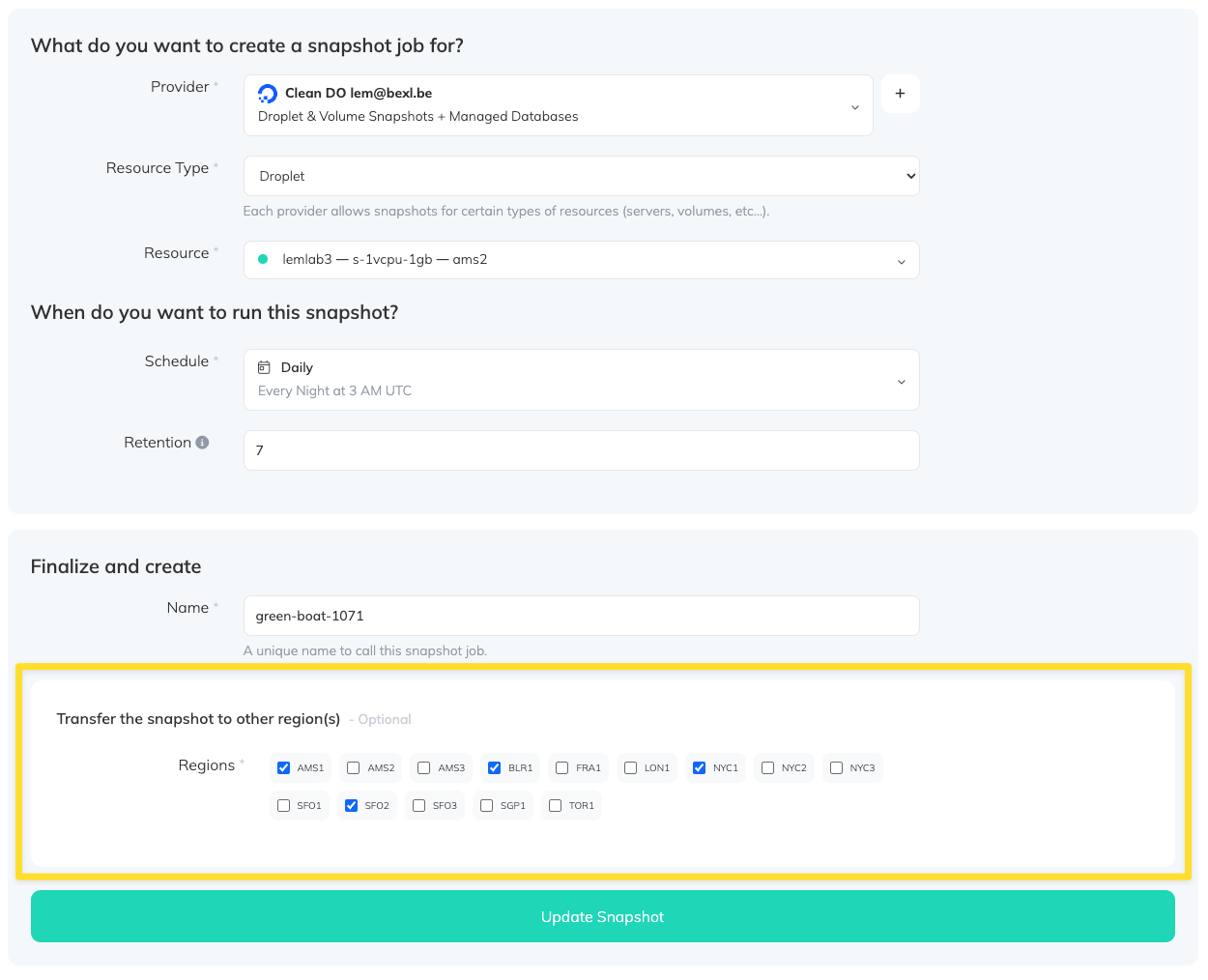
When creating a DigitalOcean snapshot job, you can transfer the snapshot to multiple regions. This is useful for disaster recovery if the original region experiences an outage.
- Select the regions you want the snapshot copied to
- When the snapshot runs, it is automatically transferred to all selected regions
FAQ
"DigitalOcean rate-limited - one request per 10m0s"
This error can occur when running droplet or volume snapshots if your DigitalOcean account has not been verified yet. Verify your account in the DigitalOcean dashboard to resolve this.