
Appearance
Hetzner Storage Box
How to connect Hetzner Storage Box via SFTP to SimpleBackups and use it for backup storage and cloud replication.
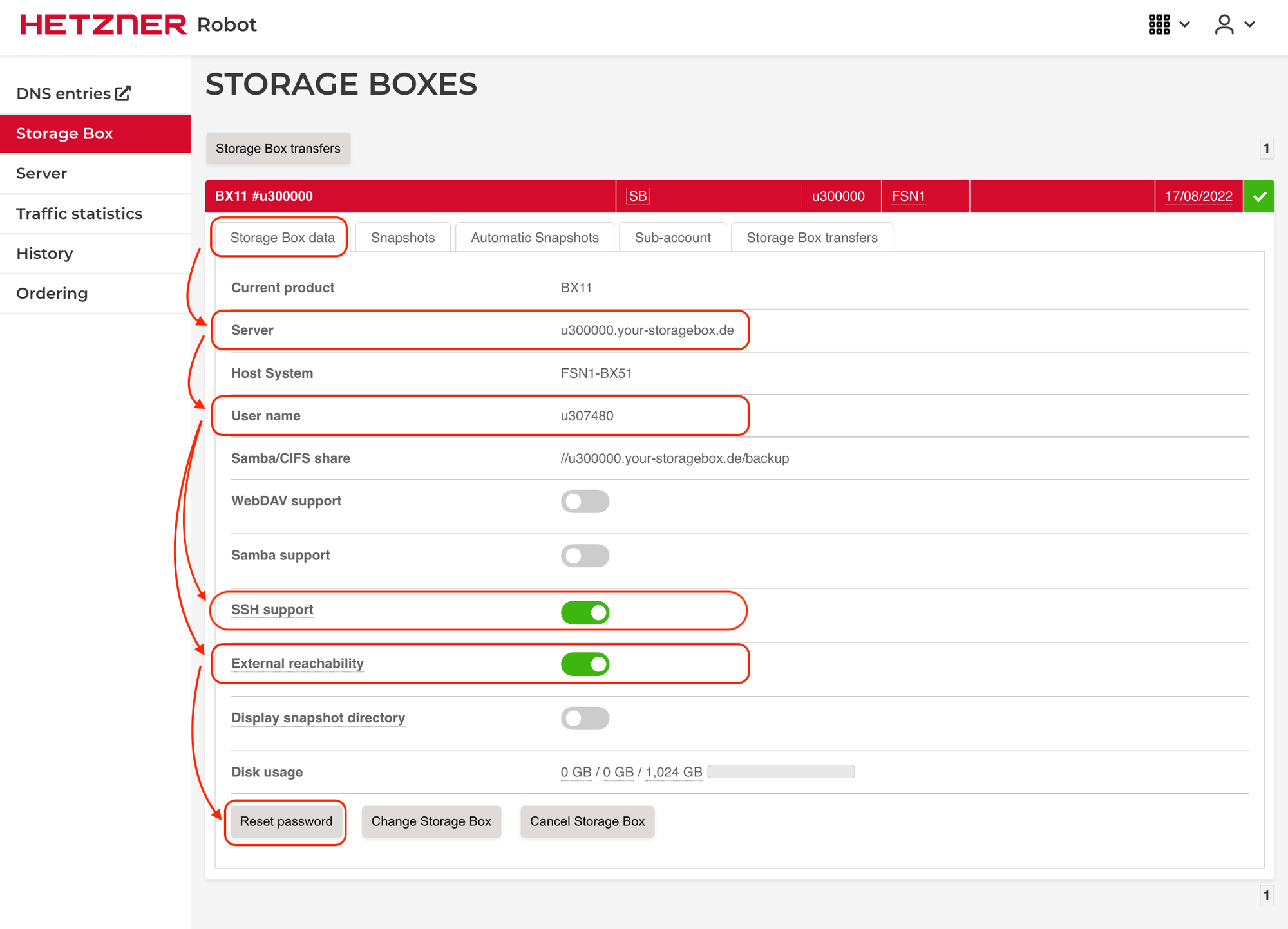
To connect Hetzner Storage Box to SimpleBackups, all we need is the host, username, and password.
You can use your storage box for cloud replication, sync, migration, and of course for backup storage.
Step 1: Grab Hetzner Storage Box Credentials
In this step, we will need to grab the username, host, and password.
Step 2: Create a SimpleBackups Storage
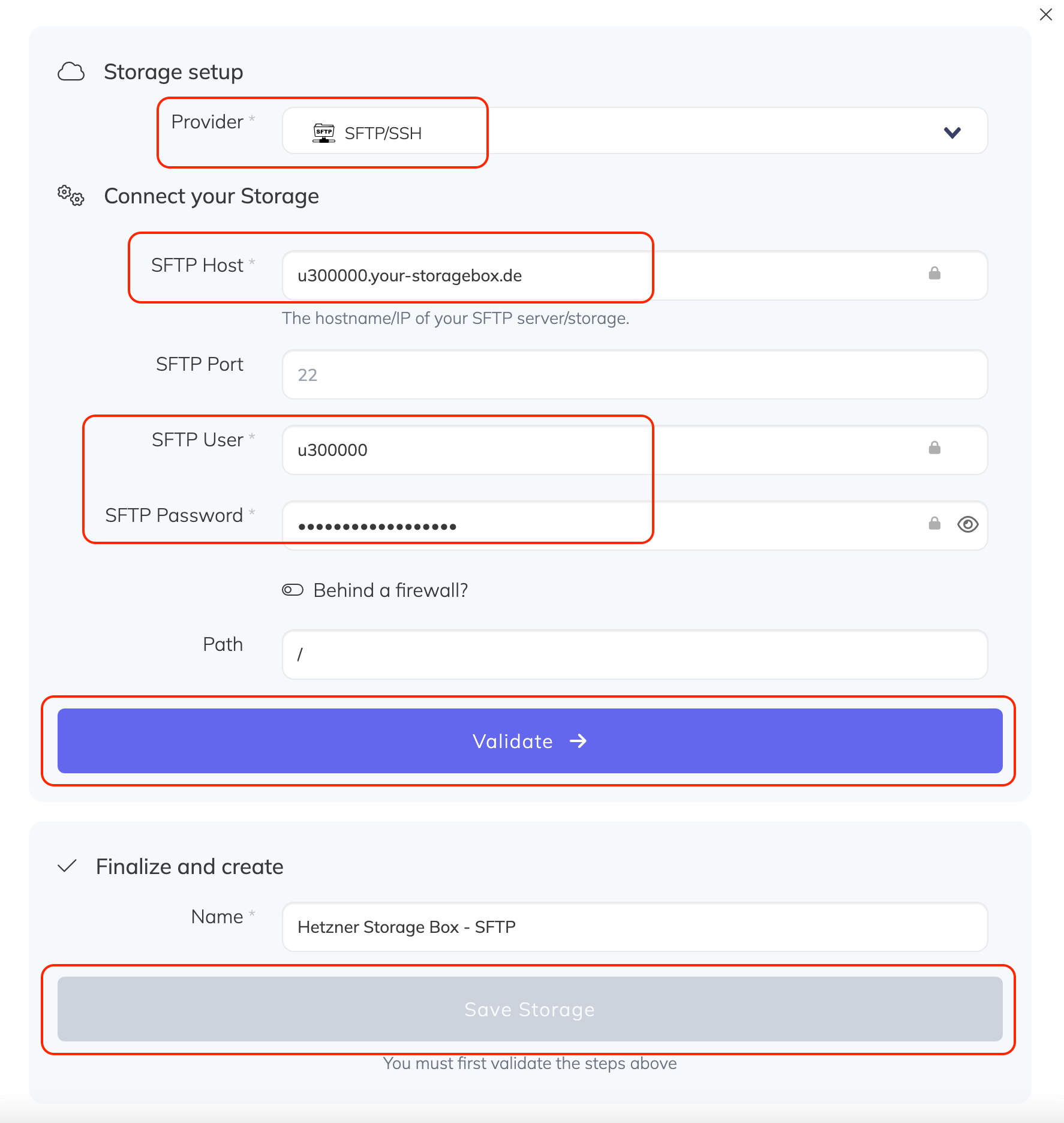
- Select the provider
- Enter the host, user, and password obtained in Step 1
- Validate connection
- Set a friendly name for your storage then Save Storage
You are now ready to store backups, migrate/sync/replicate other cloud storage to this SFTP storage!