
Appearance
GitHub
Back up your GitHub repositories, issues, wikis, and more to your own cloud storage.
GitHub is the most widely used Git hosting platform. SimpleBackups connects to GitHub using OAuth, allowing you to back up repositories and associated metadata on a schedule without managing tokens. This guide covers how to connect your account, configure a backup, and restore from a backup.
Connect your GitHub account
To connect GitHub to SimpleBackups, from App backup page, create a new GitHub connection and click Connect GitHub. You can also give the connection a name — this is useful if you connect multiple GitHub accounts.
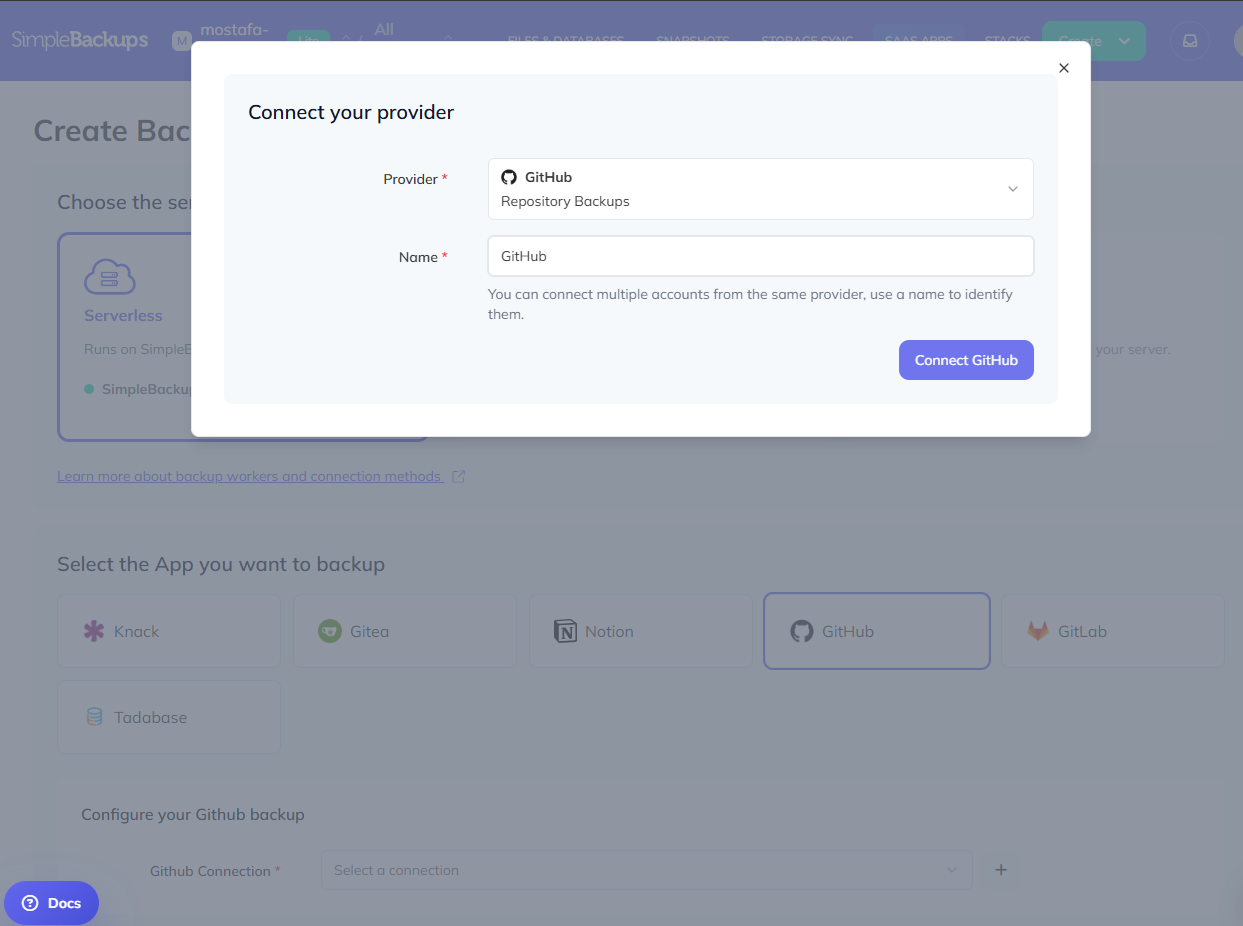
Clicking Connect GitHub redirects you to GitHub, where you will be asked to install and authorize the SimpleBackups app on your account. Review the permissions and click Install & Authorize to complete the connection.
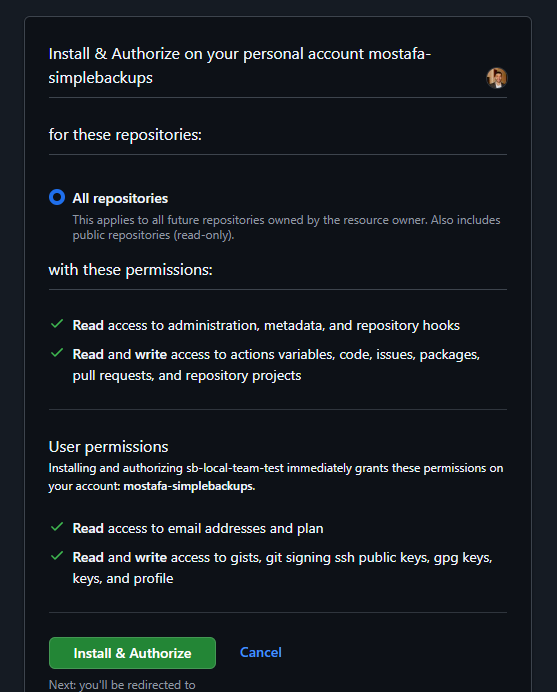
Permissions SimpleBackups requests
During authorization, GitHub shows the permissions SimpleBackups requires. These permissions cover both backup (read) and restore (write) operations:
- Administration (read-only) — reads repository settings for complete backups
- Contents (read and write) — backs up and restores repository contents, branches, and releases
- Issues (read and write) — backs up and restores issues, comments, and labels
- Metadata (read-only, mandatory) — required by GitHub for all OAuth apps
- Packages (read and write) — backs up and restores packages
- Projects (read and write) — backs up and restores classic projects
- Pull requests (read and write) — backs up and restores pull requests and related data
- Variables (read and write) — backs up and restores Actions repository variables
- Webhooks (read-only) — reads webhook configuration as part of a full backup
SimpleBackups also requests read access to your email address and plan, and read and write access to gists, SSH public keys, GPG keys, and profile — these are user-level permissions required by the GitHub app installation.
Configure your GitHub backup
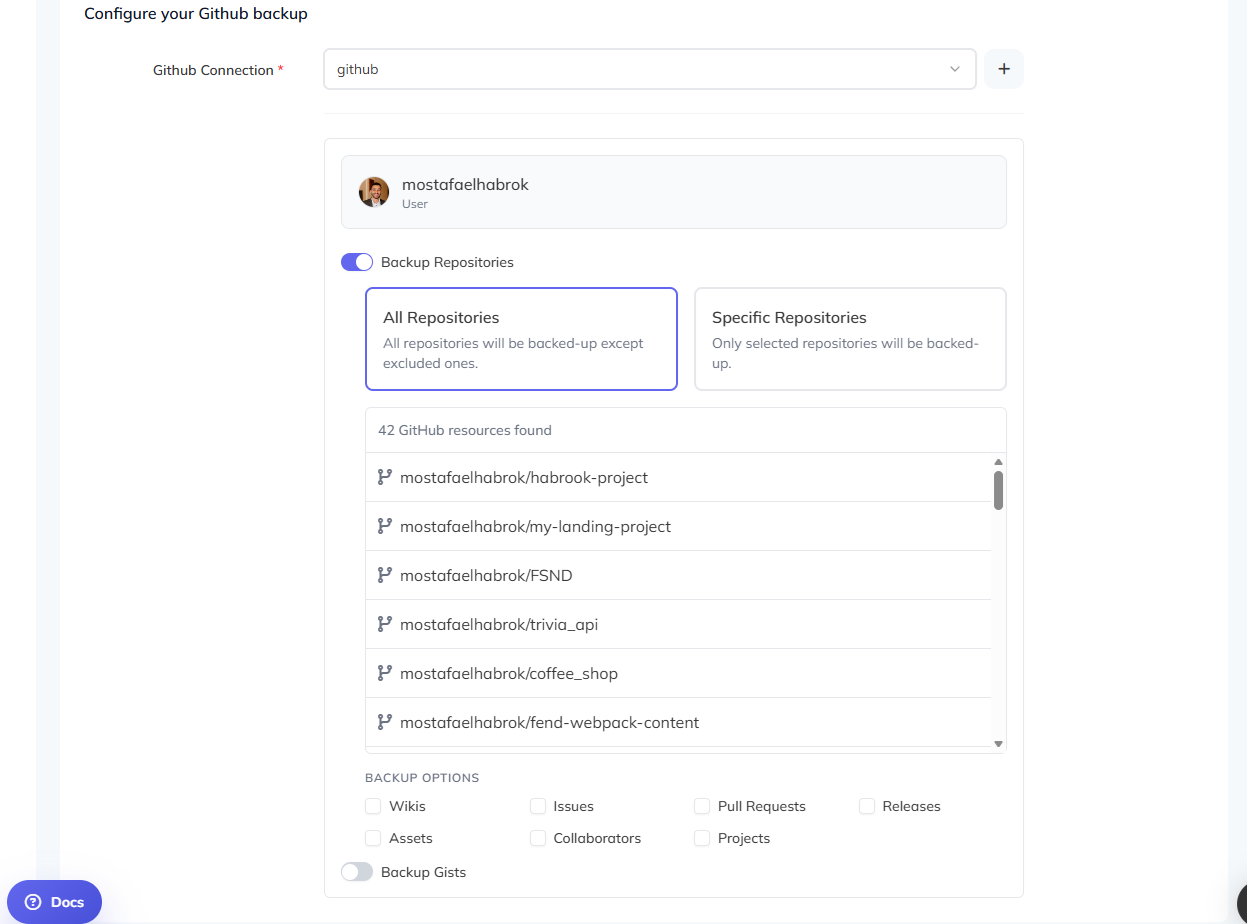
Once your GitHub account is connected, select it from the Github Connection dropdown. SimpleBackups will load your repositories automatically.
You can choose to back up All Repositories or select Specific Repositories to limit the scope. Under Backup Options, you can include additional data alongside the repository contents:
- Wikis — repository wikis
- Issues — issues and comments
- Pull Requests — pull requests and related data
- Releases — release metadata and assets
- Assets — release assets
- Collaborators — repository collaborator list
- Projects — classic GitHub projects
You can also enable Backup Gists to include your gists in the backup.
Restore a GitHub backup
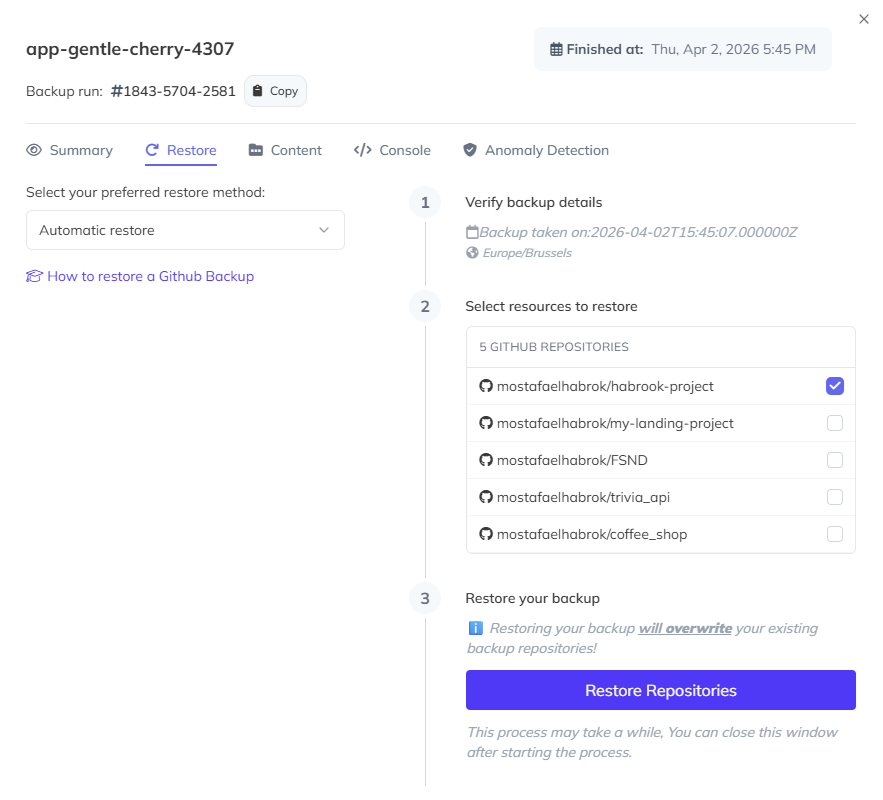
SimpleBackups handles GitHub restores automatically from within the dashboard. To restore:
- Open a completed backup run and click the Restore tab.
- Select Automatic restore as the restore method.
- Verify the backup details shown in step 1.
- In step 2, select the repositories you want to restore.
- Click Restore Repositories to start the process.
You can close the window after starting the restore — it will continue running in the background.
Troubleshooting: "Resource protected by SAML enforcement"
This error means the organization enforces SAML/SSO, and SimpleBackups has not been explicitly authorized to access the organization's resources. Even if your user account has access, OAuth apps like SimpleBackups must be approved by an organization admin.
How to fix it
An organization owner must:
- Go to GitHub > Organization > Settings
- Open Security > Authentication > SAML SSO
- Find Authorized OAuth Apps
- Locate SimpleBackups
- Click Grant access
Once approved, SimpleBackups can access the organization's repositories for SSO-authenticated users.