
Appearance
Account & billing FAQ
Answers to common questions about invoices, payments, coupons, and account access.
How do I send invoices to my accountant?
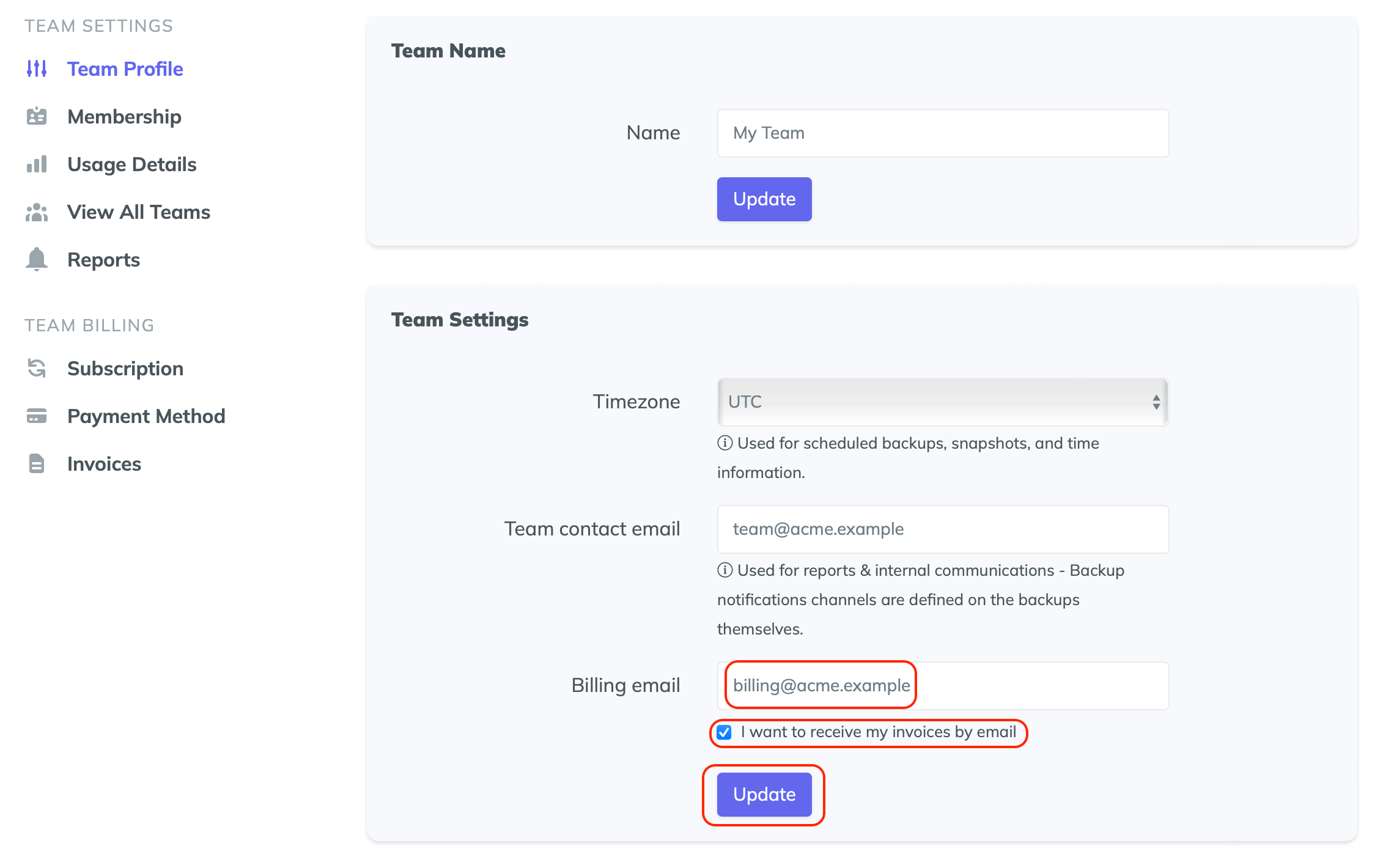
You can have invoices automatically sent to a dedicated email address. Go to Settings → Team profile, update your billing email, tick I want to receive my invoices by email, and save your changes.
To change the company name on your invoices, update the Team name on the same page. Invoices downloaded from the Invoices section will reflect the updated name.
How do I transfer ownership of my Team?
You can transfer Team ownership to another member from the Team settings. Only the current Owner can do this. Once transferred, the previous Owner becomes an Administrator.
For more details on roles and permissions, see Teams, Projects & users.
How do I redeem a coupon?
If you have received a discount coupon for SimpleBackups:
- Log in to your account
- Go to the Payment method section in your settings
- Under Redeem Coupon, enter your coupon code and click Redeem
If you have any questions about coupons, contact us at hello@simplebackups.com.
My payment failed, what should I do?
Payments can fail for multiple reasons. When this happens, SimpleBackups retries the payment up to 8 times over a period of one week.
Contact your bank or update your payment method as soon as possible to avoid interruption of service. If the payment still fails after the final retry, your subscription will be canceled, your account will switch to the free plan, and your backups will stop running.