
Appearance
Gitea
Back up your Gitea repositories to your own cloud storage.
Gitea is a self-hosted Git service. You can connect your Gitea instance to SimpleBackups using a personal access token, allowing SimpleBackups to export your repositories on a schedule. This guide covers how to create an access token and configure your backup.
Create your Gitea access token
Go to the token management page
Navigate to your user settings by clicking on your profile picture in the top-right corner of the screen, then select Settings.
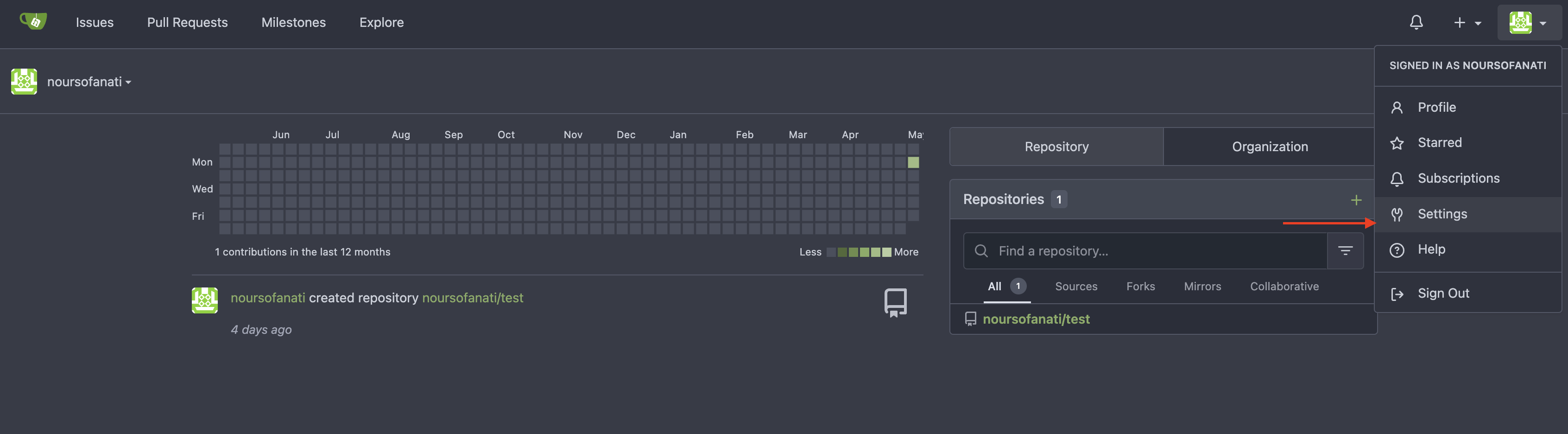
In the left-hand menu, click on Applications. This takes you to the Access Tokens page.
Generate a new token
On the Access Tokens page, click Generate New Token to open the token configuration window.
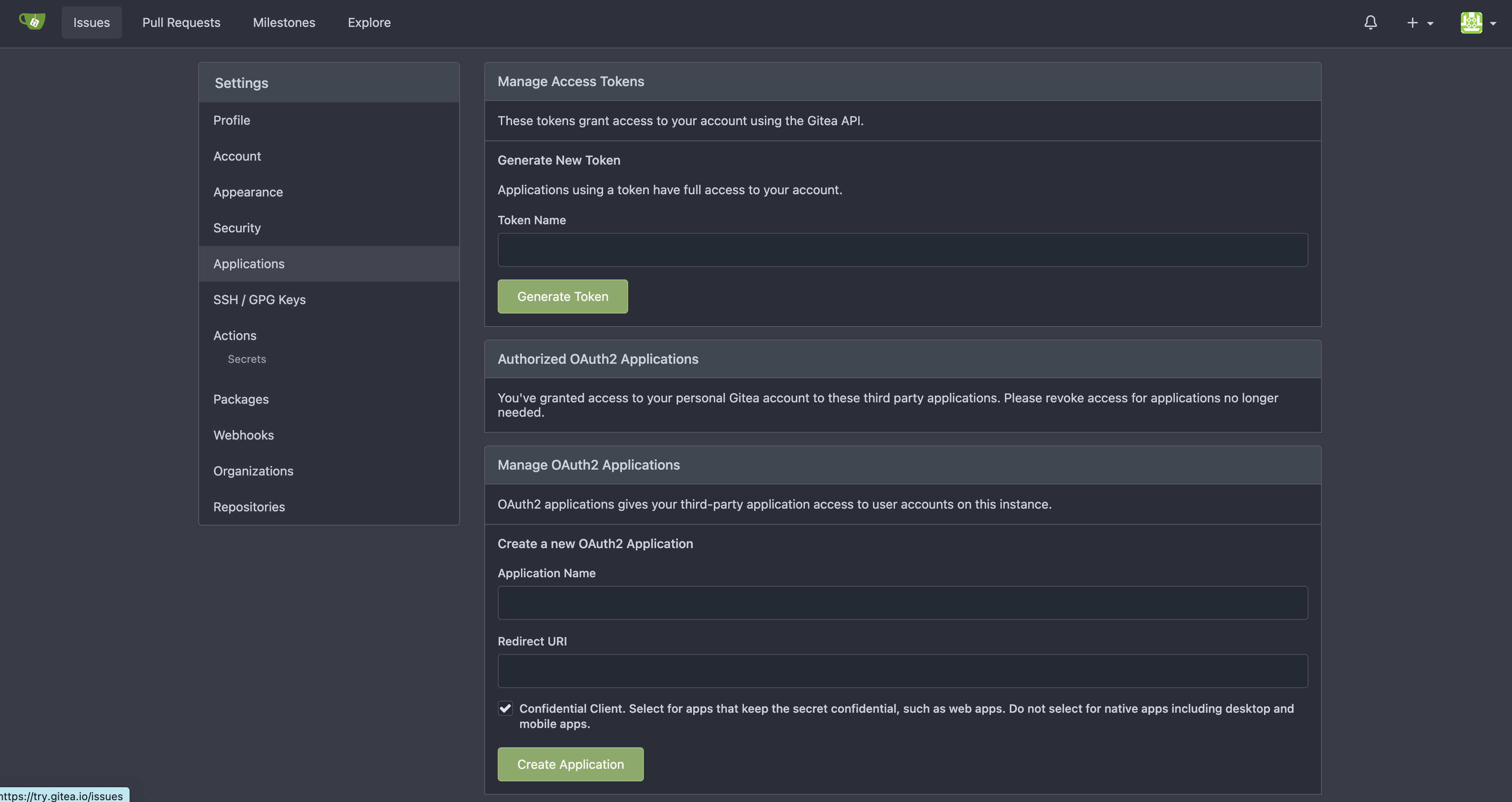
In the Token Name field, enter a descriptive name for your token so you can identify it later. Once configured, click Generate Token to create it.
Copy your token
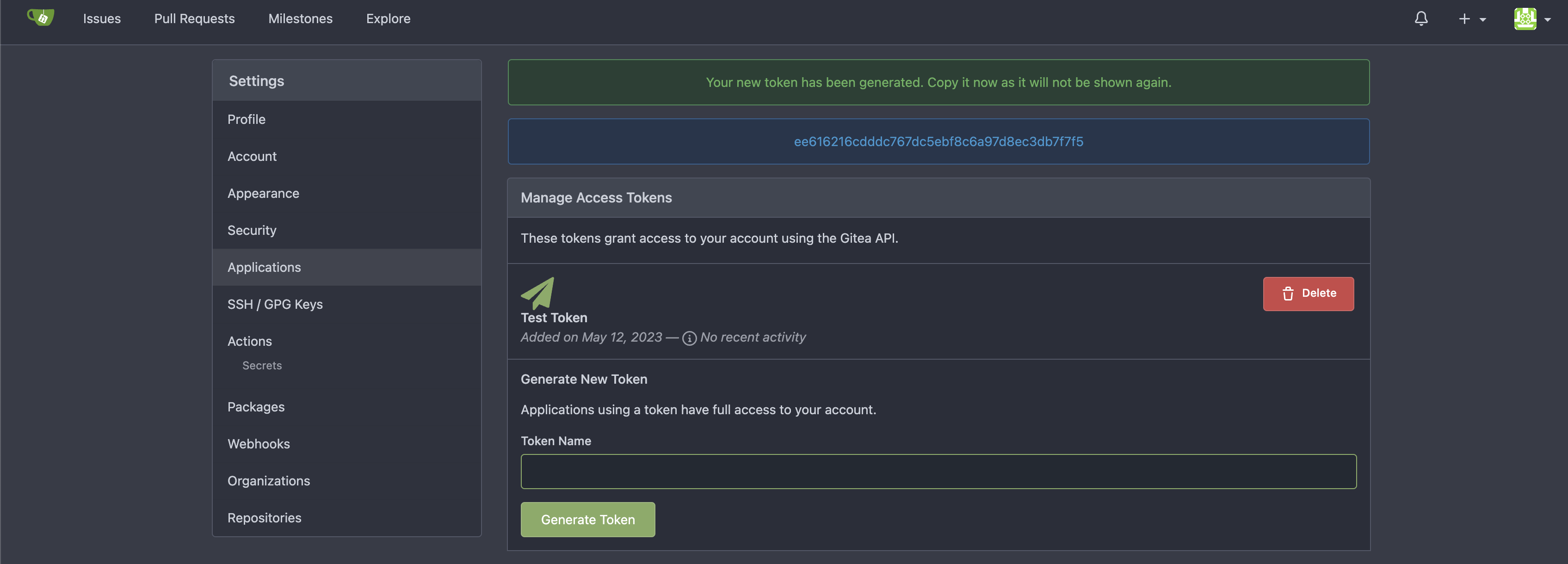
Gitea displays the new access token on screen after generation. Copy it and store it in a safe place — you will not be able to retrieve it later.
Set up your Gitea backup on SimpleBackups
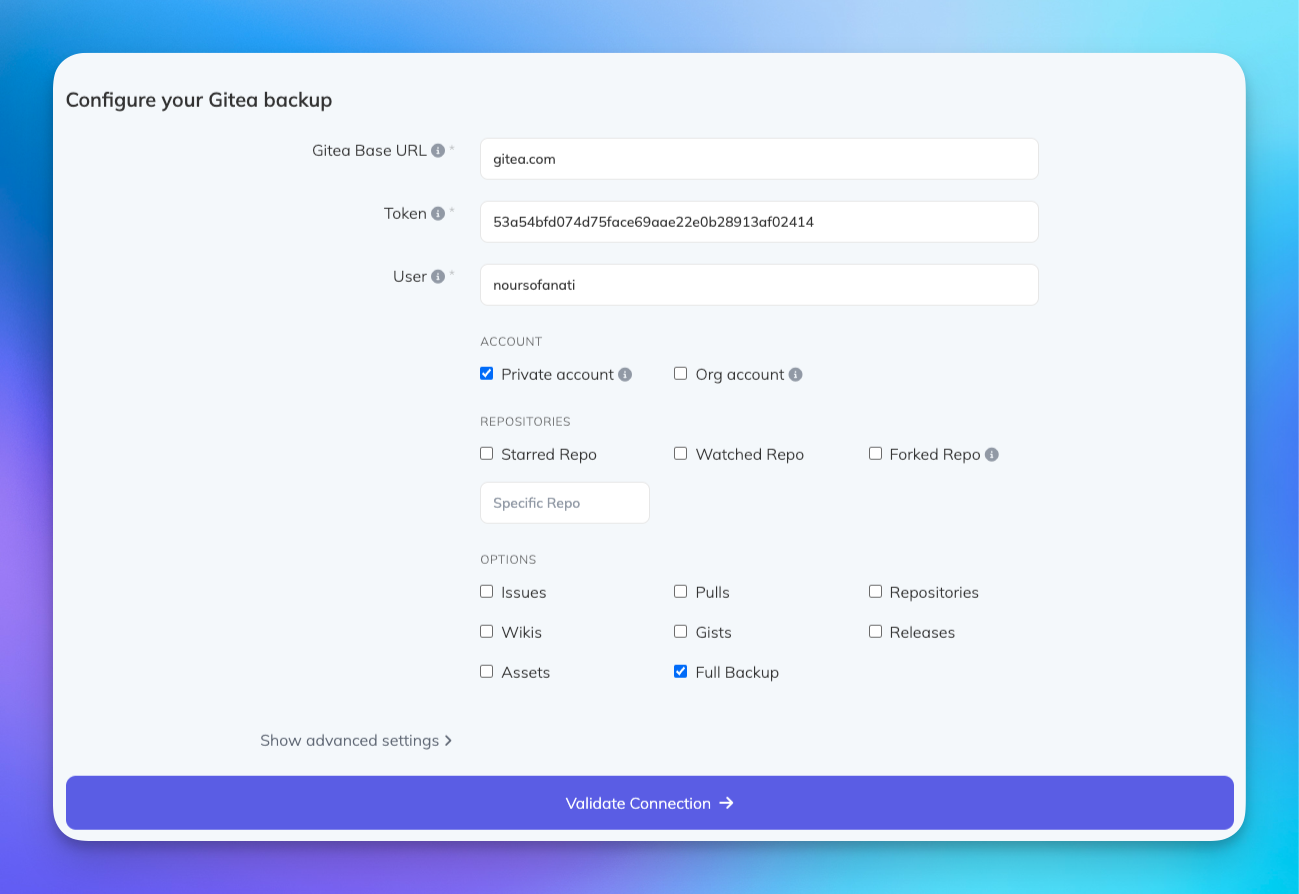
Paste your access token, enter your Gitea Base URL, and click Validate Connection. If your values are correct, you can proceed to configure your retention, schedule, and storage.