
Appearance
Database Backups
Automate backups for MySQL, PostgreSQL, MongoDB, and Redis databases.
SimpleBackups connects to your database — whether self-hosted, containerized, or managed by a cloud provider — and creates scheduled dumps stored on the cloud storage of your choice. You choose a connection method based on where your database runs, then configure the schedule, retention, and destination storage once.
Supported databases
SimpleBackups supports four database engines, each with engine-specific backup and restore tooling:
- MySQL / MariaDB — full dumps via
mysqldump, hot backups with Percona XtraBackup, binary log support for point-in-time recovery, and Vitess/PlanetScale compatibility - PostgreSQL — full dumps via
pg_dumpin custom or plain format, with support for replicas and managed services - MongoDB — full dumps via
mongodump, with support for read replicas and Atlas collections - Redis — RDB snapshot backups for cache and data store recovery
Connection methods
How you connect SimpleBackups to your database depends on where it runs. There are four options: your own server, serverless workers for managed databases, Docker containers, and private networks via Tailscale.
Own server
If your database runs on a server you control, connect the server to SimpleBackups using SSH or the Backup Agent. When creating a backup, select your server from the Own Server section and provide the database connection details. SimpleBackups runs the backup command directly on the server and uploads the result to your chosen storage.
Managed databases (serverless)
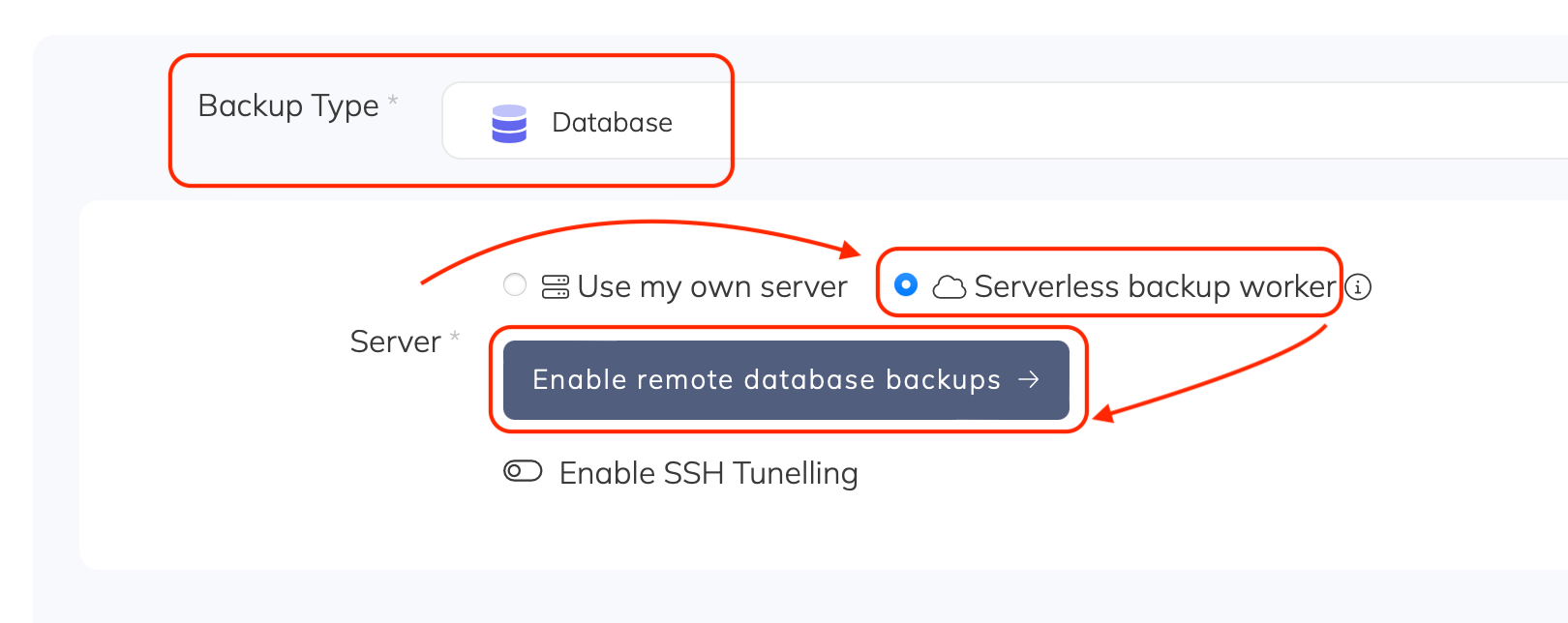
For managed databases (DBaaS) like Amazon RDS, DigitalOcean, Supabase, or PlanetScale, use serverless backup workers. These connect directly to your database host over the network — no server required.
- Go to Create Backup and under Server, select Serverless backup worker. If not yet enabled, click Enable
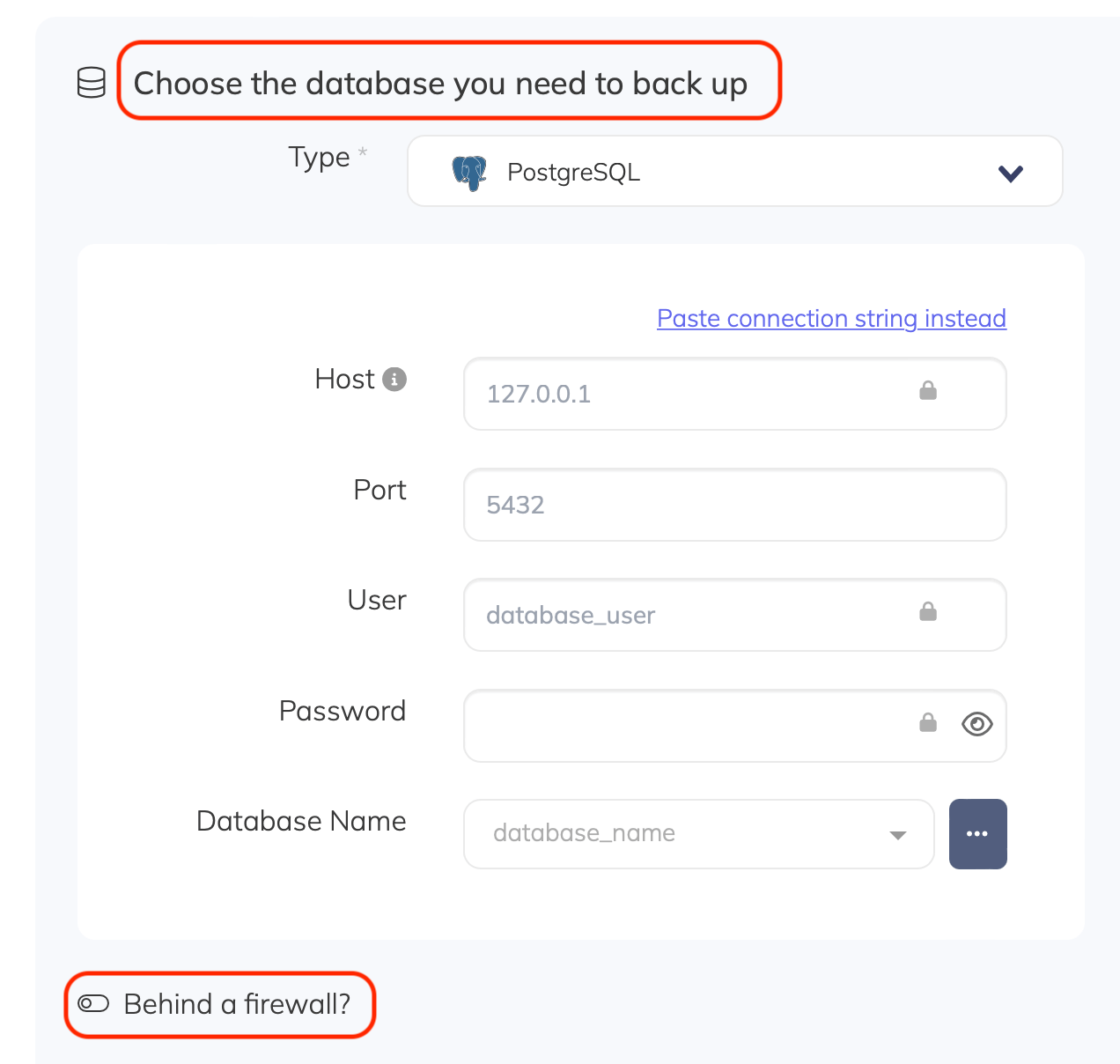
- Under Database, choose your database type and enter the host, port, and credentials
- Complete the rest of the configuration (name, schedule, retention, storage) and click Create Backup
SimpleBackups supports over 15 managed database providers. For provider-specific instructions, see the guides in the Managed database providers section of the sidebar.
Docker containers
SimpleBackups can connect directly to databases running inside Docker containers on your server. You do not need to map container ports to the host — SimpleBackups detects running containers and connects to the database inside them.
- Connect the server running your Docker containers to SimpleBackups. See Connecting your server for instructions
- Go to Create Backup and select your server from the Own Server section
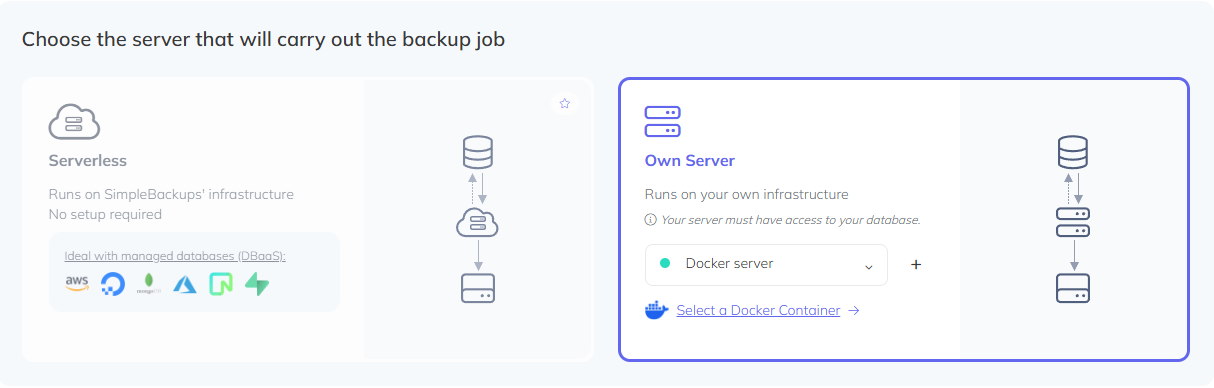
- Click Select a Docker Container. SimpleBackups fetches your running containers — select the one containing the database you want to back up
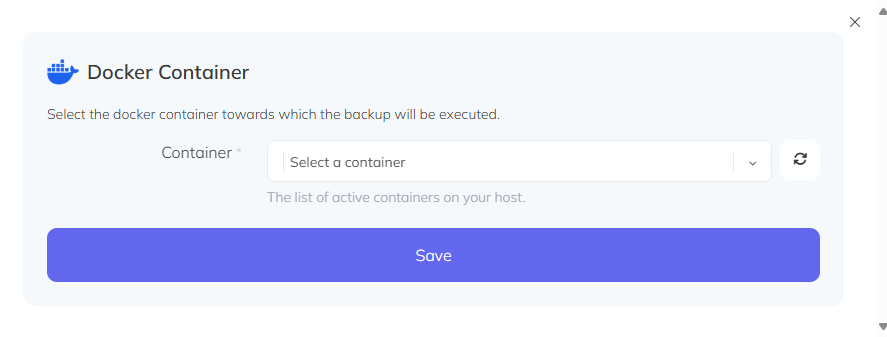
- Click Save and fill in your database connection parameters. The default host inside the container is
127.0.0.1orlocalhost - Complete the configuration and click Create Backup
Private network databases
If your database is on a private network with no public access, use Tailscale to create a secure connection between your infrastructure and SimpleBackups. Tailscale lets you share specific machines without opening firewall ports or configuring complex network rules.
Standard server setup
Install Tailscale on the server hosting your database and confirm it is running. In the Tailscale admin console, navigate to Machines, click your server, then click Share. Click Generate & copy invite link, then open a support ticket with SimpleBackups and share the link with us. Once access is accepted, create a backup using the private IP assigned by Tailscale — select Serverless as the backup type and choose Yes - Database publicly accessible.
Docker container setup
If your database runs inside a Docker container, run a Tailscale sidecar container attached to your database container's network namespace. This eliminates the need for a bastion host:
bash
docker run -d \
  --name=database-sb-connector \
  --network container:NAME-OF-DATABASE-CONTAINER \
  --cap-add=NET_ADMIN \
  --cap-add=NET_RAW \
  --env TS_AUTHKEY=API_KEY_FROM_TAILSCALE_ACCOUNT \
  tailscale/tailscale
Replace NAME-OF-DATABASE-CONTAINER with your database container's name and API_KEY_FROM_TAILSCALE_ACCOUNT with your Tailscale API key. Once the sidecar is running, verify the connection with docker exec -it database-sb-connector tailscale status, then use the assigned Tailscale IP as the database host in SimpleBackups.
Restoring a backup
Each database engine has its own restore process. SimpleBackups stores your backups as standard dump files, so you can restore them using native tools (mysql, pg_restore, mongorestore, redis-cli) or any compatible client.