
Appearance
Serverless backups for managed databases
Back up managed or remote databases without connecting your own server.
SimpleBackups provides serverless backup workers that connect directly to your database host over the network. This means you can back up managed databases from providers like Amazon RDS, DigitalOcean, Supabase, or PlanetScale without needing to set up or maintain a server. The serverless workers handle the connection, dump, and upload to your chosen storage.
Create a serverless backup
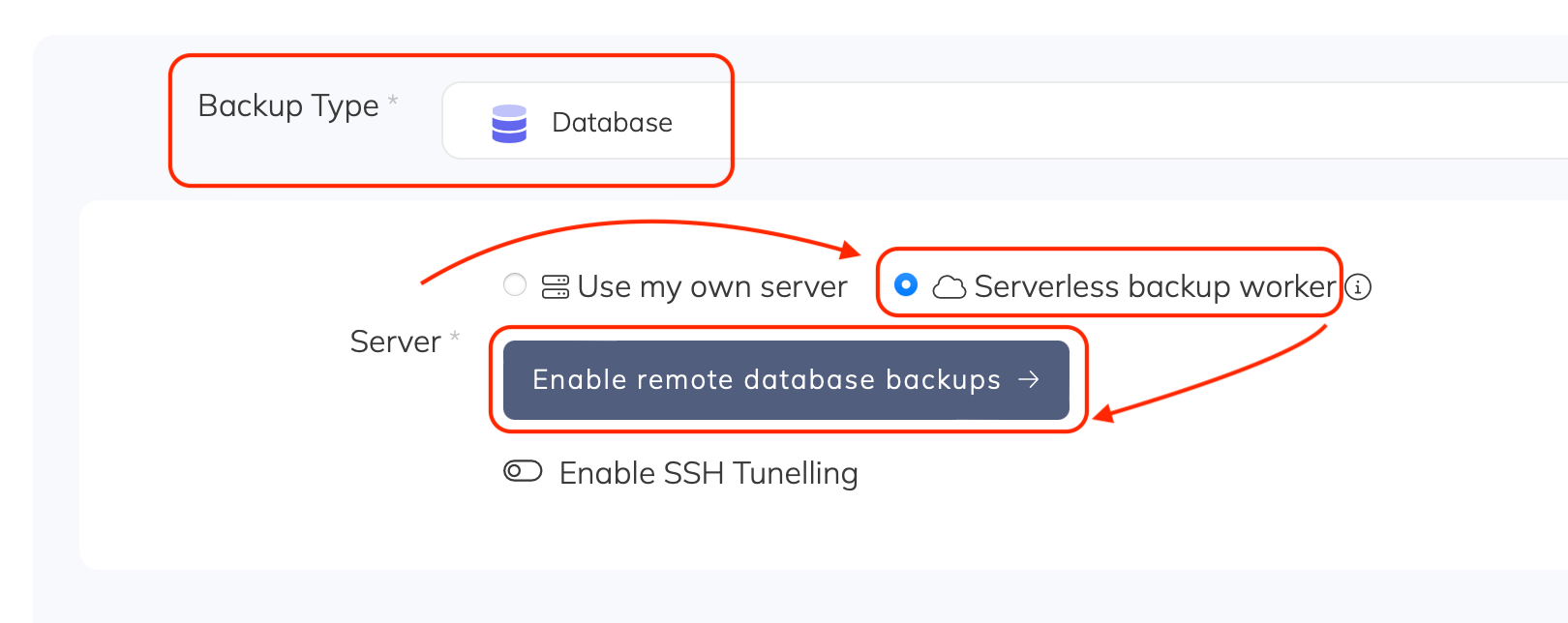
- Go to Create Backup and under the Server section, select Serverless backup worker. If not yet enabled, click Enable
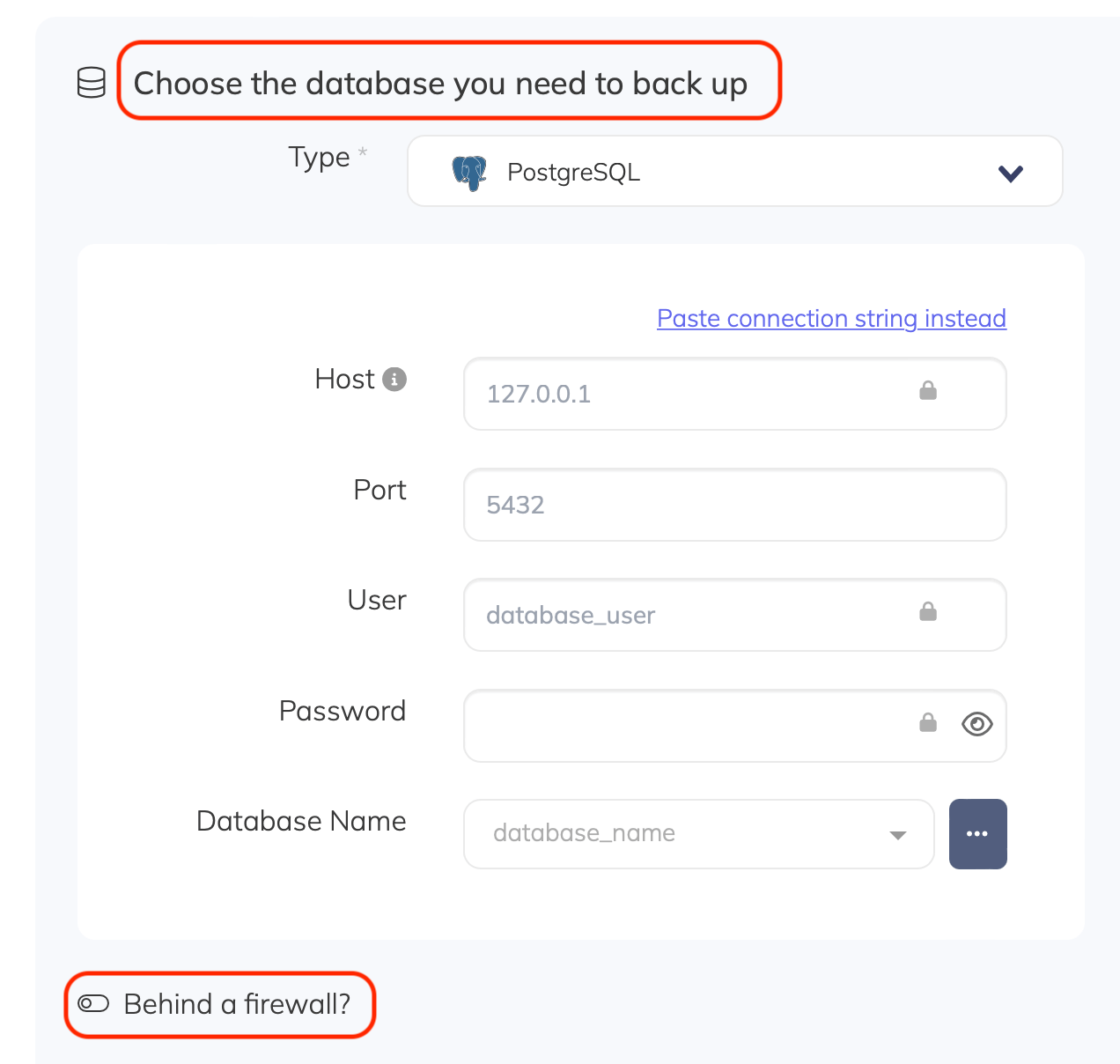
- Under the Database section, choose the type of your database (MySQL, PostgreSQL, MongoDB, or Redis). Enter your database host, port, and credentials
- Complete the rest of the backup configuration (name, schedule, retention, storage) and click Create Backup